
Question
User account(s) are unable to see the Accounts Module. How can I resolve this?
Answer
If you have a user setup in Pinewood DMS and they are unable to see the Accounts module on the left hand side, but they have the relevant access level needed to be able to enter the Accounts module you will need to review the below:
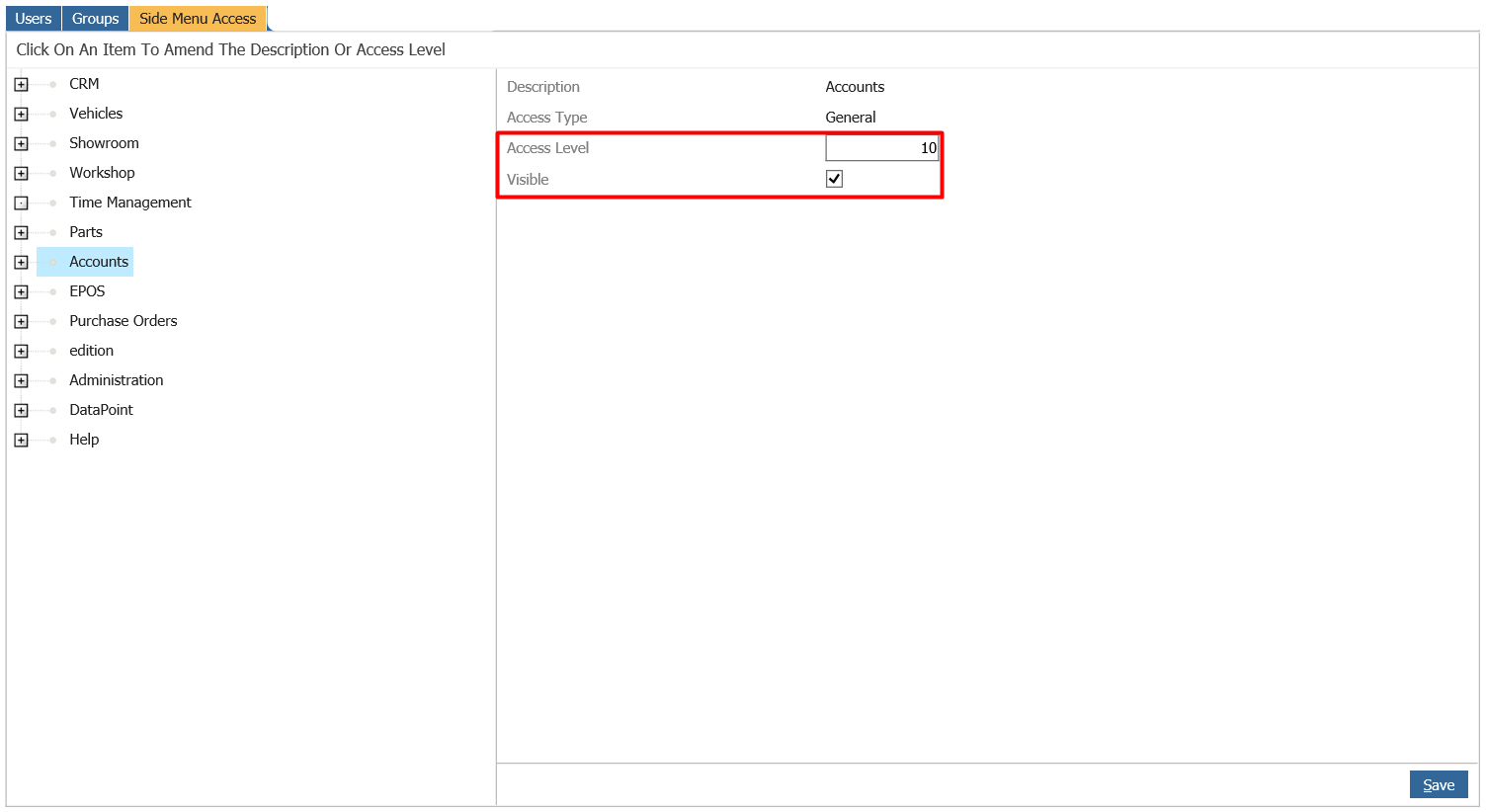
Firstly check what Access level is needed to view the 'Accounts' Module by going to Administration > User Admin > System
Click 'Accounts'
And see it has an Access level and is shown as Visible
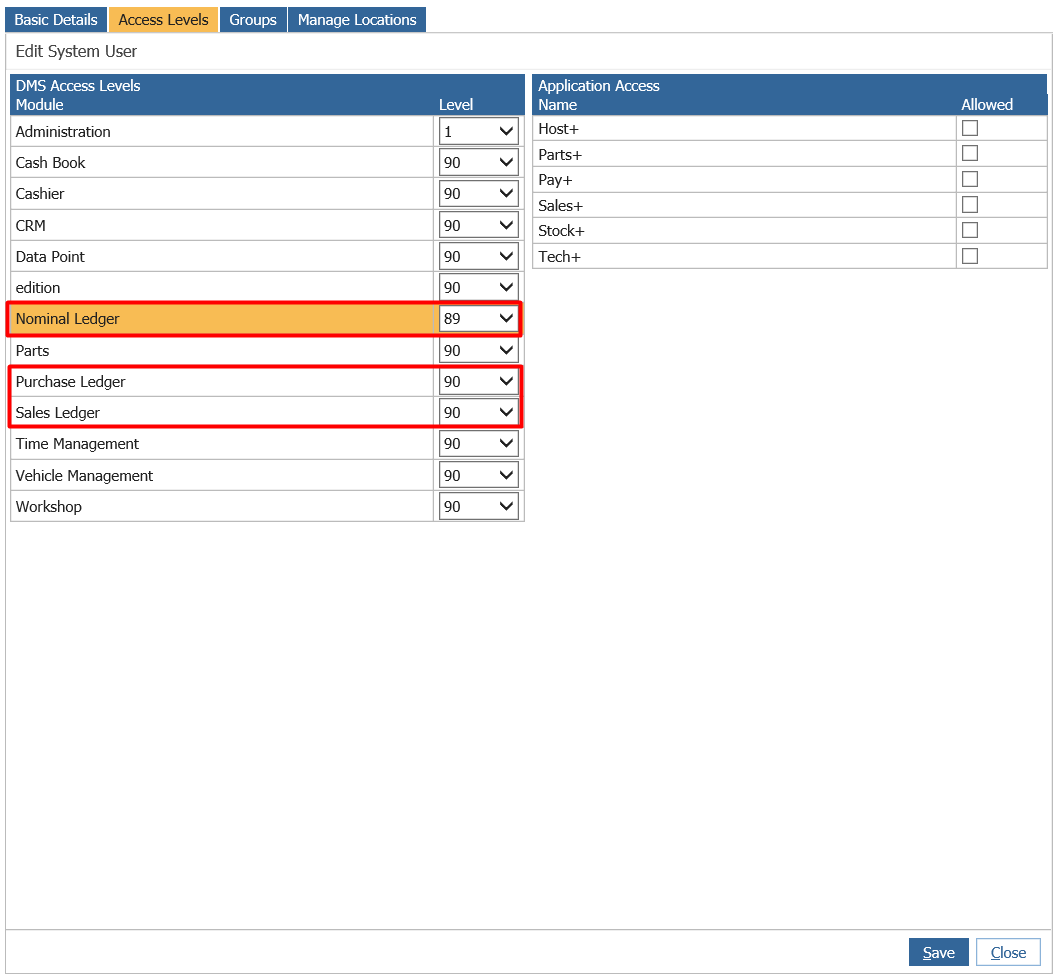
Now review your User's access level by going to Administration > User Admin > Users
Search for the User here, and double click into the record
See the below example has 90+ in all accounts modules.
You will need to give this user, the relevant access level in 'Administration' to match the access level needed to make 'Accounts' visible, in this scenario it needs to be set to 10.
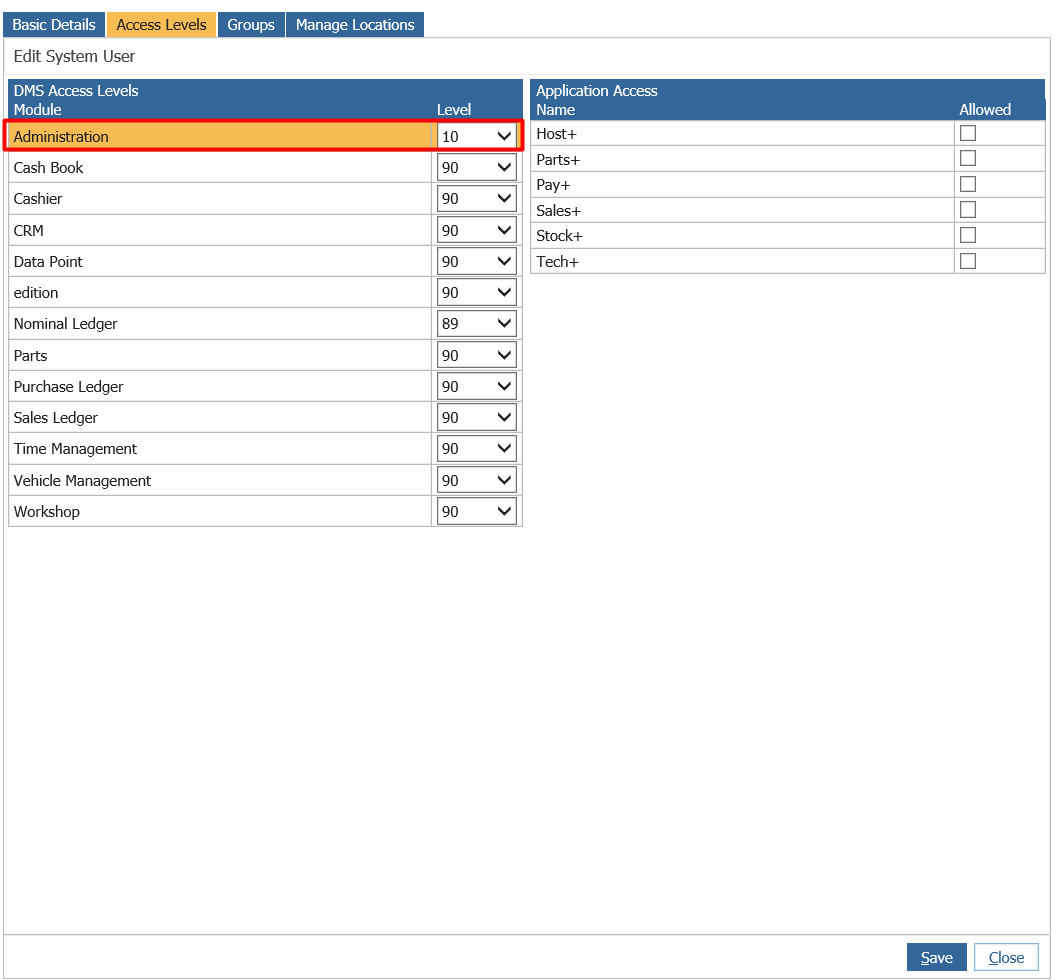
Once this has been done, click save and ask the user to log out and log back in and now they will be able to see the Accounts Module on the left hand side of Pinewood DMS.