
Question
How do I find the IP address for my Verifone VX680 Terminal?
Answer
If you require the Card Terminal's IP address for the set up of Pay+ within Accounts - Nominal Ledger - Parameters - Card Payment Parameters on the Manage Terminal tab:
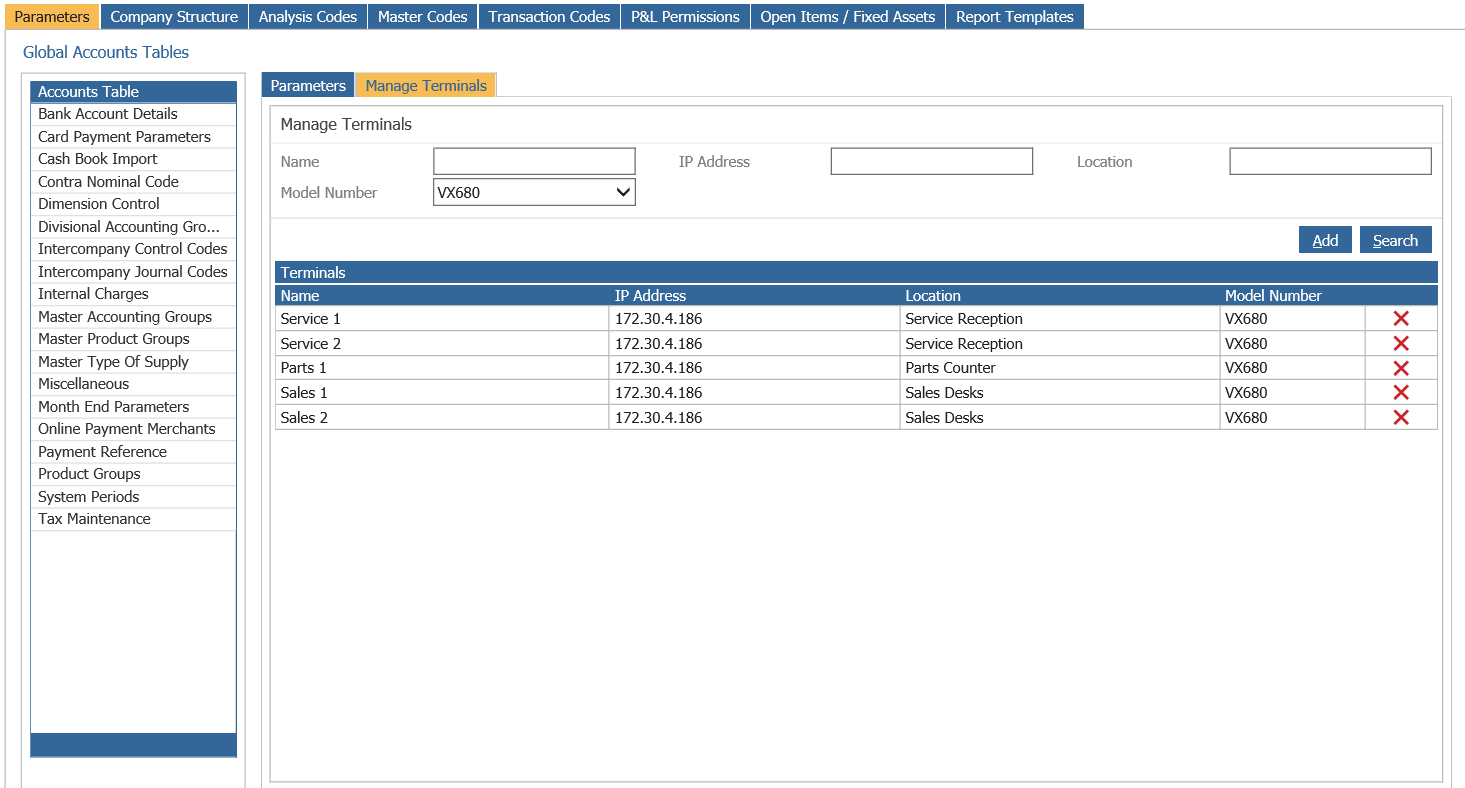
This can be found by using the following steps on the Card Terminal itself.
Firstly, you will need the Card Log In ID and Pin, this is provided by Verifone and should be entered in the Parameter tab within Pinewood DMS, these numbers should both match:
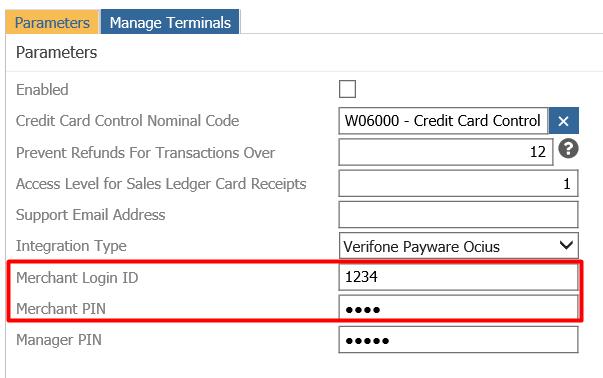
The Terminal screen should say 'Enter Log In ID'
Enter the Log In ID and press the Green button
Then enter the Pin and press the Green button
Now press 2 for the Menu
Now press 3 for System
Then press 2 for System Info
This will then print a receipt out which will have the details of the Terminal's IP address on
Once printed, ensure you log off:
Press the Red button
Press the Red button
Then press 4 to log off
The terminal screen should then say 'Enter Log In ID' once more and has been logged out
Please Note: Each Terminal has a unique IP address, so this will need to be done on each Terminal if setting multiple terminals