
Question
How to add an Arrival Video on Host+?
Answer
There is an option to upload an Arrival Video on Host+ once a customer has been flagged as 'Arrived' for the Workshop.
On the Host+ App screen click on Service Customers.
This will bring up a list of customers that have arrived for that day. On this page, you can search for the relevant customer and click on the customer that you wish to upload the Arrival Video for, and this will then bring up the Booking Details screen for the selected customer.
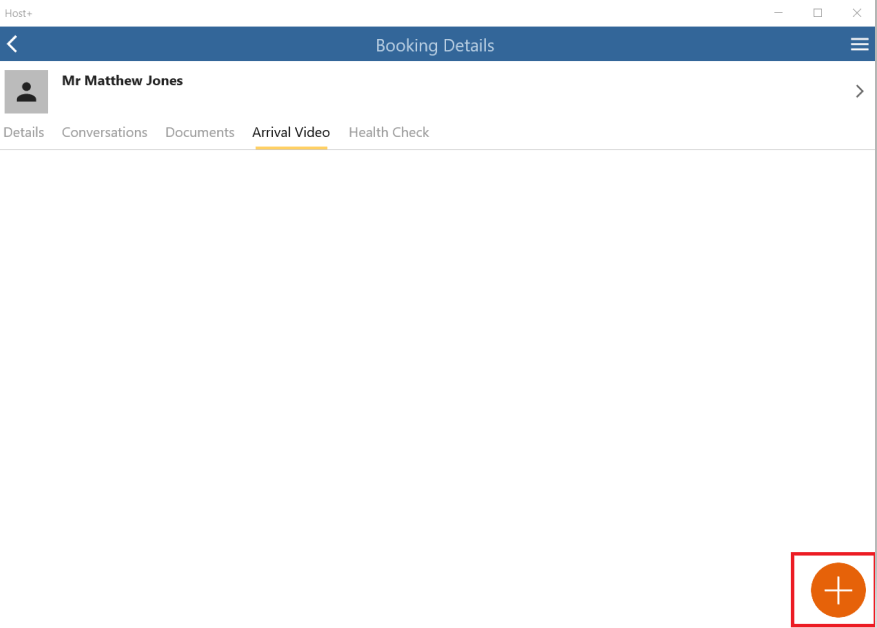
On the Booking Details screen click on the Arrival Video tab.

Click on the orange symbol button on the bottom right side of the screen.
You will now have the option to upload the video either through the Camera or Gallery; select the icon accordingly to this.
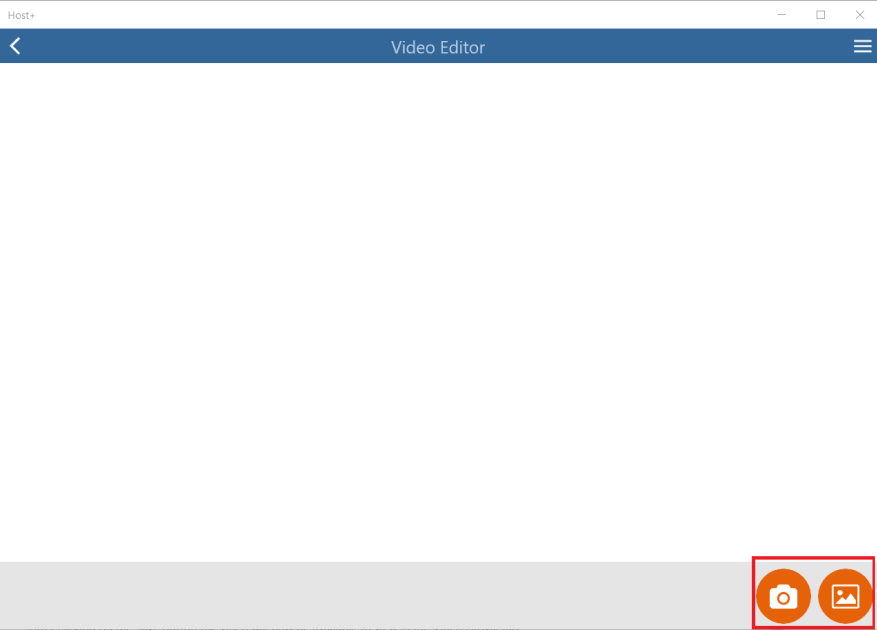
The videos uploaded can be previewed in the Video Editor screen first before clicking the Save button.
After clicking on the Save button the video will now be available to view in the Video Arrival tab.