
Question
How to add an additional field to a CRM record?
Answer
There are two places for additional information. One place for Customer information and one place for vehicle information.
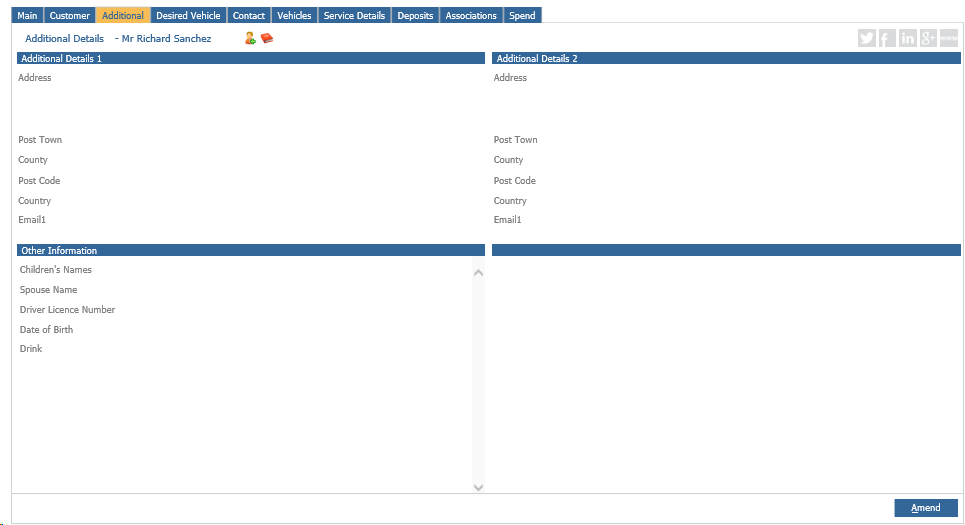
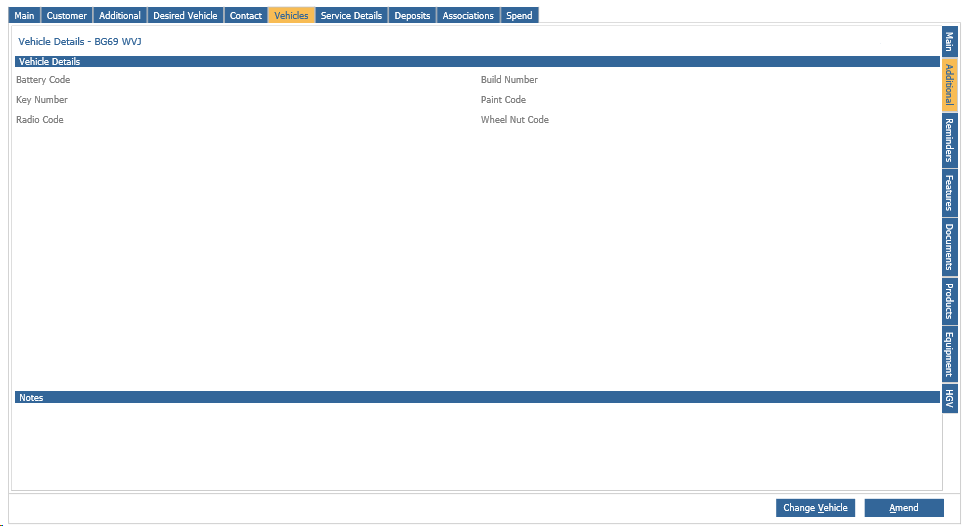
You can add fields in by going to CRM - Parameters - Dealer Parameters.
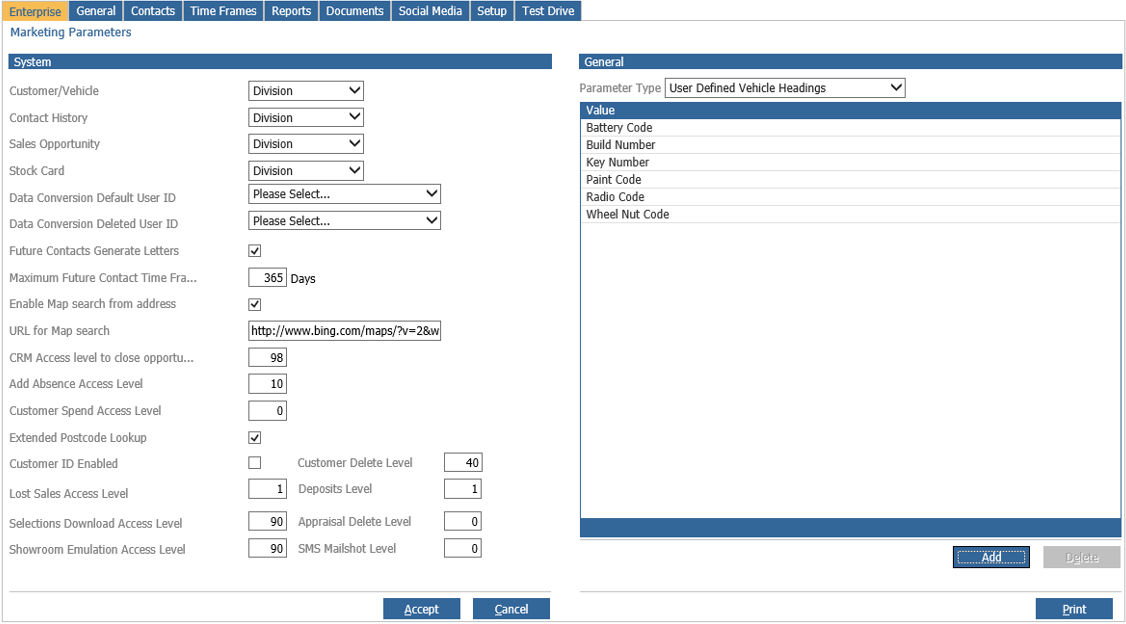
Staying on the Enterprise tab, choose from the Parameter type drop down
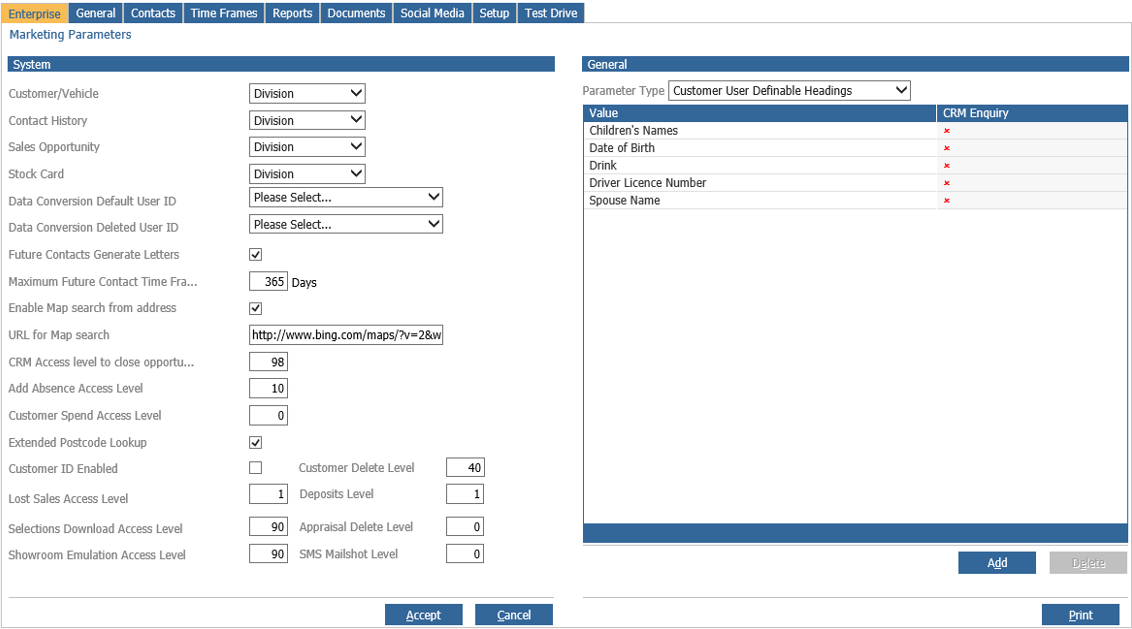
To add customer additional fields choose Customer User Definable Headings.
To add vehicle additional fields choose User Defined Vehicle Headings.
Anything added in either place will then pull through to the respective additional tab within the CRM record.