
Question
How to create a new vehicle quote against a customer CRM record?
Answer
Firstly you go to CRM - Enquiry. Search for your customer then go to the desired vehicle tab.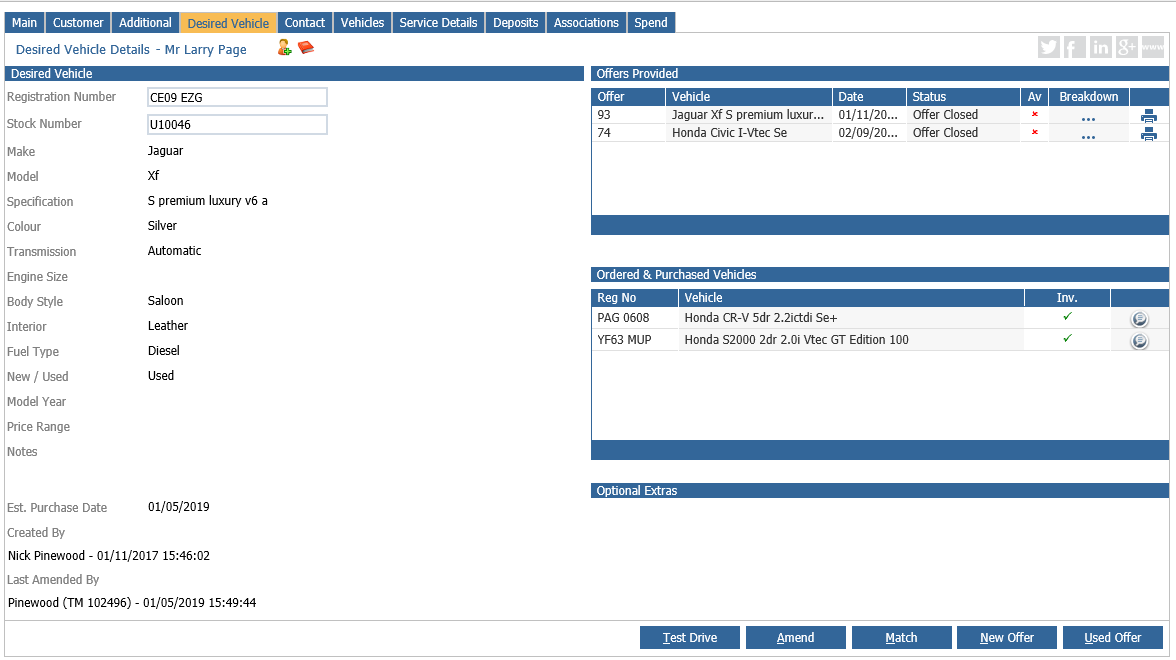
Press New offer at the bottom of the page. You will then have the option to search for a vehicle that you have in stock or you can use the new vehicle configurator at the bottom if there is no stock card for the vehicle yet. 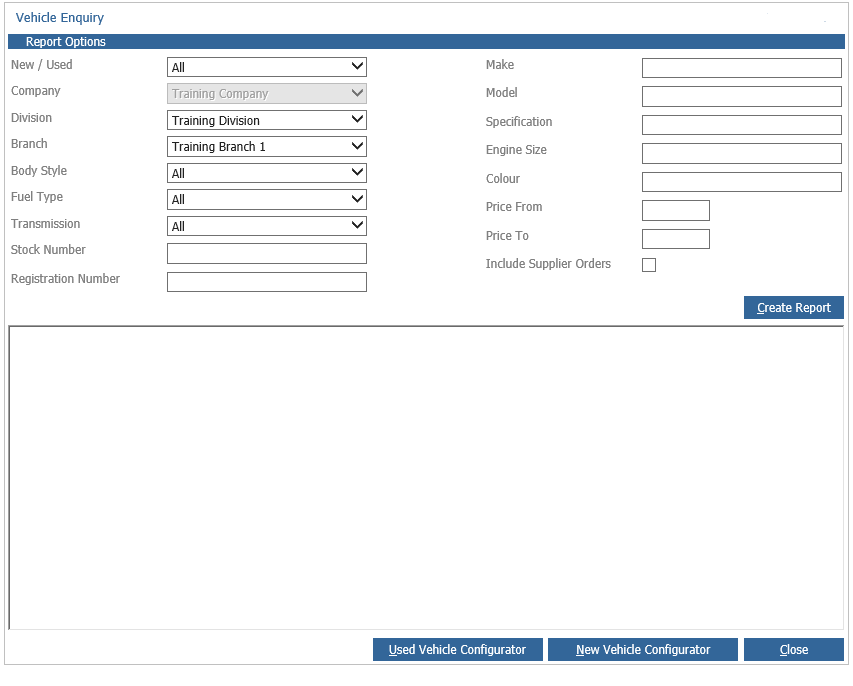
If you select the new vehicle configurator you will be given the option to choose the make, model and specification of the vehicle you want. Once you find a vehicle the double click it.
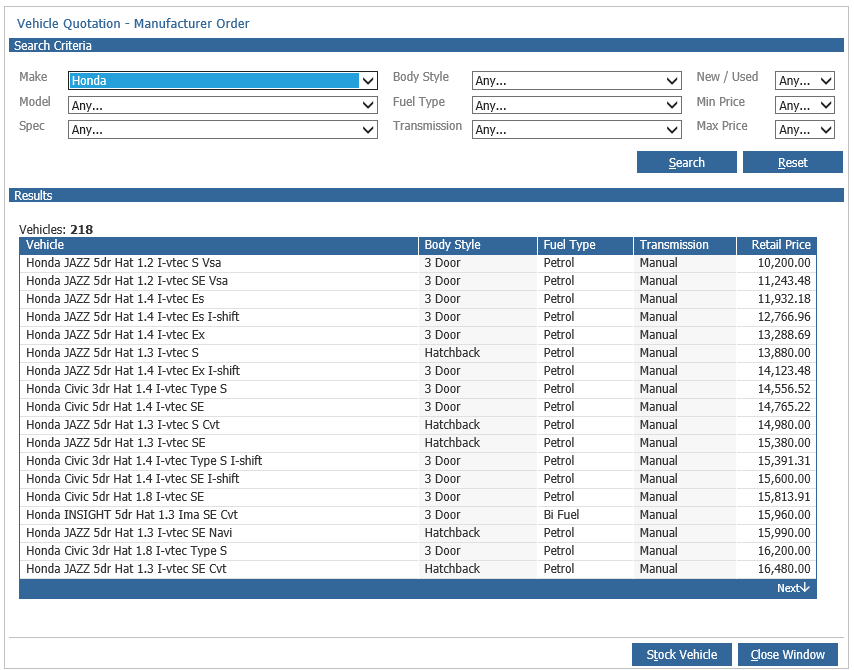
This then takes you to the screen where you can build the quote by putting the figures in. Once happy with the figures you can then press the quote button at the bottom and this will create the quote with a document you can give to the customer.
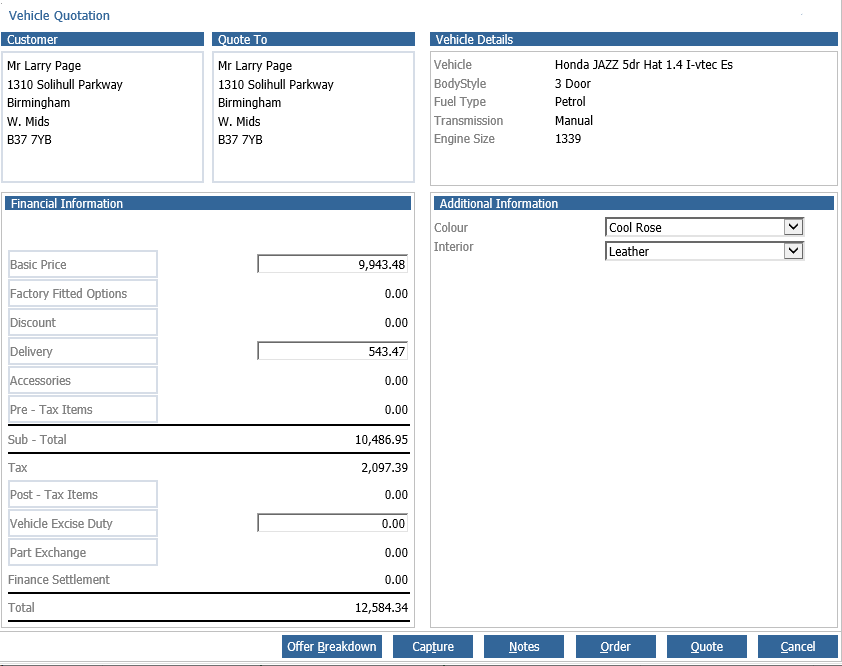
The above is the same screen you would get if you had chosen a stock vehicle right at the beginning of the process.