
Question
How do I amend service history?
Answer
When a service history line is entered incorrectly we can amend this on the Vehicle CRM record from the Service Details tab.
> CRM
> Enquiry
> Service Details Tab
A scenario of where incorrectly inputted data could complicate a vehicle would be when a the mileage is entered incorrectly as this could cause the Service calculations to make the next Aftersales Diary event for a vehicle's service come either too soon, or too late.
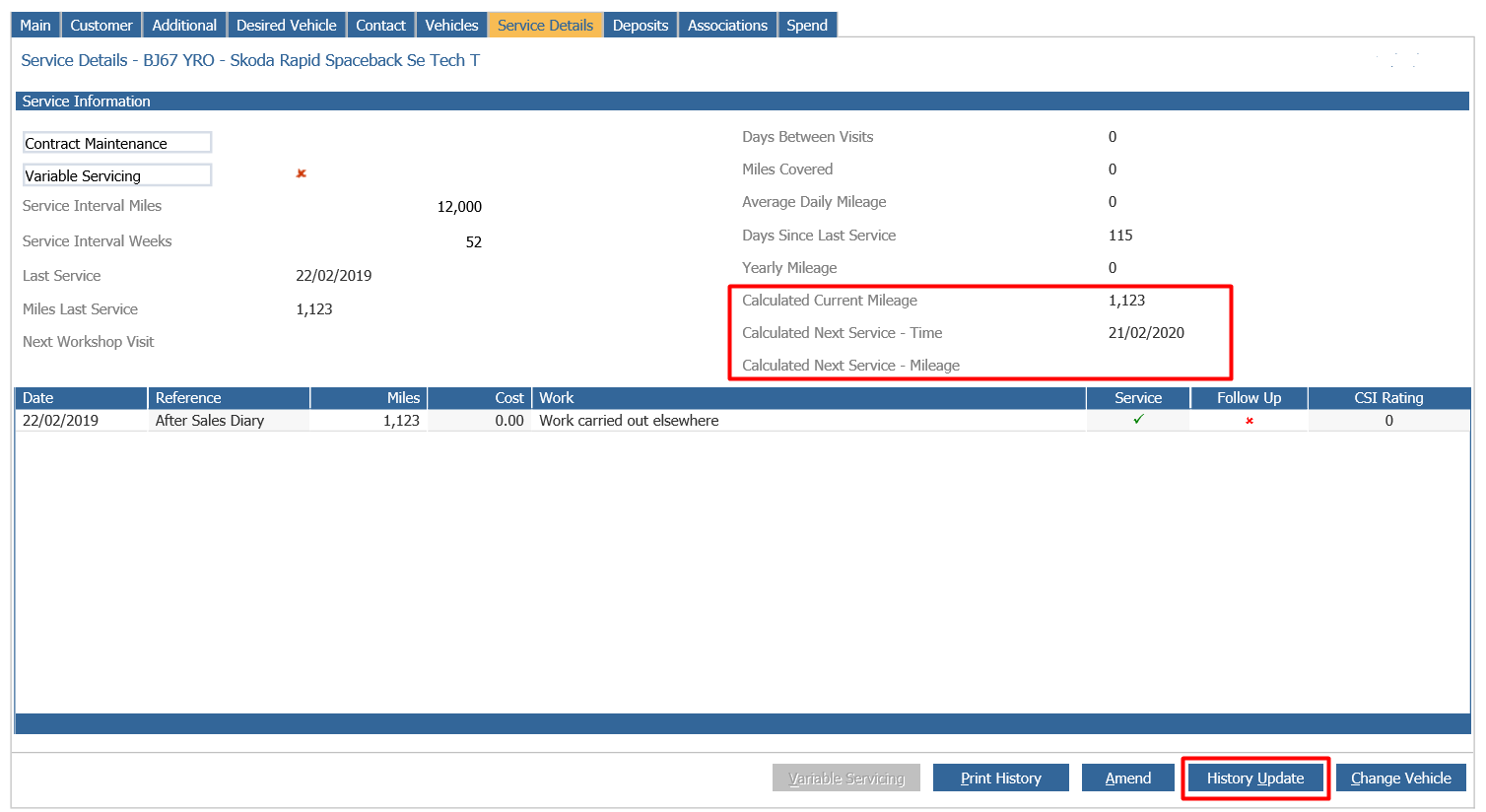
To amend this service line we would click the History Update button within the Vehicles CRM record whilst on the Service Details tab. Following this click the line that you wish to amend and press the amend button, make the necessary amendments and then click Accept.
The Only items that can be amended are as follows:
- Work
- Mileage
- Service Flag
You'll be prompted that Service calculations have been updated based upon your amendments to that Vehicles CRM record.
This will then update the expected service dates and mileage.