
Question
Why can't I remove the Owner, Driver, Keeper in the Aftersales Diary?
Answer
If you are trying to remove the Owner, Driver, Keeper from the aftersales diary you can do this by pressing the X.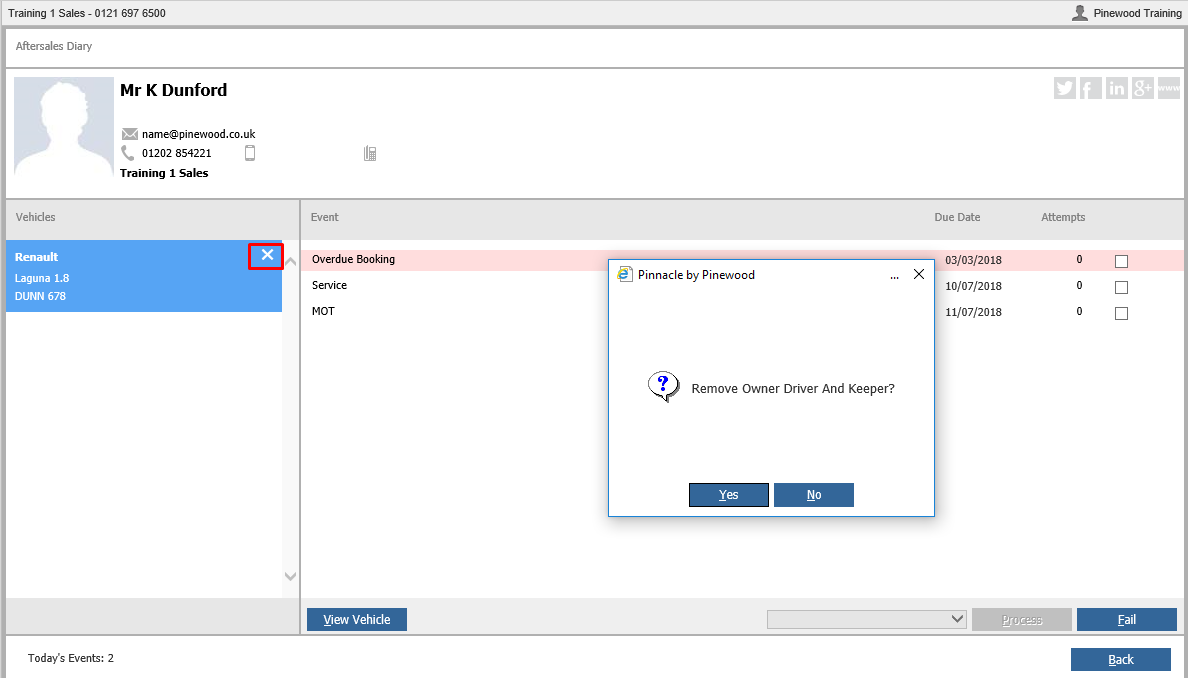
It will then ask if you want to remove the Owner, Driver and Keeper. If you press yes and nothing happens this can be down to a missing setting.
This setting is in Workshop - Parameters - Customer Declines - Decline Parameters. You need at least one decline set as ODK.
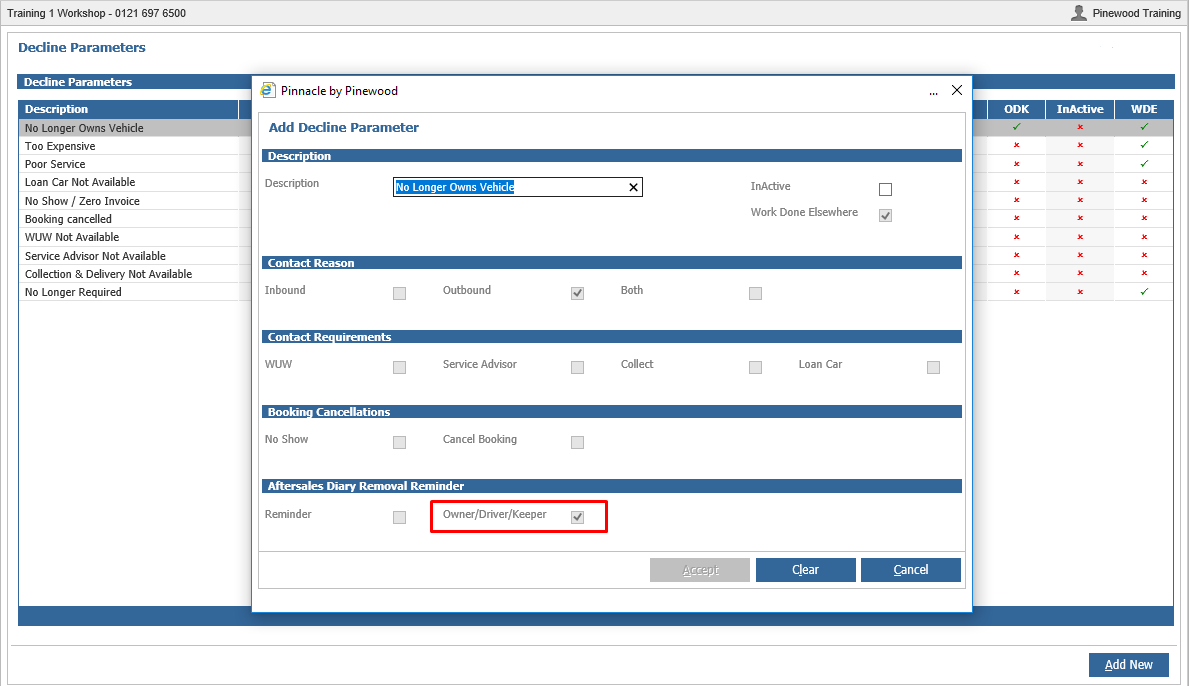
Once in here you can either add a new reason or amend an existing one. You need to make sure the contact Reason is set as Outbound. You can then click the Owner/Driver/Keeper option at the bottom.