
Question
How do I activate the Handover Diary?
Answer
In addition to future activities if the “Handover Diary” is activated and a customer order has been raised as part of the sales opportunity process, the user will have the option to select ‘handover’ as an activity for the future contact.
As part of the contact process a handover diary is available. By selecting the Handover Diary parameter this will give the user the opportunity to select Handover as a future contact activity when adding the future contact into their contact diary.
To activate the "Handover Diary" navigate to the following location;
> CRM
> Parameters
> Dealer Parameters
> Contact Tab
> Select Contact Methods from the drop down box
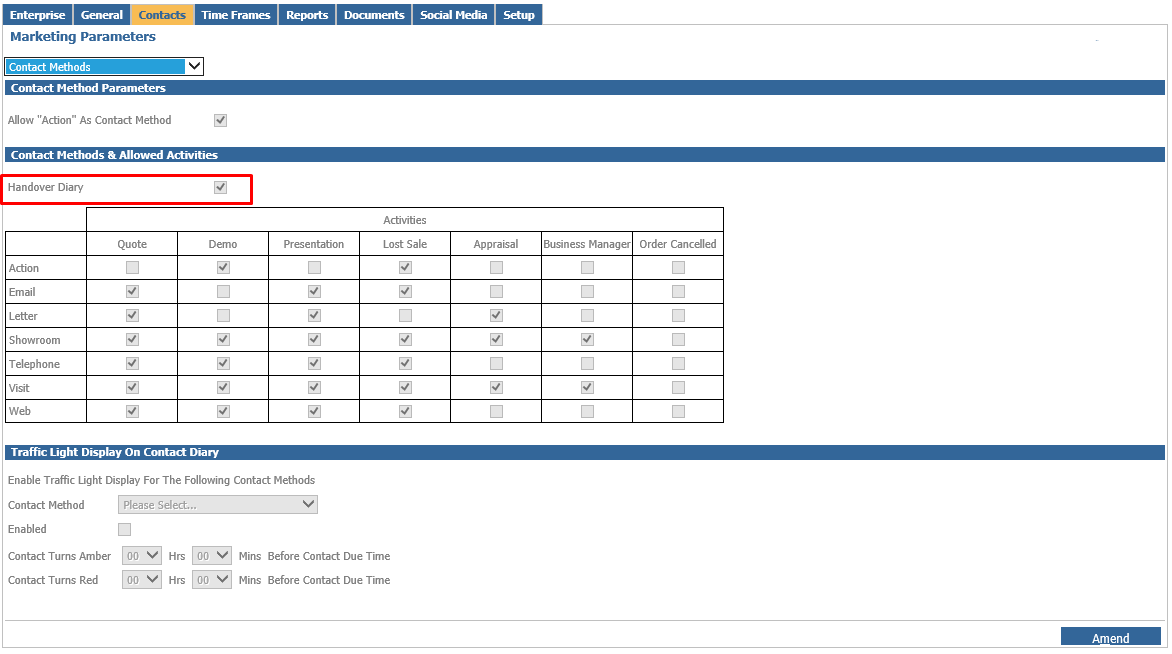
Click Amend and then ensure that the Handover Diary tick box is filled as demonstrated in the image above, once completed then select Save.