
Question
How do I add absences within the Contact Diary?
Answer
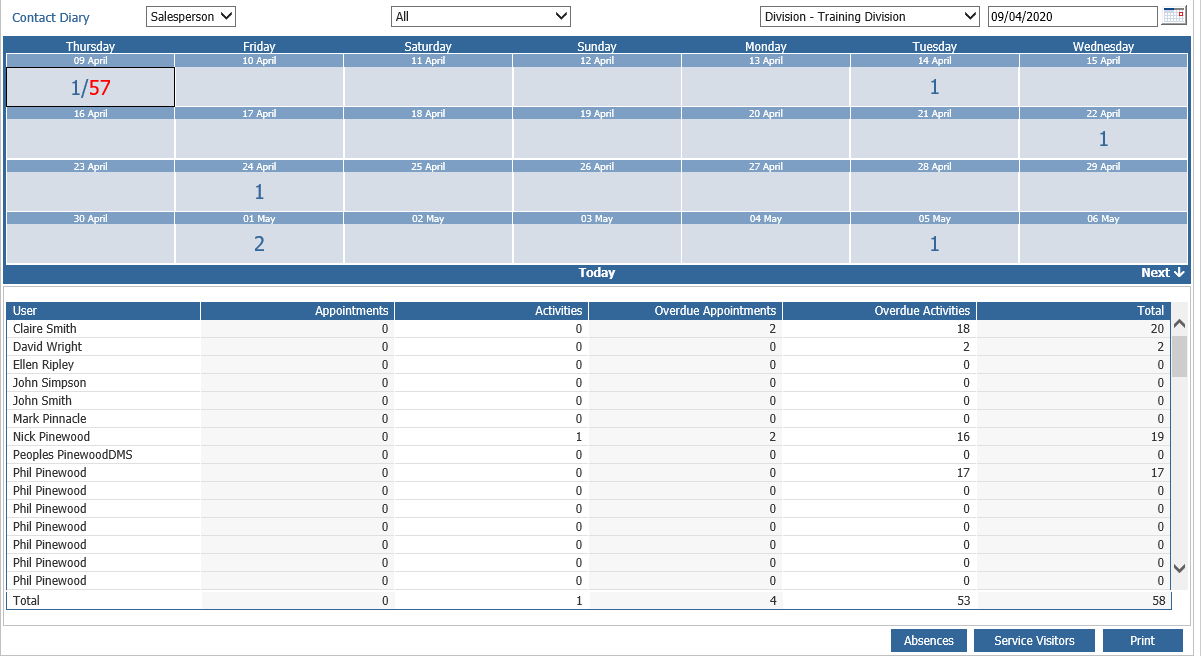
If you have a member of staff who will be off on a certain day you may want to avoid customers being booked into their contact diary. You can avoid this by going to CRM - Sales Reports - Management - Contact Report.
In the report you will see a drop-down at the top - this can be used to search for all of your salespeople. Alternatively, you can change the Salesperson drop down to All which will allow you to search for all staff which have a contact diary.
Once a member of staff has been selected there will be an add absences button at the bottom of the page. If you click on this you will get a pop-up box which will allow you to add either holiday, sickness or training.
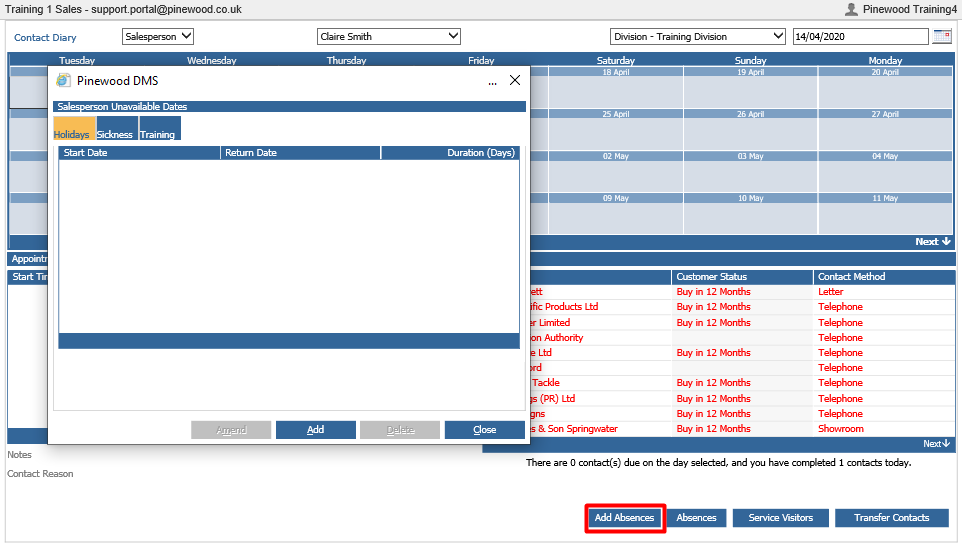
If you press the add button in either of these tabs you will be asked to select a date range. You can also specify if this is a half day or not. Once you press accept on those dates you will no longer be able to add a contact to that member of staff on that date.
You can also delete any holiday using the same button.