
In Pinewood DMS it is possible to create multiple Product Group. Product Groups are used to determine the purchase, stock and sales analysis of the part.
Valuation reports may be selected via product groups. All part numbers must be associated with an appropriate product group. Oils and lubricants are recommended to be issues via the Parts Department.
Each product group has its own set of nominal codes to ease interpretation of stock values on the
balance sheet, the product groups are user defined and there are no limits on the number of product
groups which can be created.
As with Accounting Groups, Master Product Groups must be created for further mapping of nominal
codes into the Divisional Product Groups.
To create a new Product Group you'll need to access the section called Master Product Groups, this can be found within the Nominal Ledger in the following location;
> Accounts
> Nominal Ledger
> Ledger Parameters
> Master Product Groups (in the Accounts Table)
Double click Master Products Groups to load the following screen;
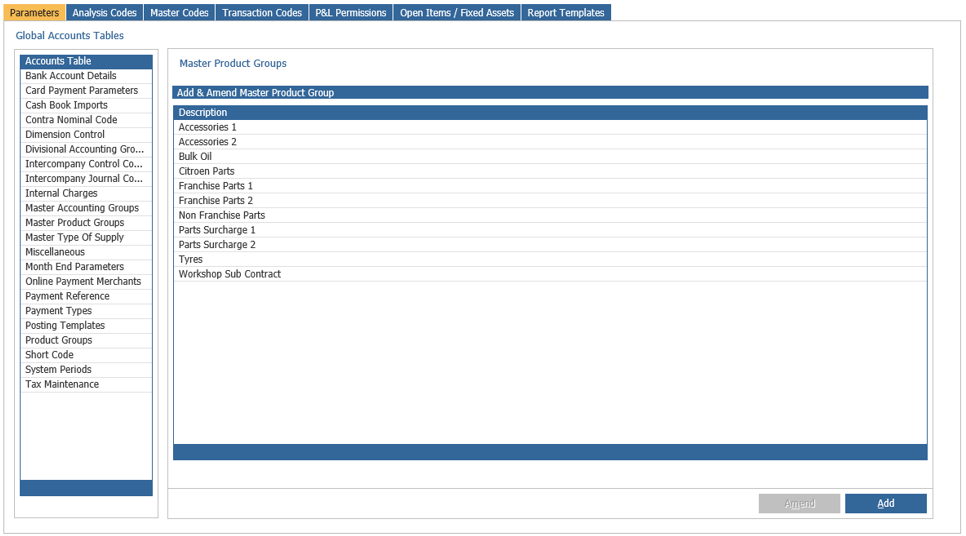
Here you'll see a list of all pre-existing Product Groups, click Add in the bottom right hand corner, this will display a pop up box where the Master Type of Supply description can be entered, i.e. Other
Dealers, Inter Group, Van Runs etc.
Click ‘Save’ and the Master Type of Supply will be added to the list, you'll then need to map the Product Group within the Product Groups section of the Accounts Table.