
Question
How do I Add a New Customer Status Type?
Answer
If you want to add a new customer status type you will need to go to:
CRM > Parameters > Dealer Parameters and choose Customer Status types from the drop down menu on the right side of the screen:
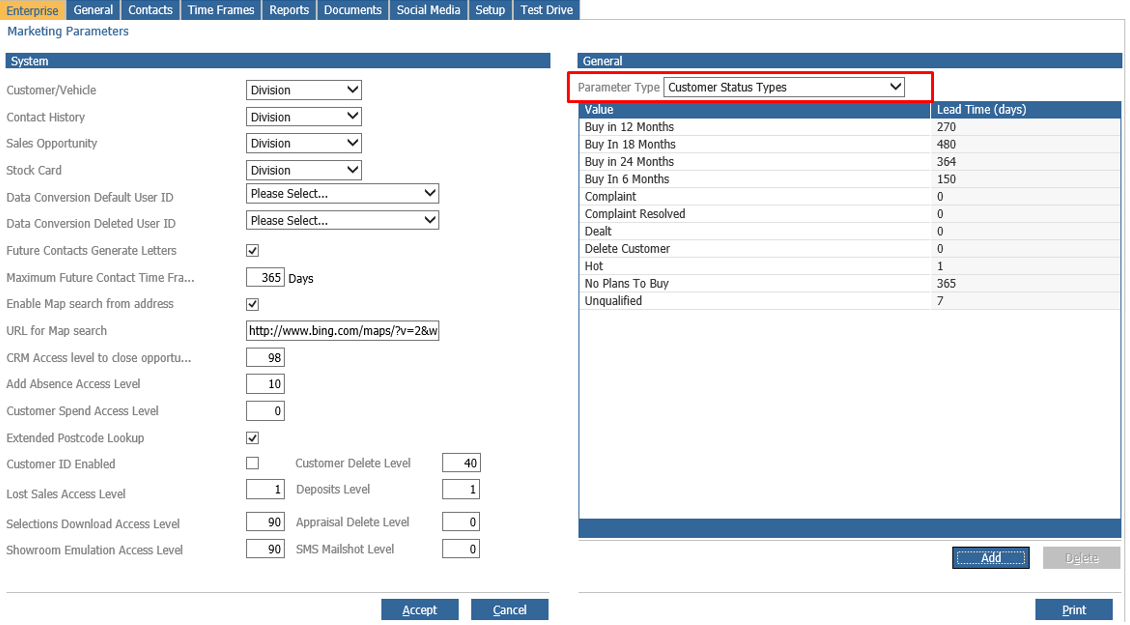
Once you have chosen Customer Status Types, the system will display the existing ones that you have at the moment.
By clicking 'Add' you can create a new one. Enter a description, Icon (if required) and Lead time which will be represented in days:
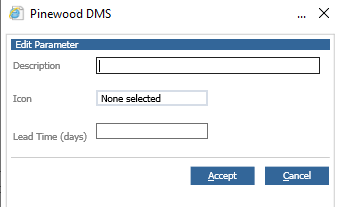
Once these fields are completed, click on Accept and the changes will be Saved.
As a result, when you update the contact information for your customer you can choose the new customer status type that you have just created.