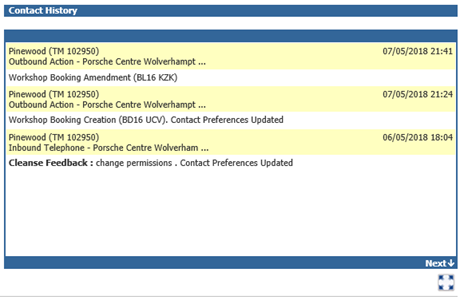
The feature will allow you to capture permissions when creating a workshop booking. This is present through both the Aftersales Diary and creating a booking within the Workshop module.
When creating a Workshop booking, you would create this using the normal process. The permissions come, once accepting the booking as created;
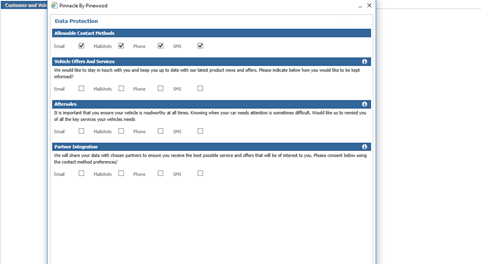
It is at this point you can view and also amend any of the permissions given if necessary.
Once complete you can save the any changes made.
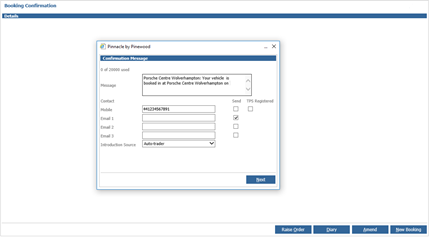
This will then continue to the booking confirmation screen.
If you were to then look at the customer contact history within their CRM record, you are able to view that while there was a Workshop booking created, the customers contact preferences have also been updated if these were changed at this point.
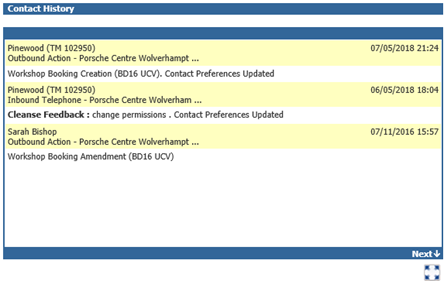
The functionality is also available when amending a workshop booking through the Diary or through the Job Progress screen.
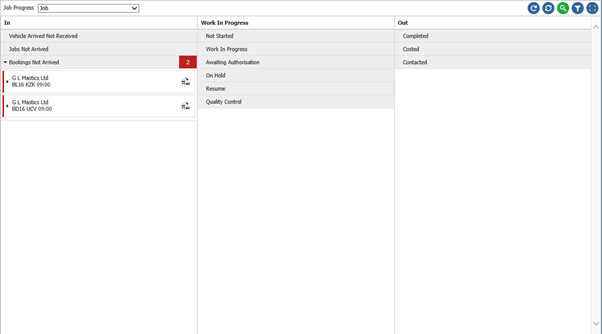
Within the Job Progress screen if the customer is searched;
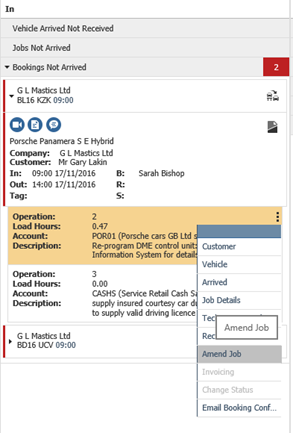
Selecting the Amend Job option to amend the booking;
Once any desired changes are made, and the Accept button is selected, the Capture Permissions Window is presented;
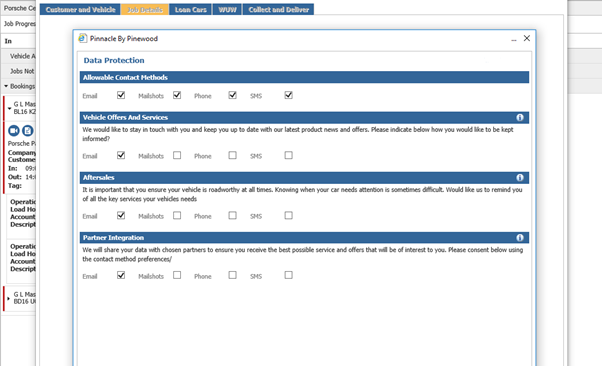
Any changes if required can be made, once accepted it will lead to the booking confirmation screen.
In the event that no contact permissions changes have been made, the contact history will only state any changes made to the booking;