
The process to generate a Letter Mailshot has not changed. The process will still begin with a saved selection.
See below the three customer generated;
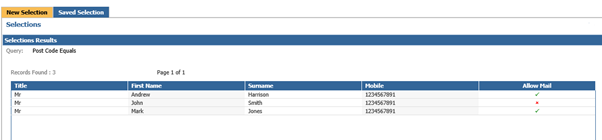
This selection shows the current allowable contact methods for these customers for Mail.
Two customers appear with Mail as an allowable contact method, one does not allow this method.
You can then also click into the customers individually to view their permissions.
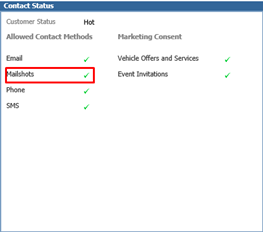
Within the contact tab, you can see the below example customer has given permissions for Mailshot as an allowable contact method and also for the Marketing Permissions.
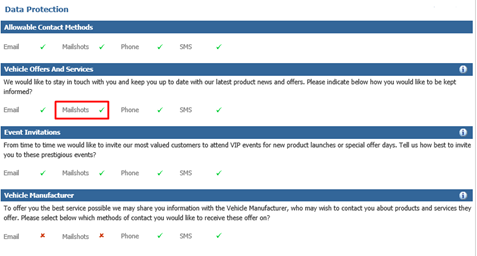
In this example we will be using the Vehicle Offers and Services Marketing question as an example.
Our next customer, has Allow Mailshot as false, so if we look at their contact record;
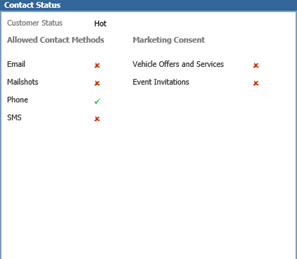
See Mailshot is set as false for their allowable contact methods and also that the customer has given no consent for any Marketing Permissions;
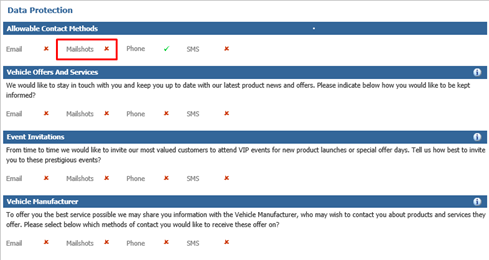
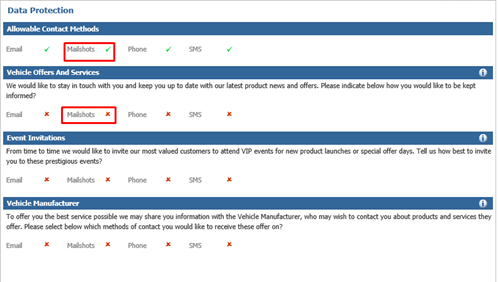
Our final customer example, shows that the customer has Mailshot as an allowable contact method;
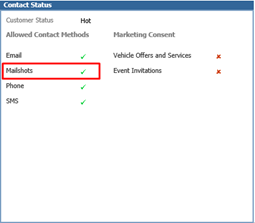
However, when we click to view the customers Marketing Permissions, the customer has not consented to receive Marketing Contact for the method of Mailshot for the Vehicles Offers and Services.
Unlike the SMS Mailshot where the category is set at the point of sending, the letter categories can be set against the letter template. If the template is then used multiple times the permissions will then always be consistent.
Within CRM > Parameters > Communications > Data Protection > Process Mapping Tab

In this tab it will allow you to set up mapping for processes. In the below example;
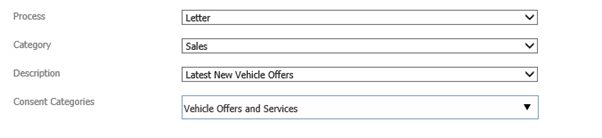
Process – The process required for example Letter.
Category – The category the process is associated to for example Sales.
Description – The description of the chosen process for example the name of the letter.
Consent Categories – The Consent Category that is required for the type of contact being created.
Once the dropdowns have the correct information required, select Save.
Once the parameters have been set, please note that you are only able to amend the category of consent that is held against that Process.
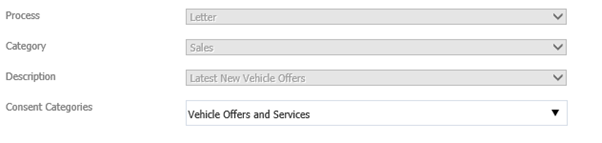
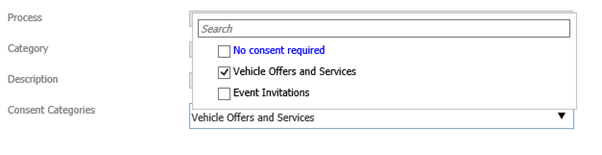
Once you have saved the preferences, this means that each time that process is selected it will use the parameters held. For example, in the below, it is stating each time that letter is used, it will use the template for Latest New Vehicle Offer for the consent category of Vehicle Offers and Services;

Mailshot Process
The process itself has not changed, you would select the selection required and then select the letter template to be used.
If a consent category is associated to the letter this will now show against the letter description;

This means that only customers within the selection that have given permissions for this form of contact, will appear on letters for printing for this type of Mailshot.
The below shows that of the 3 customers we viewed in our initial selection only one appears on Letter for Printing.
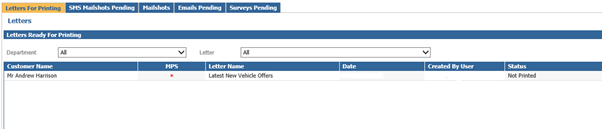
This customer had the Allowable contact for Mailshot and also gave Permissions for Mailshot for the consent category of Vehicle Offers and Services.
To complete Print the List as normal.
If you were to amend the Category of Consent against the template within CRM > Parameters > Communications > Data Protection > Process Mapping to No Consent Required;
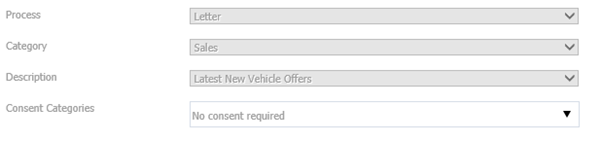
When creating the Mailshot now, you will see there are no additional Permissions required;
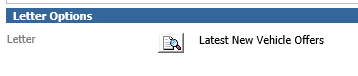
Once the Mailshot is created, within Letters for Printing, there are now two customers showing on the list.
This is because one customer gave all permissions. One customer has Mailshot as an allowable contact method, so as the consent category has been changed to no consent, it does not apply to any additional category questions. The third customer does not appear as they do not allow any contact via Mailshot.
