Pinewood Technologies PLC Help Centre home page
Sign in
  1. Pinewood Technologies PLC
  2. Product Information
  3. Parts

Search

📝 Parts Reporting Amendments Audit

Nick Nevison
Nick Nevison
  • Updated 06 August 2024 11:11

Parts > Reporting > Amendments Audit

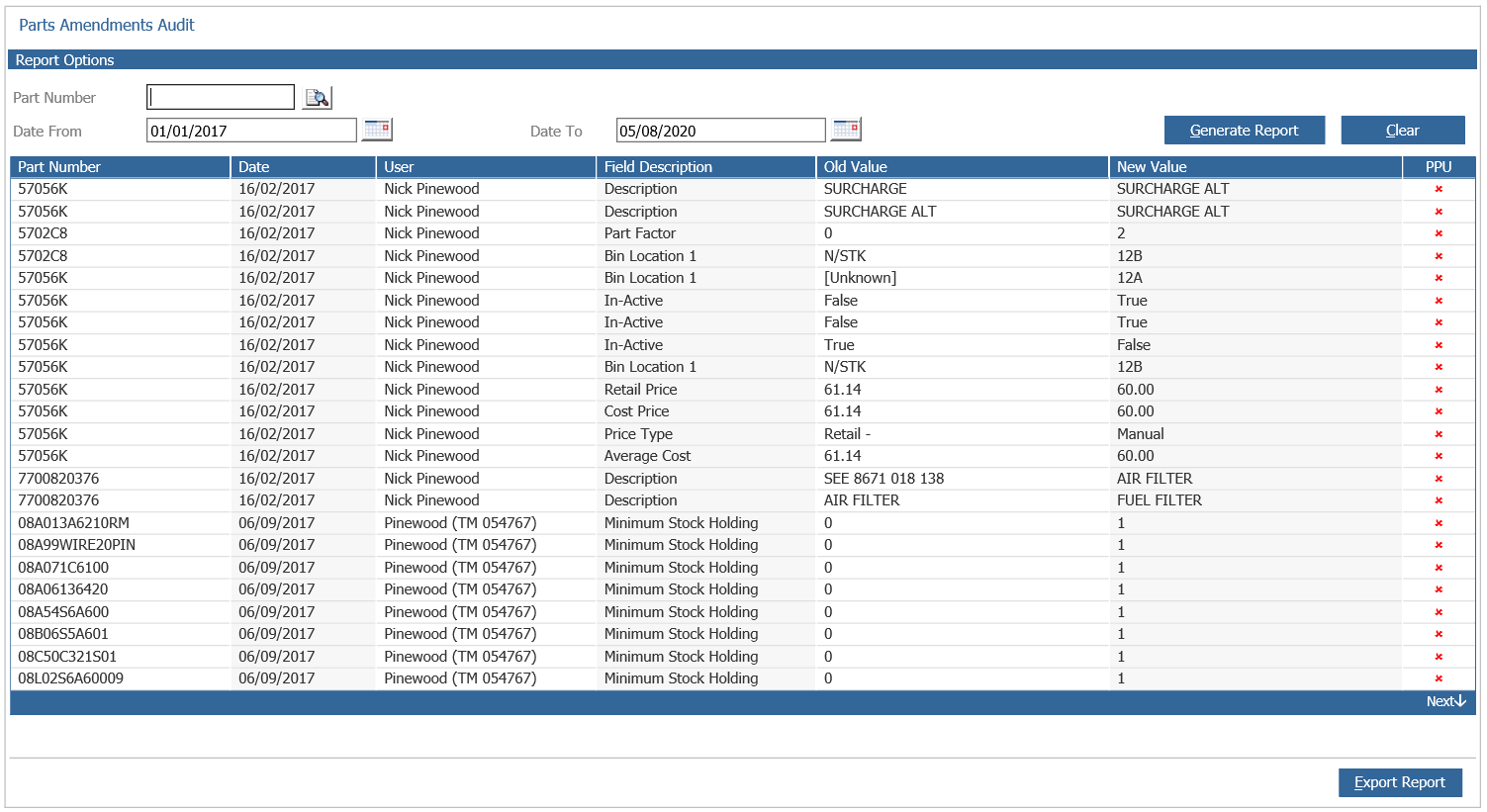
The amendments report will display records that have been amended between a date range. A specific part can also be searched using the 'Part Number' box.
mceclip0.png

The information will include which field has been changed as well as the old and new value for the field.

The PPU column indicates with a  if the amendment was part of a Parts Price Update.

Related articles

  • 📝 Sales Discount Groups
  • 📝 How Do I Manually Change the Parts Price?
  • 📝 Why is there a Disabled Technician Account showing on the Workshop Time Analysis Report?
  • 📝 Parts Selections - Saved Selections will only be stored for 90 Days
  • 📝 How Do I Add a New Vehicle Supplier?

Articles in this section

  • 📝 Parts Customer Order With Deposit Invoice
  • 📝 Disable GRNI for Surcharge Parts
  • 📝 Export Part Details
  • 📝 Parts Retail Price Amendment during Receipting
  • 📝 Parts Selections - Saved Selections will only be stored for 90 Days
  • 📝 Reconciling Parts Valuation To The Stock Nominal
  • 📝 Locked Till for EPOS
  • 📝 Why is the Delivery Button not Appearing?
  • 📝 Creating A Parts Selection For Sales History
  • 📝 Creating A Parts Selection For Stock Holding

See all 106 articles

© 2025 All rights reserved. by Pinewood Technologies PLC