
Parts > Reporting > Sales > Lost Sales
This report shows when a lost sale has been generated, along with the reason and user.
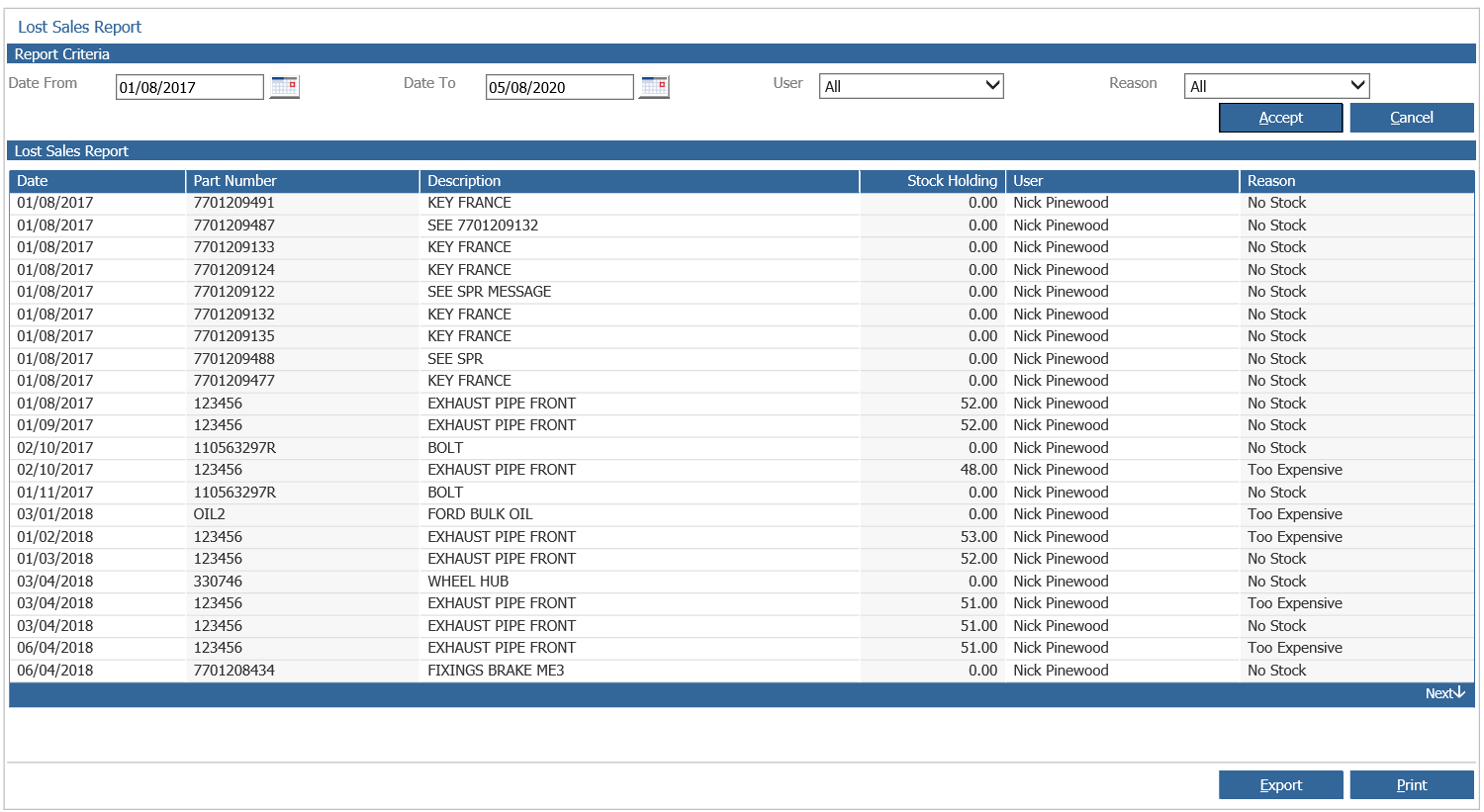
Double click on a part record to view the stock card details.
The option to export the report is also available; this will generate a csv file which can be saved locally.
The export file will contain the following fields:-
- Part Number
- Description
- Bin Location 1
- Product Group
- Sales Discount Code
- First Stocked Date
- Last Receipt Date
- Enquiry Number
- Lost Sale Quantity
- Cost Price
- Lost Sale Reason
- Stock Holding
- Supplier Order Count
- Customer Order Count
- User
- Sales Ledger Account
- YTD Sales History
- YTD Lost Sales History
- Sales History Current Month
- Sales History - 1 to 6 months sales history
- Lost Sales History Current Month
- Lost Sales History - 1 to 6 months lost sales history