
Parts > Reporting > Sales > Parts Sales Analysis
Accounts
The accounts report shows sales for this month, last month and year to date, for the selected account or accounts.
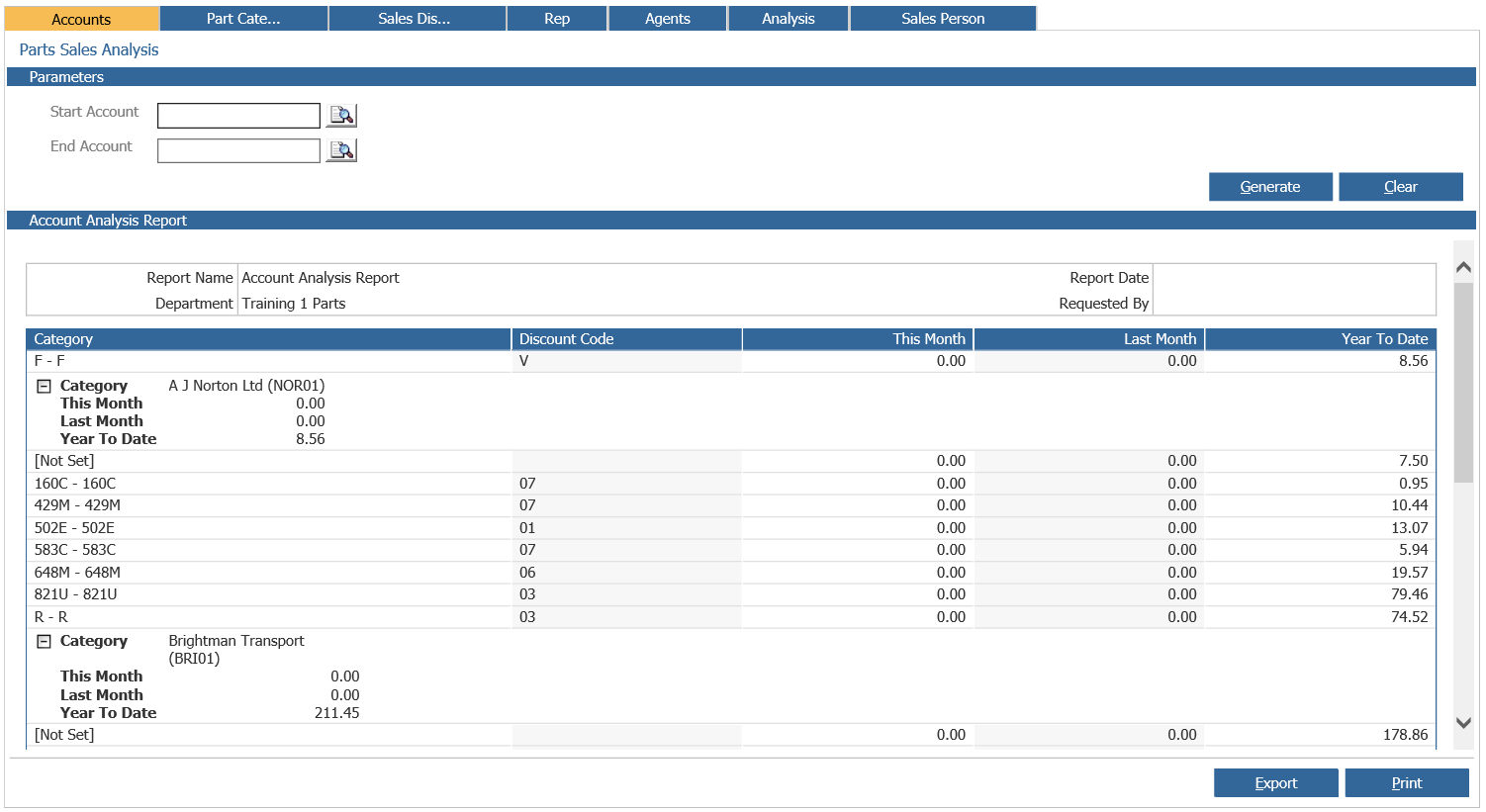
The report shows sales discount codes that were used when invoicing and their respective values.
Leaving the account search fields blank will generate a report for all accounts.
The report can be printed or exported.
Part Categories
The part categories report shows sales for this month, last month and year to date, for the parts categories selected.
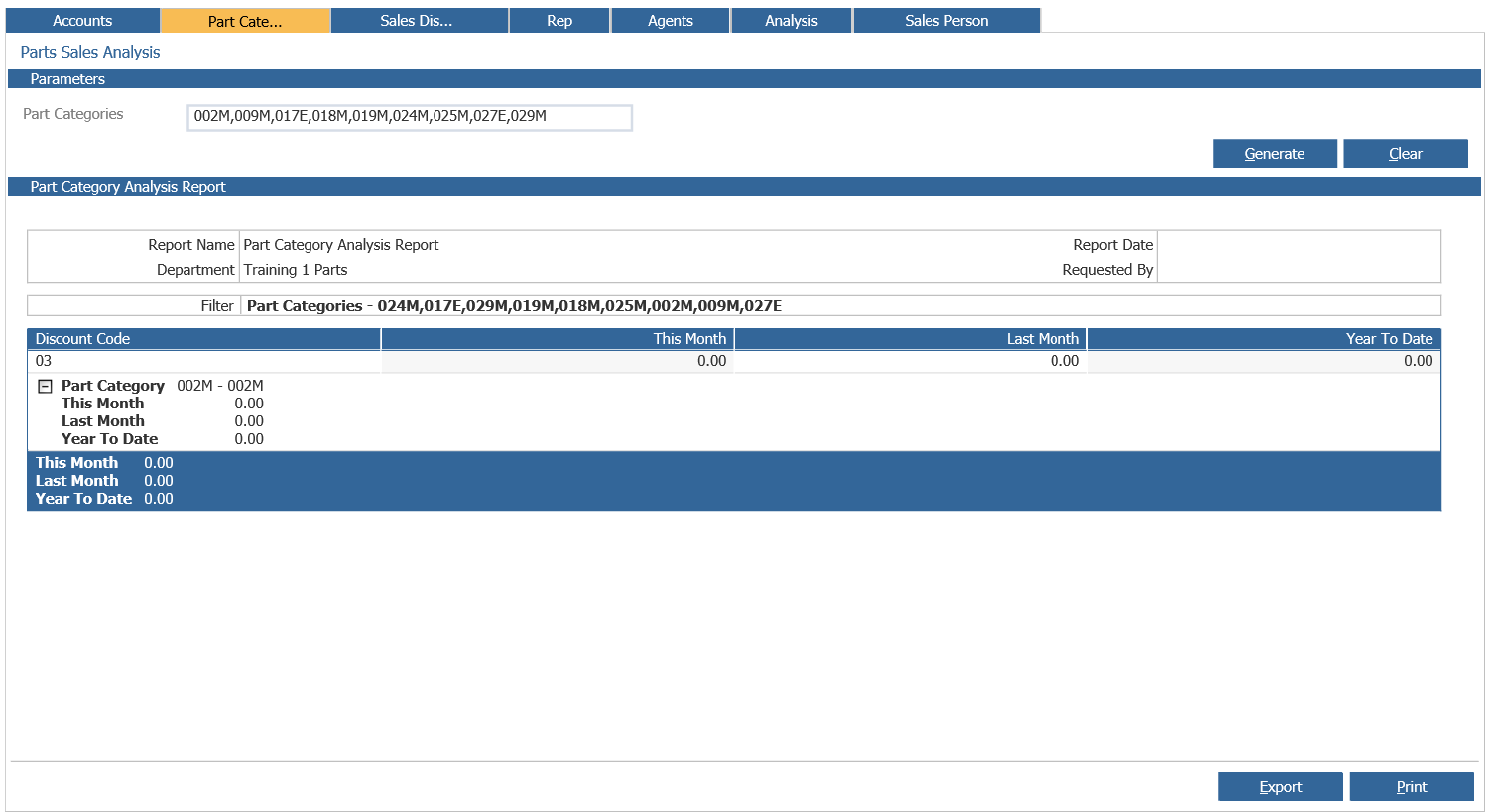 The report can be printed or exported.
Sales Discount Codes
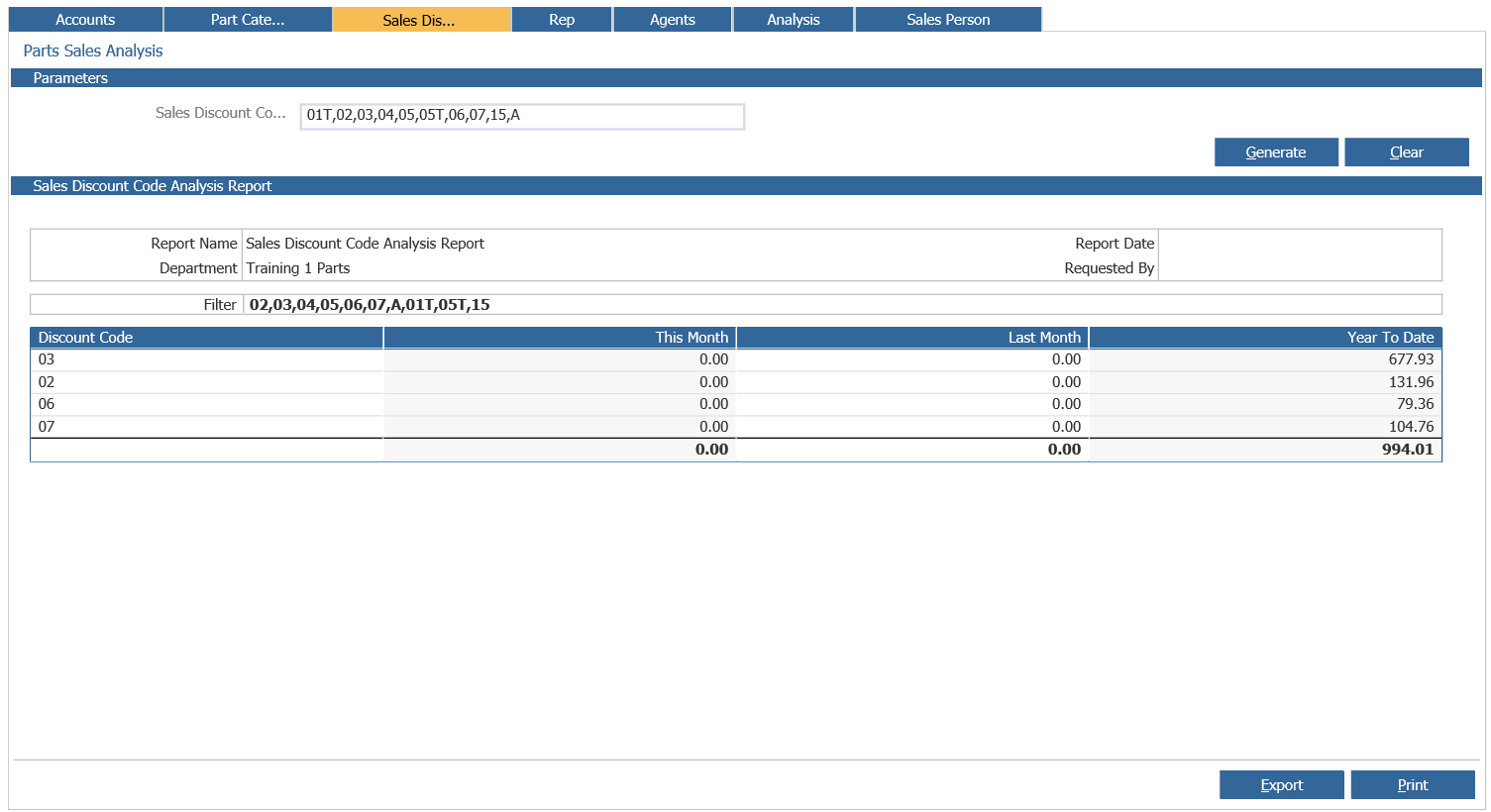
The sales discount report shows sales for this month, last month and year to date, for the sales discount codes selected. The report can be printed or exported.
Rep
The rep report shows sales for this month, last month and year to date, for the rep code selected. Rep codes are set against the sales ledger accounts.
The report shows sales across the sales discount codes that were used when invoicing.
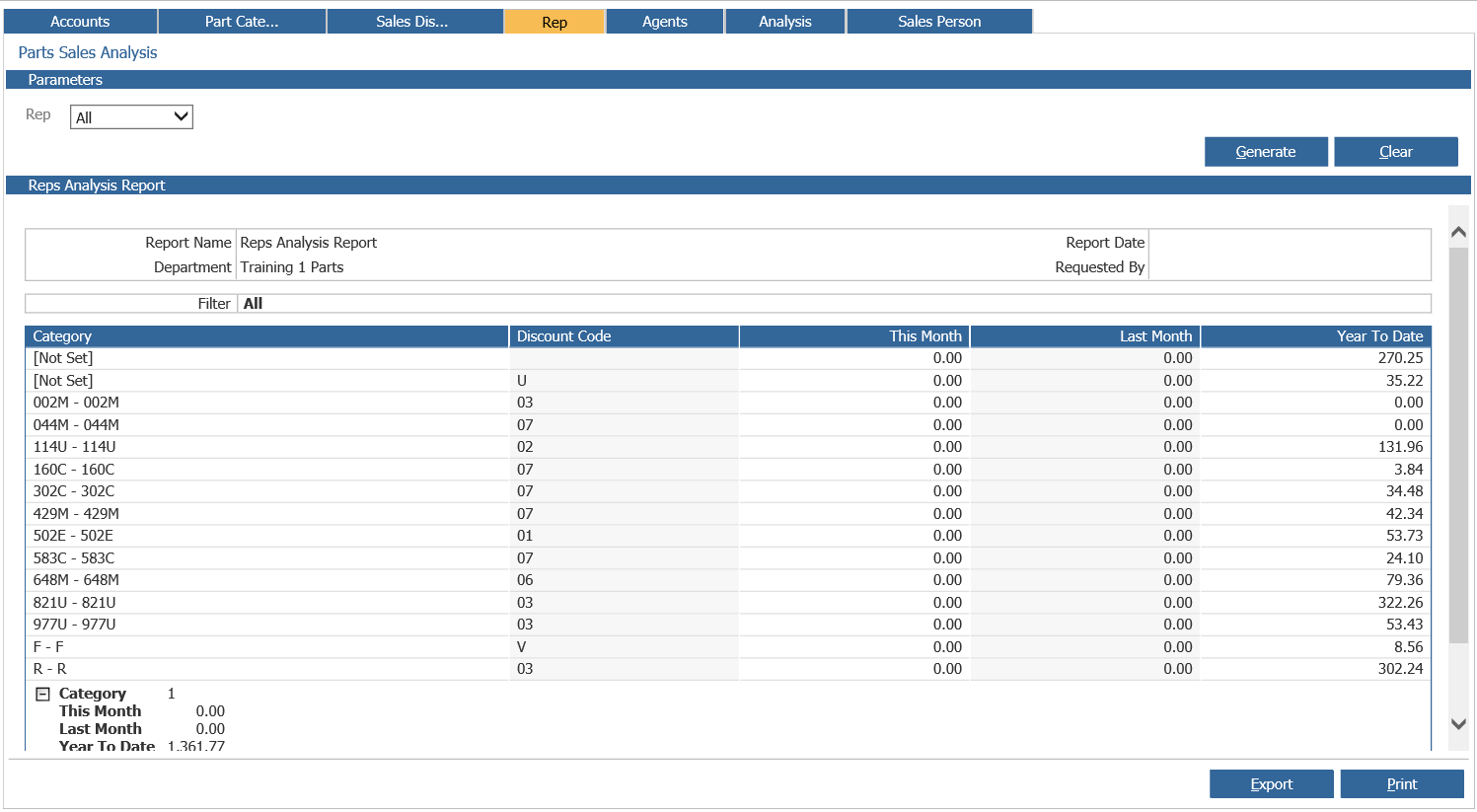 The report can be printed or exported.
Agents
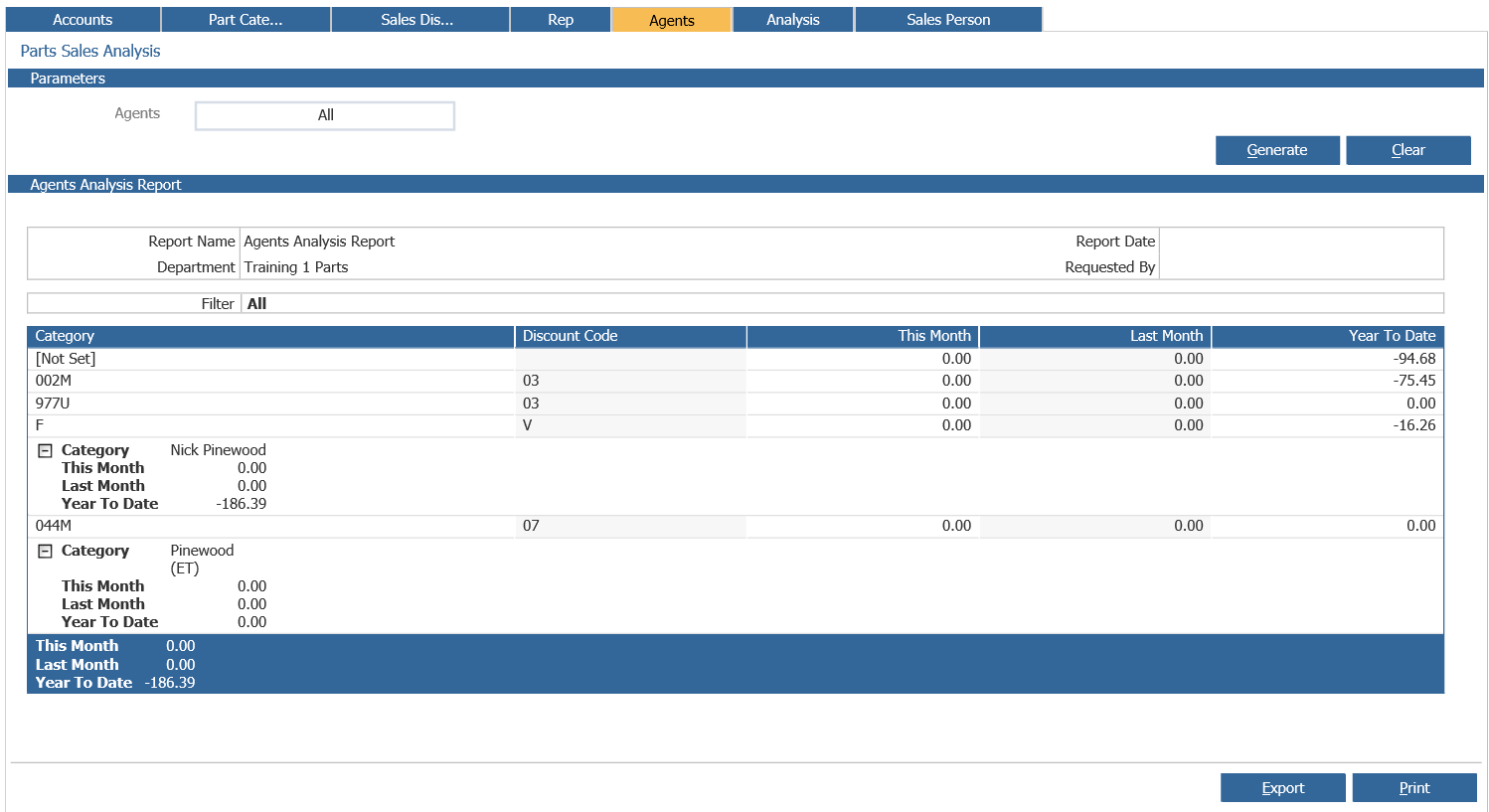
The agents report shows sales for this month, last month and year to date, for the call centre agents selected. It will also show any Categories or Sales Discounts codes used when a call centre agent’s enquiry has been invoiced. Users can drill into the Agents box to search either by First Name or Last Name of a user to report on a single individual, or can leave this option as ‘All’ and show all results across the department. If a user in this list has no data, the report will not generate. This report can be printed from this screen or can be exported into Excel.
Analysis
The analysis report shows by account the sales, cost of sale, profit and margin.
After a date range has been selected the report can be generated.
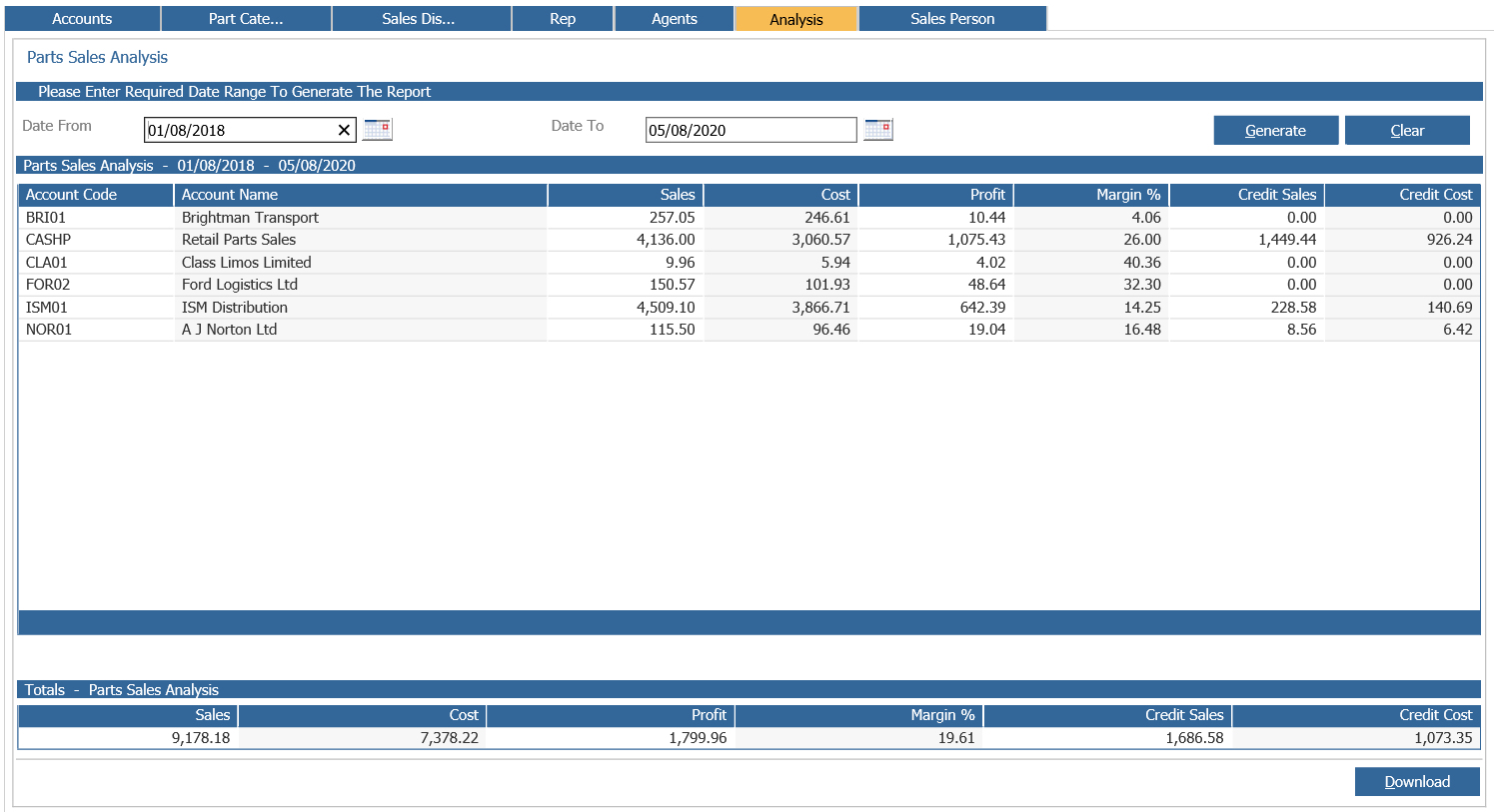
Selecting ‘Download’ will open the report in excel which will include more information.
The excel spreadsheet will show sales by account as shown on screen, but will also break this down into the individual product groups invoiced, including sales, cost of sale, profit and margin, per product group.
After selecting the ‘Download’ option, the popup below will be displayed
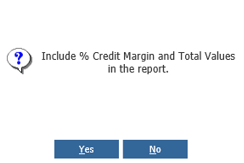
Selecting ‘Yes’ the report will include these extra columns.
Credit ‘Profit’ and ‘% Margin’ columns per product group ‘Account Total Sales’ total sales less total credits
‘Account Total Cost’ total cost of sales less total cost of credit
‘Account Total Profit’
‘Account Total Margin %’
Sales Person
The sales person report details by sales person the sales, cost of sale, profit and margin.
After a date range has been selected the report can be generated.
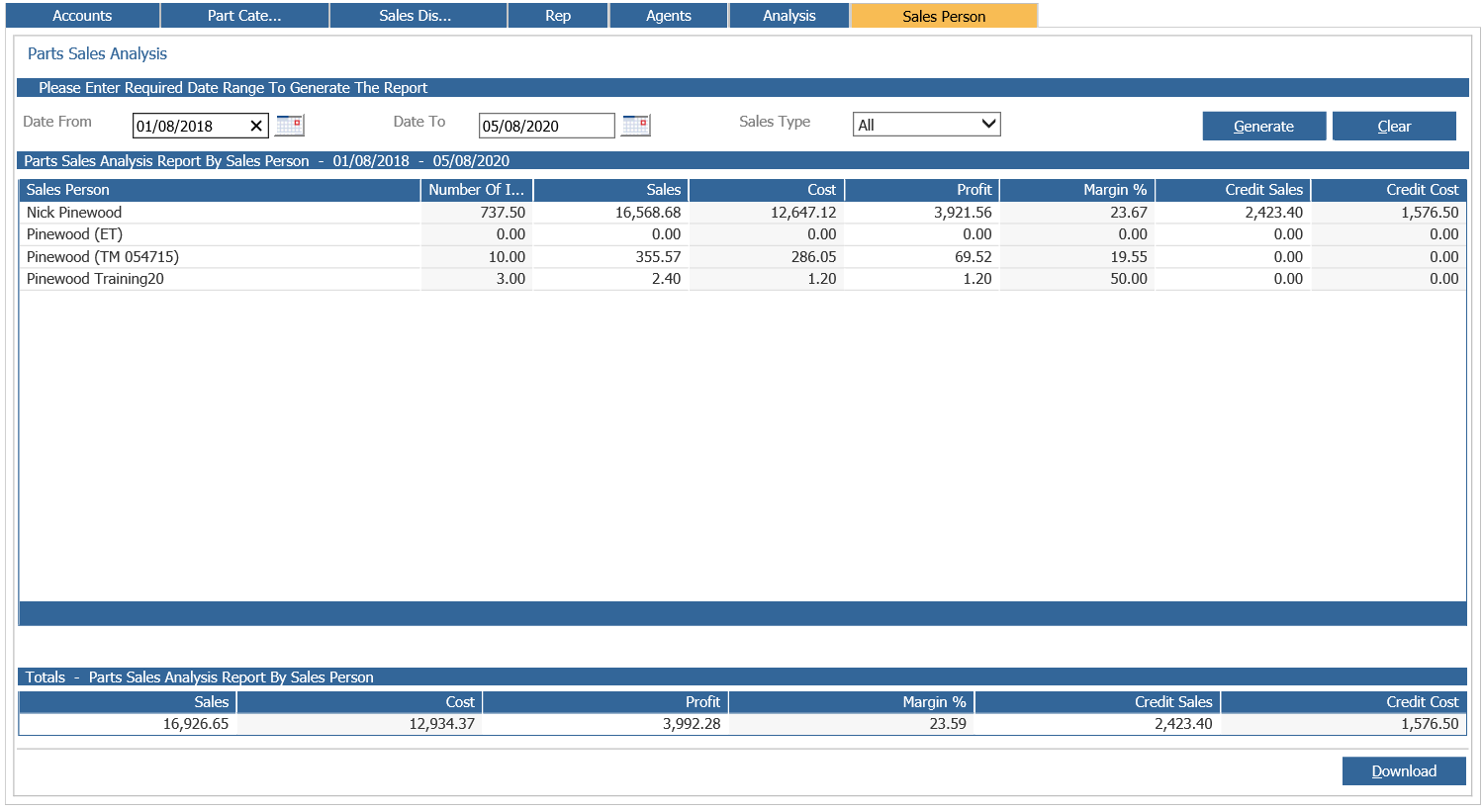
The report can also be filtered by ‘Sales Type’ to display either sales for parts or workshop invoices.
Selecting ‘Download’ will open the report in excel which will include more information.
The excel spreadsheet will show sales by sales person as shown on screen, but will also break this down into the individual account each sales person has invoiced.
Information includes sales, discount value, nett value, cost of sale, profit, number of lines and margin, all per account.