
Overview
From Process Orders you can resend the email for the order or print this.
Summary
Within Parts > Purchase > Process Orders, you can select a Supplier or All parts that have a type of Not Receipted. See below when you highlight the required order, you now have the Email and Print options.
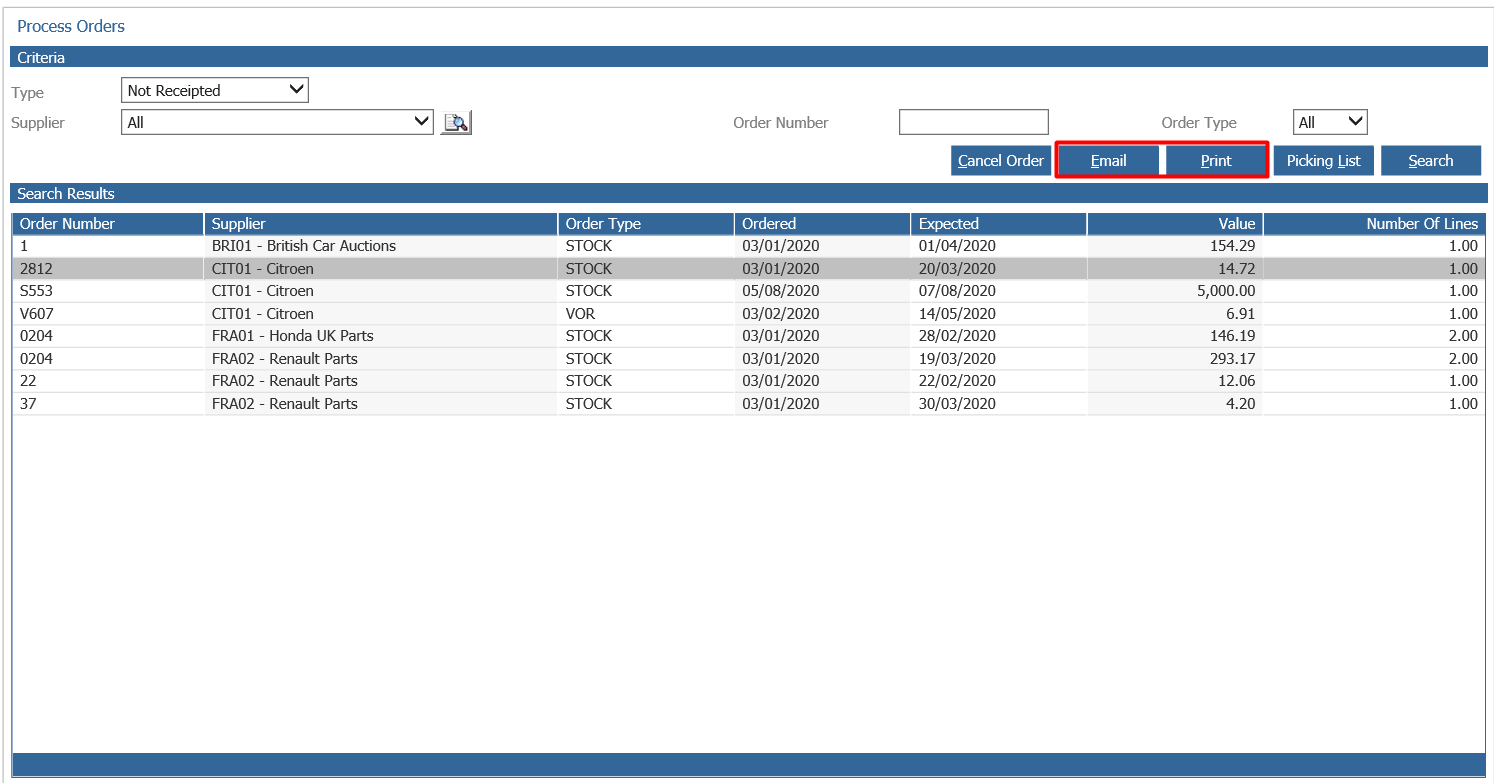
The Print button has always featured on the page however this printed a Pre Picking List.
You can now see there is a button labelled Picking List;

The Print option will now print the supplier order. This will only show Parts not receipted into stock. If any parts have been receipted in, it will not print the original full supplier order list, only the parts that are now outstanding for that supplier.
When selecting the email option, this will display any additional contact information, or it will use the email set against the Purchase Ledger account if this is all that has been set.
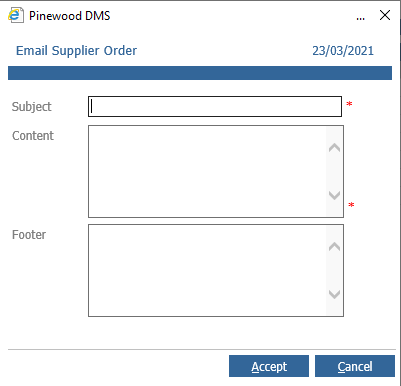
As previous, any template messages set will appear or the field will appear blank to free type the information and you can select the Accept button to complete.
If a supplier that does not have any email contact information set up is selected, the Email button will not be available for selection. This is also the same for Internal Suppliers. If the account has an email, the system will still leave the Email button as unavailable.