Overview
The feature allows you to view inclusive and exclusive pricing when completing a parts price check.
Summary
Within Parts > Sales > Invoice, when using the Price Check button, there will now be the option to exclude and include VAT for more accurate pricing quotes.
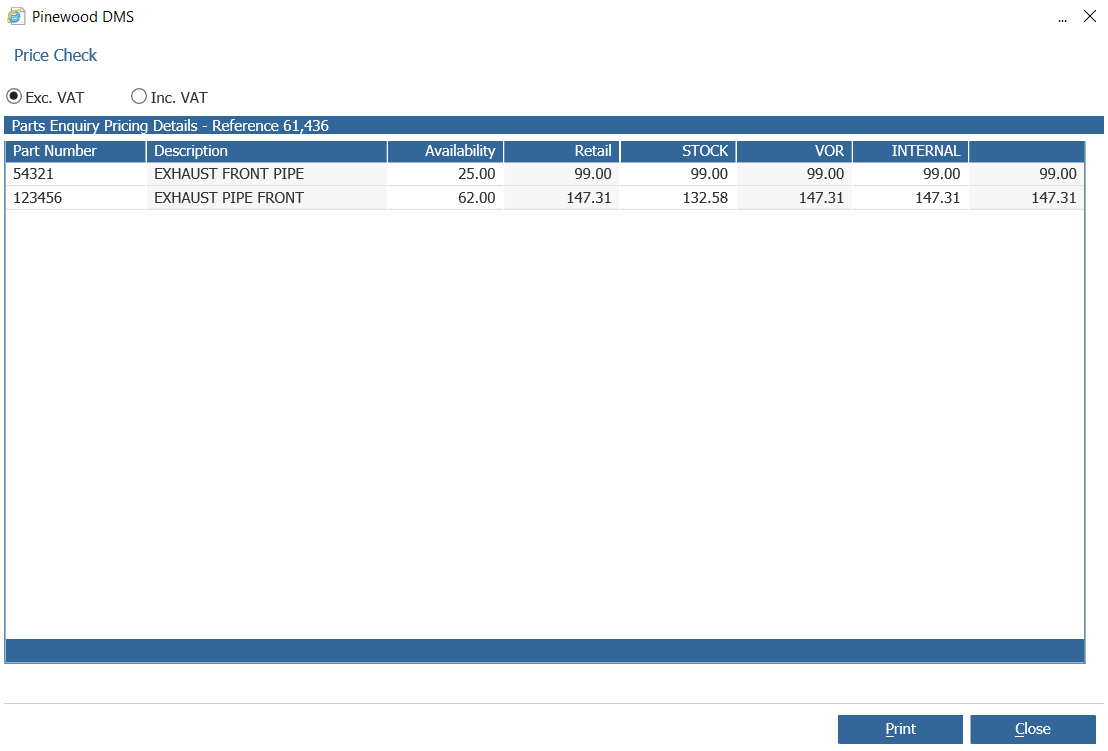
The system will default this to be exclusive of the VAT pricing.
There is now the option to select the Inc.VAT option to change this to be inclusive of VAT.
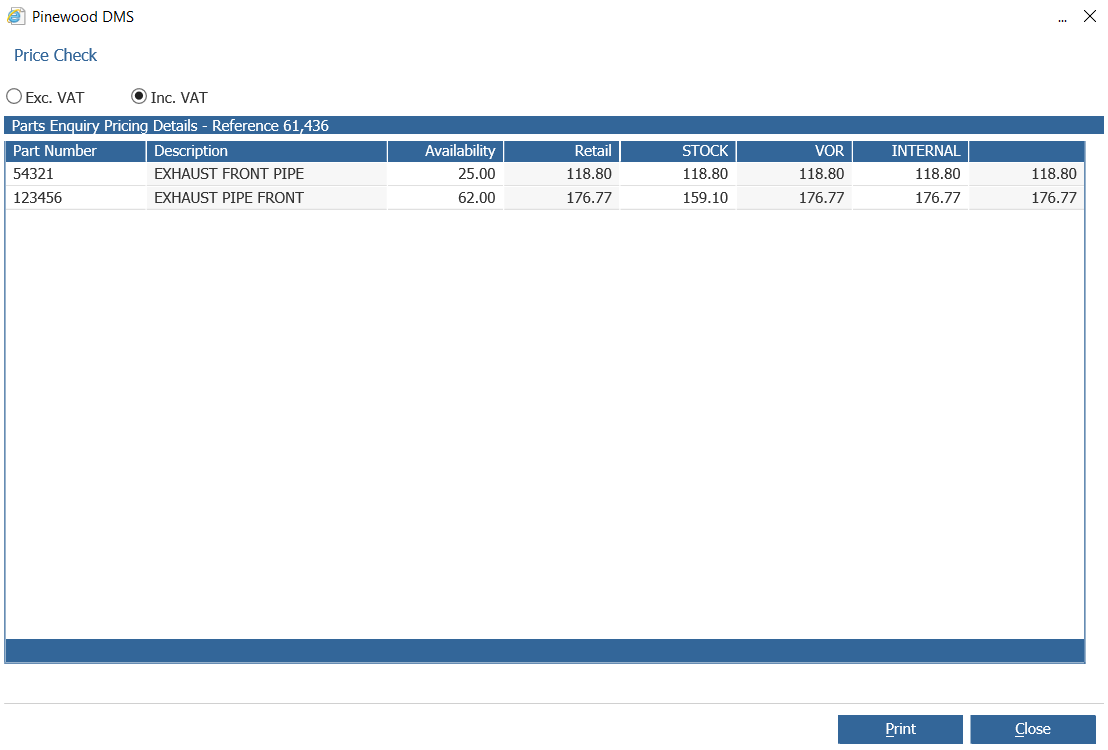
The system will then update the Order Types to show the pricing based on any sales discounts being set plus the VAT associated.
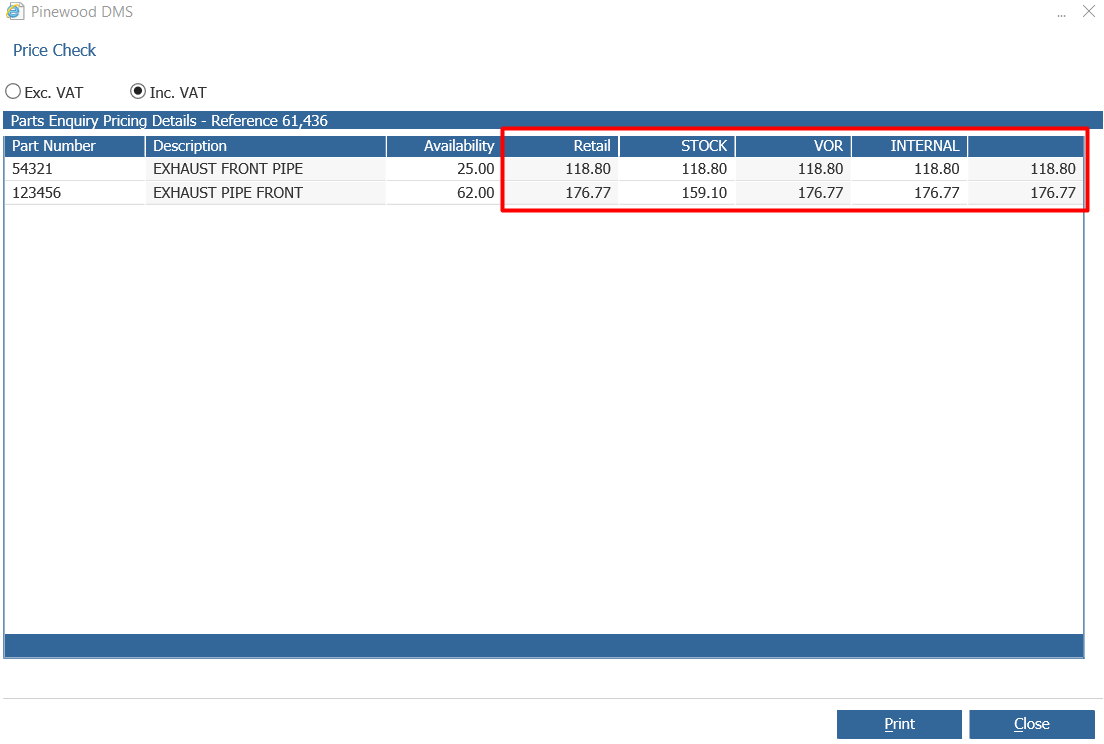
This will allow users to quote exclusive and inclusive prices depending on the type of sale.
This will work off the tax type against the part. If a part is listed as Exempt from tax, this will remain whether viewing at an exclusive or inclusive rate.
This will also take into consideration if a Sales Ledger account has been set to exclude tax, for example internal accounts and again will only display exclusive of VAT regardless of which option is chosen.
Within Workshop Issues, when price check is used it will take into account the Sales Ledger code against the operation on the job and also the tax code associated against the part.
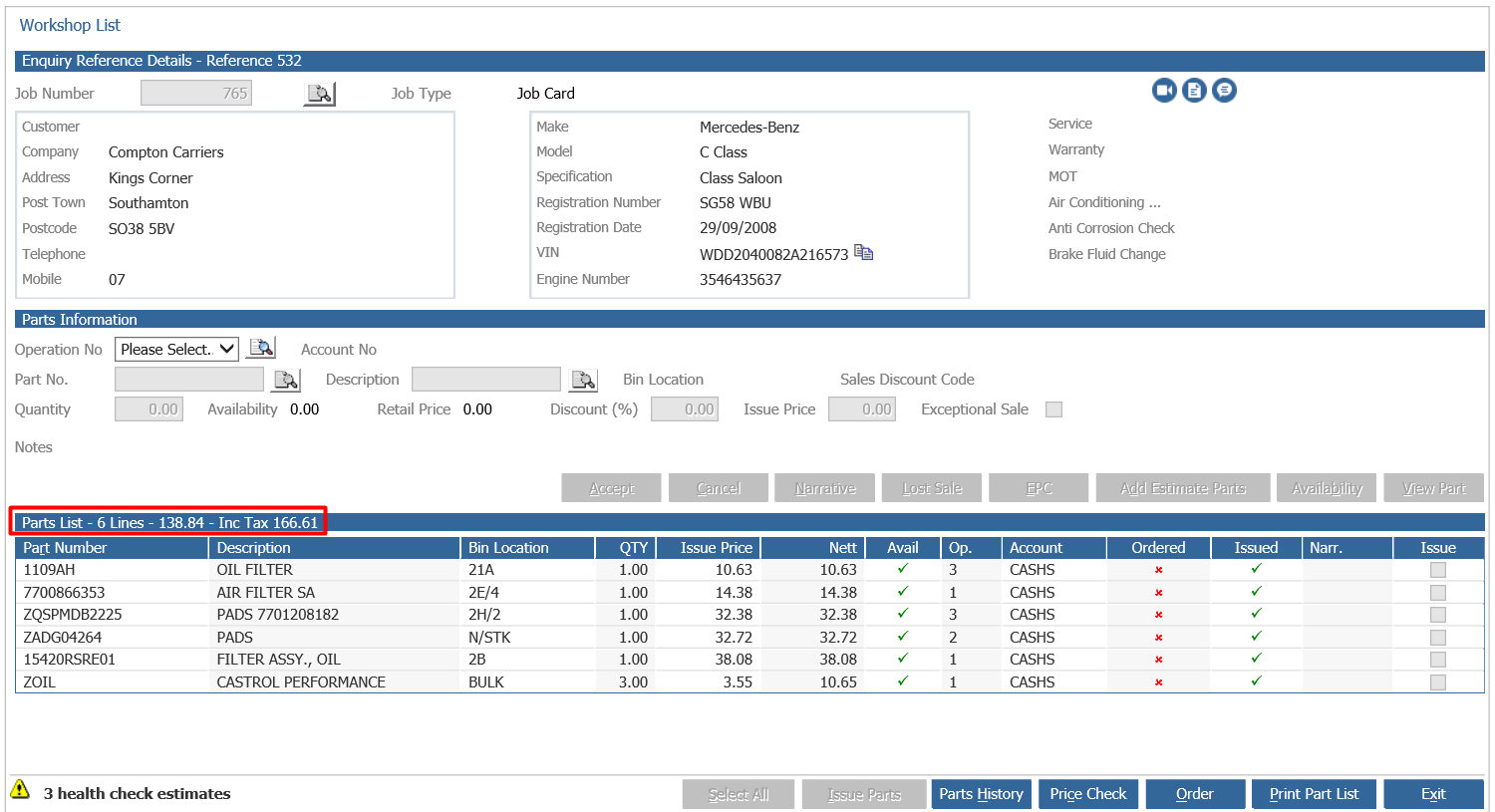
When a part is selected, the Parts List will display the Exclusive and Inclusive price of the list;
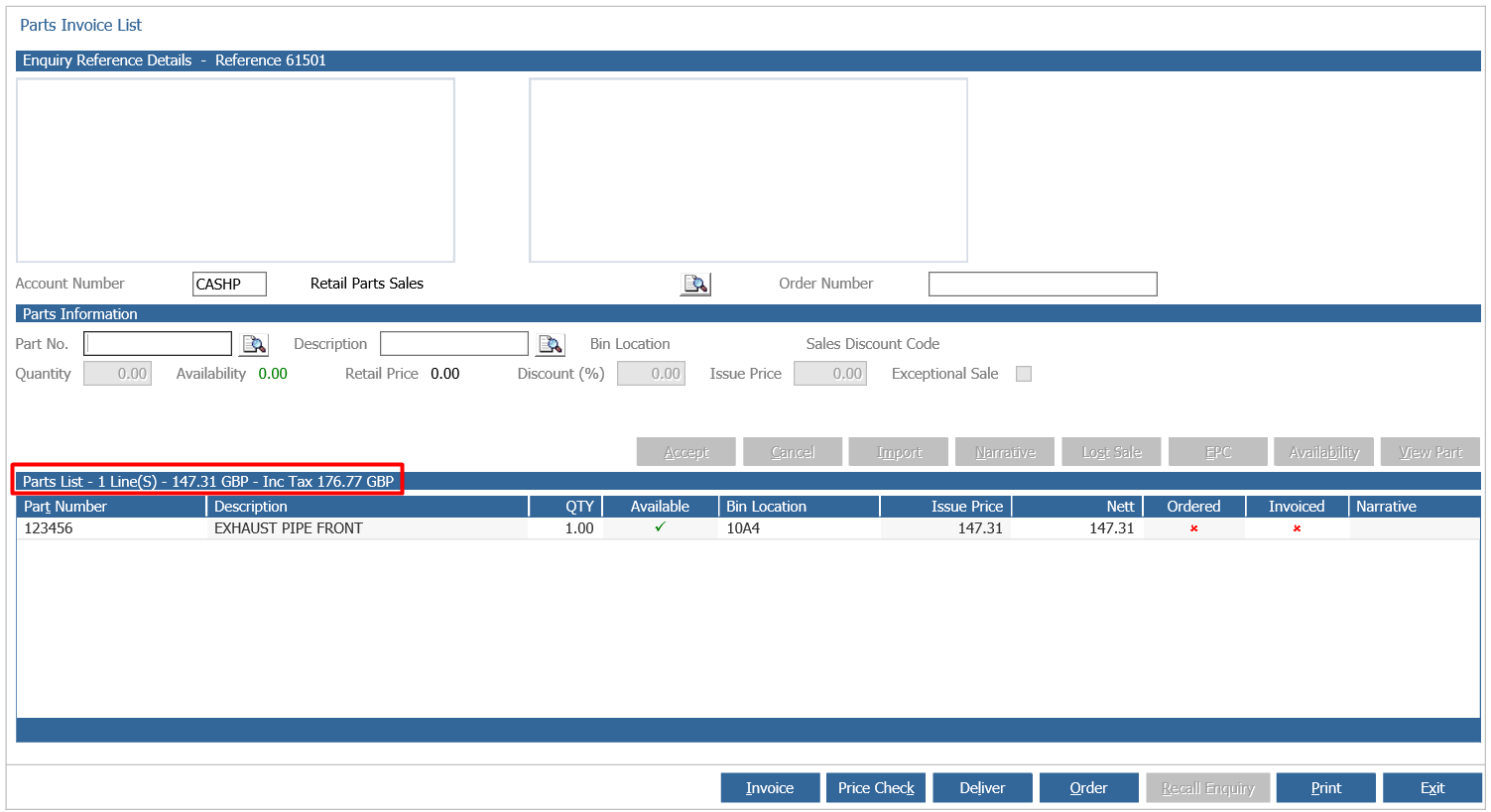
If parts are exempt from tax, no tax value is added within the inclusive tax header.
This will also display within Workshop Issues Parts values exclusive and inclusive VAT.