
Once the VX680 technical setup is completed you will need to add the terminal. To do this go to Accounts > Nominal Ledger > Ledger Parameters > Parameters > Card Payment Parameters
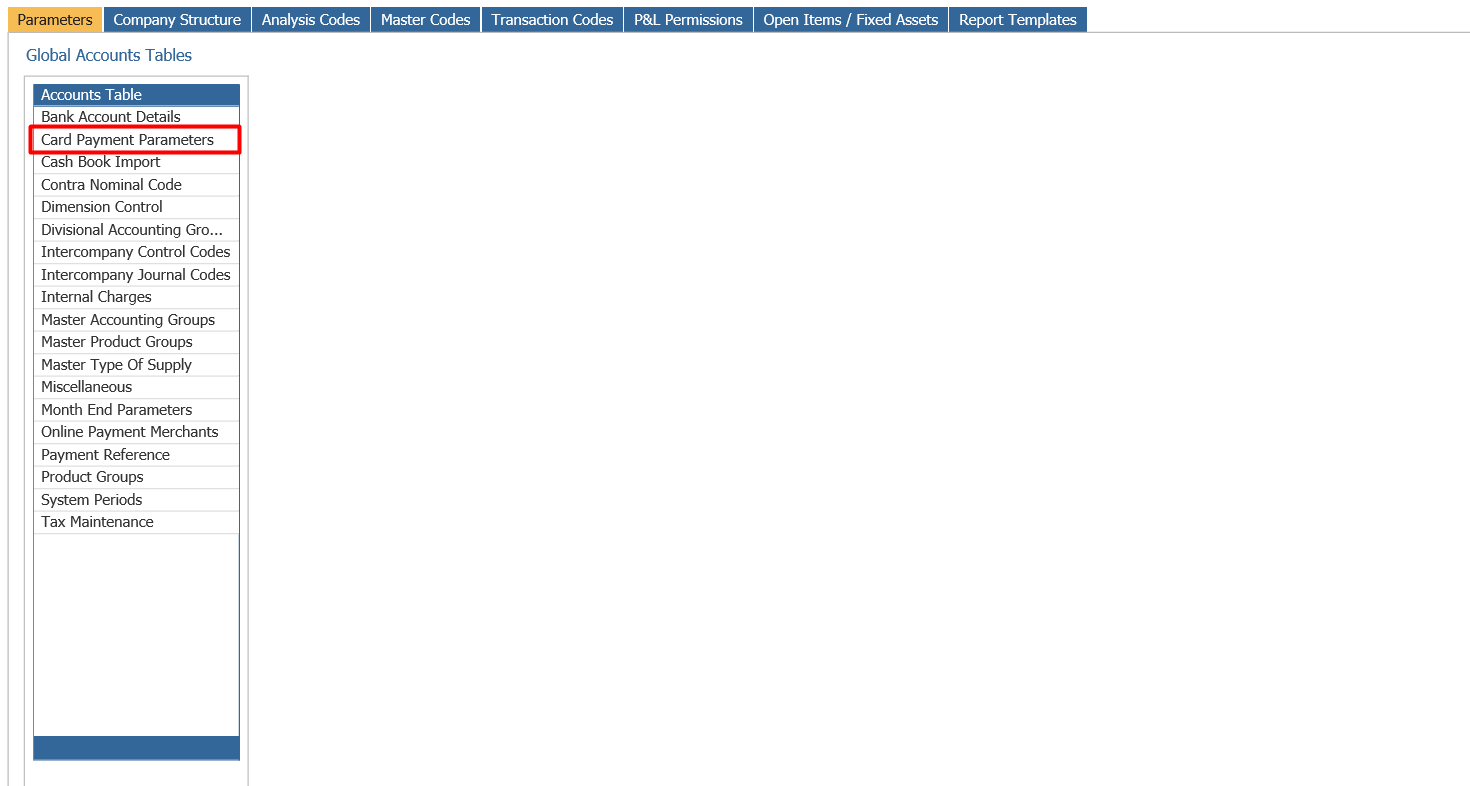
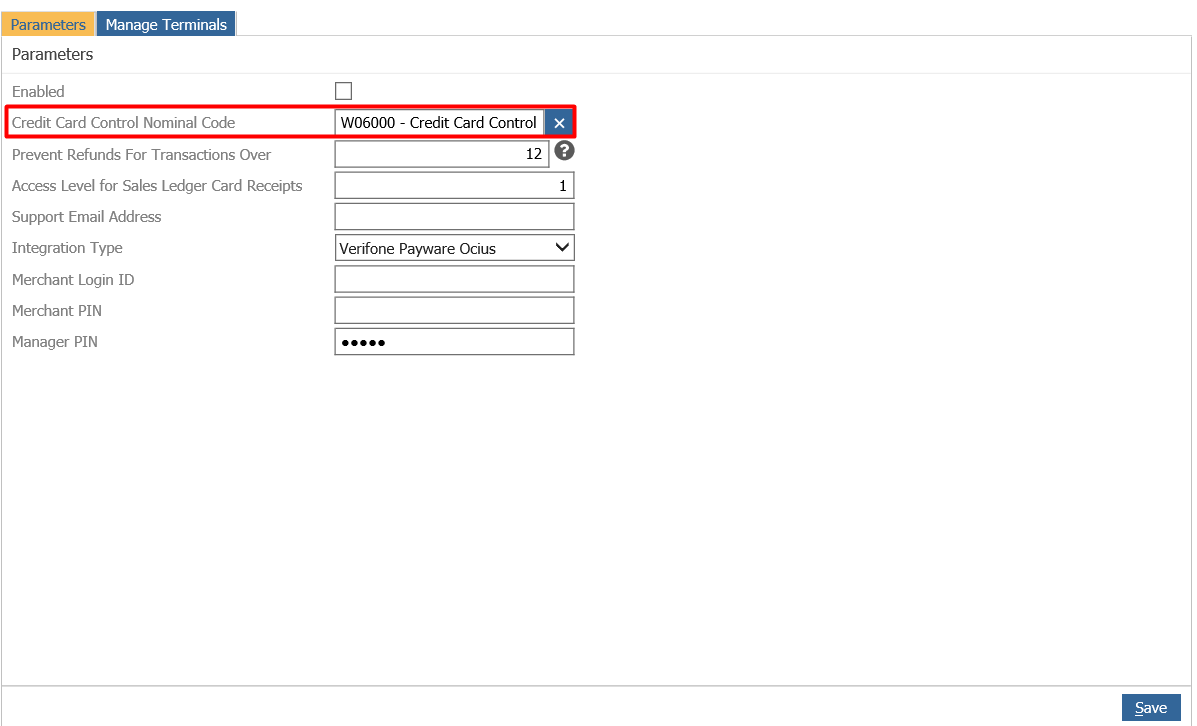
If this is the first terminal you are adding the credit card control nominal will need to be set up, as well as the prevent refunds for transaction over so long:
Within ‘Manage Terminal’ the IP address for the terminal will need to be added and the terminal needs to be given a name and a location and then ‘add’:
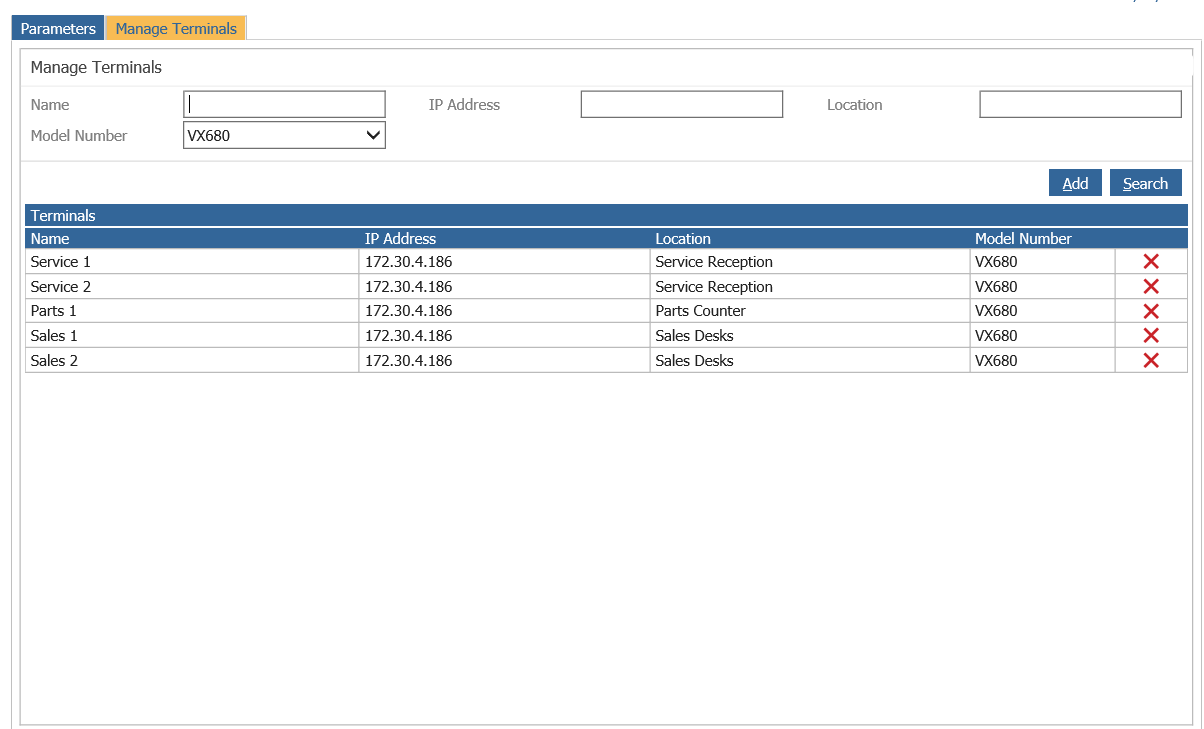
This will then add the terminal that will show in the Pay+ app.