
When refunding to card via the Workshop module, you are unable to use the Cancel Invoice routine. You must use the Raise and Produce Credit methods. You can view this process by following the links below;
Cancel Invoice & Produce Credit Video Tutorial
To issue refunds, the Pay+ application will only refund to payments taken through this method. It will read the customers information to issue the refund. Due to this it is important that when raising the credit the original invoice is searched.
Within the Raise Credit screen there is a reference box;
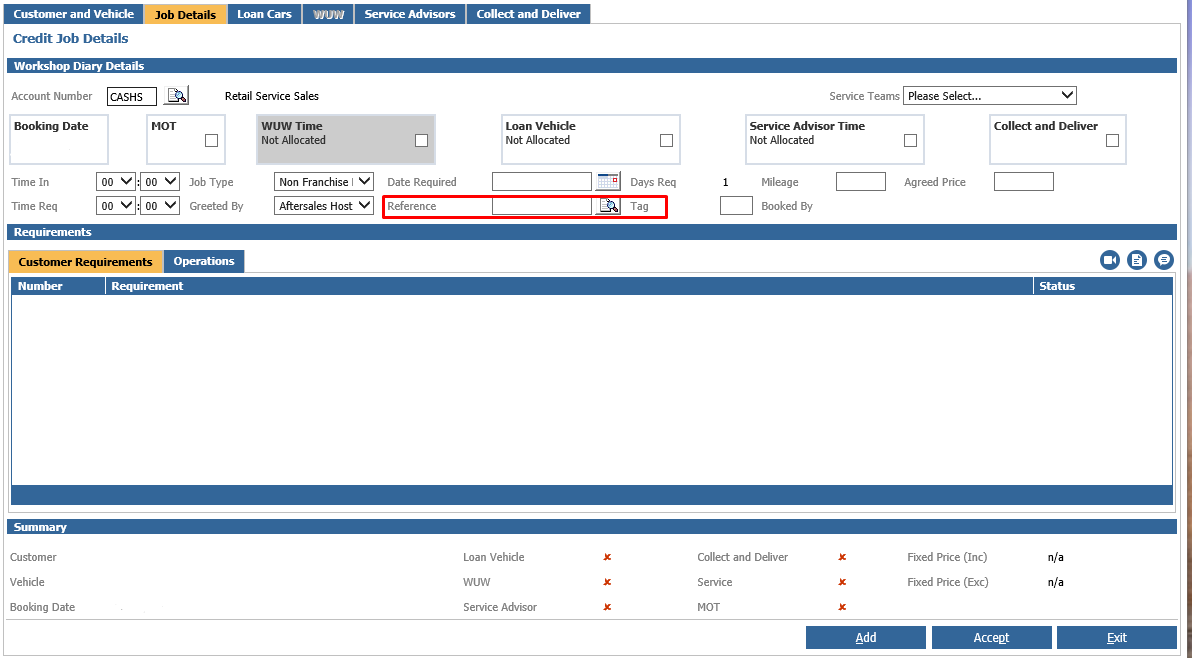
If you free type the original invoice in here, it will not pull through the customer details.
Use the search  icon next to the Reference Field.
This will display the invoice search window.
Search the original Invoice number you wish to credit and select the invoice displayed;
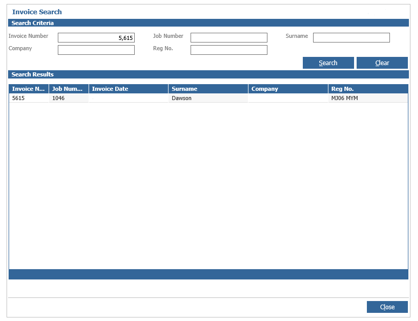
Once selected, this will take you back to the Credit Job Details page, however the customer and vehicle fields will now be populated with the customers details;
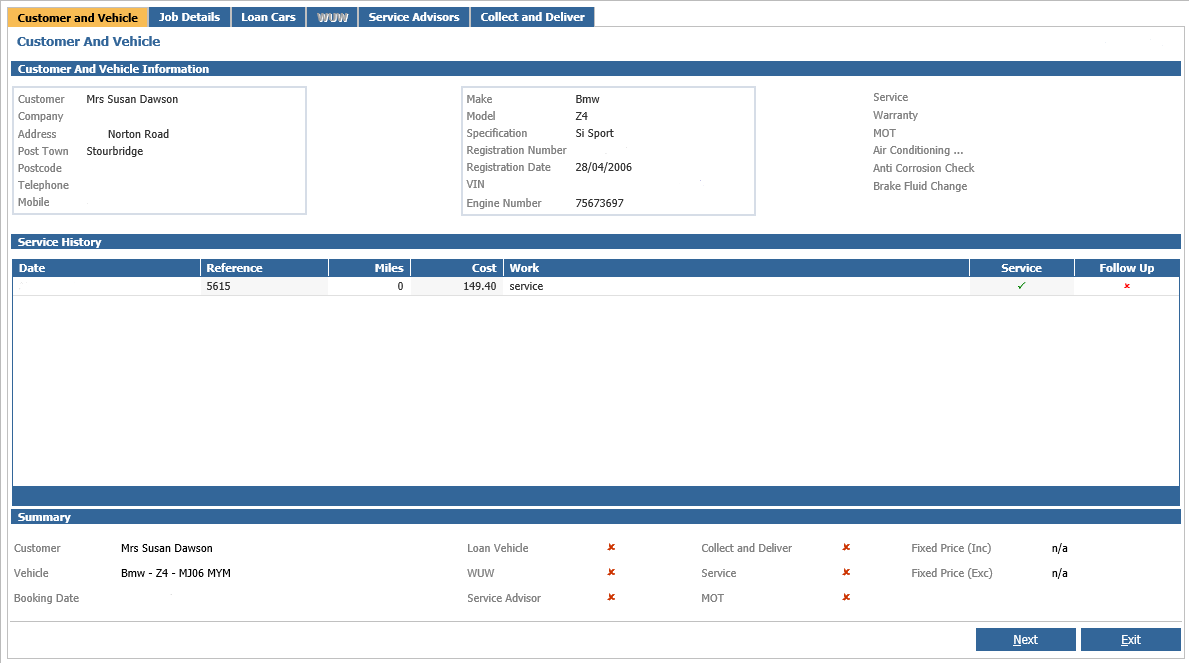
Once this has been completed, complete the raise credit and at the Produce Credit stage you should be able to select the Card option to refund.
If this is not done and the customer was not searched via the original invoice, you will get the below message;
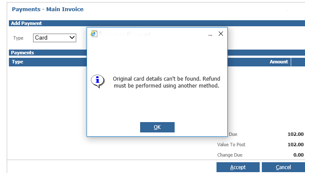
Or it will state that Object not set to an instance of an object.