
The distribution module has been developed to enable larger parts departments to effectively manage and control of their stock. It enables the use of Vans runs to trade and internal customers. It also gives users detailed reports on sales analysis of each van run and measures how effective parts employees are at correctly picking the right parts.
The reporting suite also gives detailed analysis on peak times for when parts are being ordered allowing more effective management and control of orders.
Set up Required
**Please Note: Before distribution can be activated it is important for the site to clear down and process any outstanding customer orders from the customer order screen.**
Once this has been done, distribution can be turned on. This is done in Parts > Parameters > Department Details > Department Details 2, enable by selecting the box for Distribution.
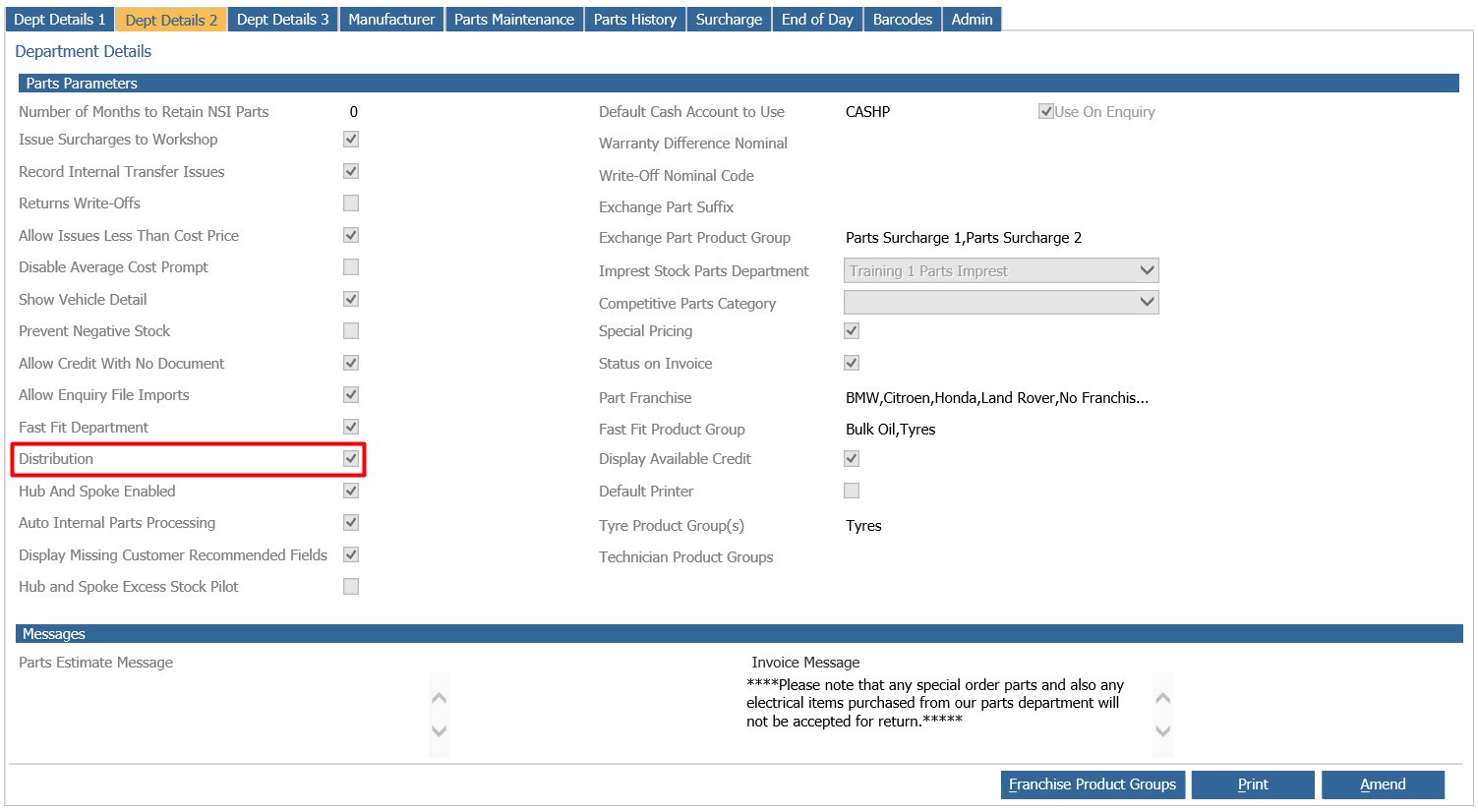
Parameters
Resources
Distribution> Parameters> Resources
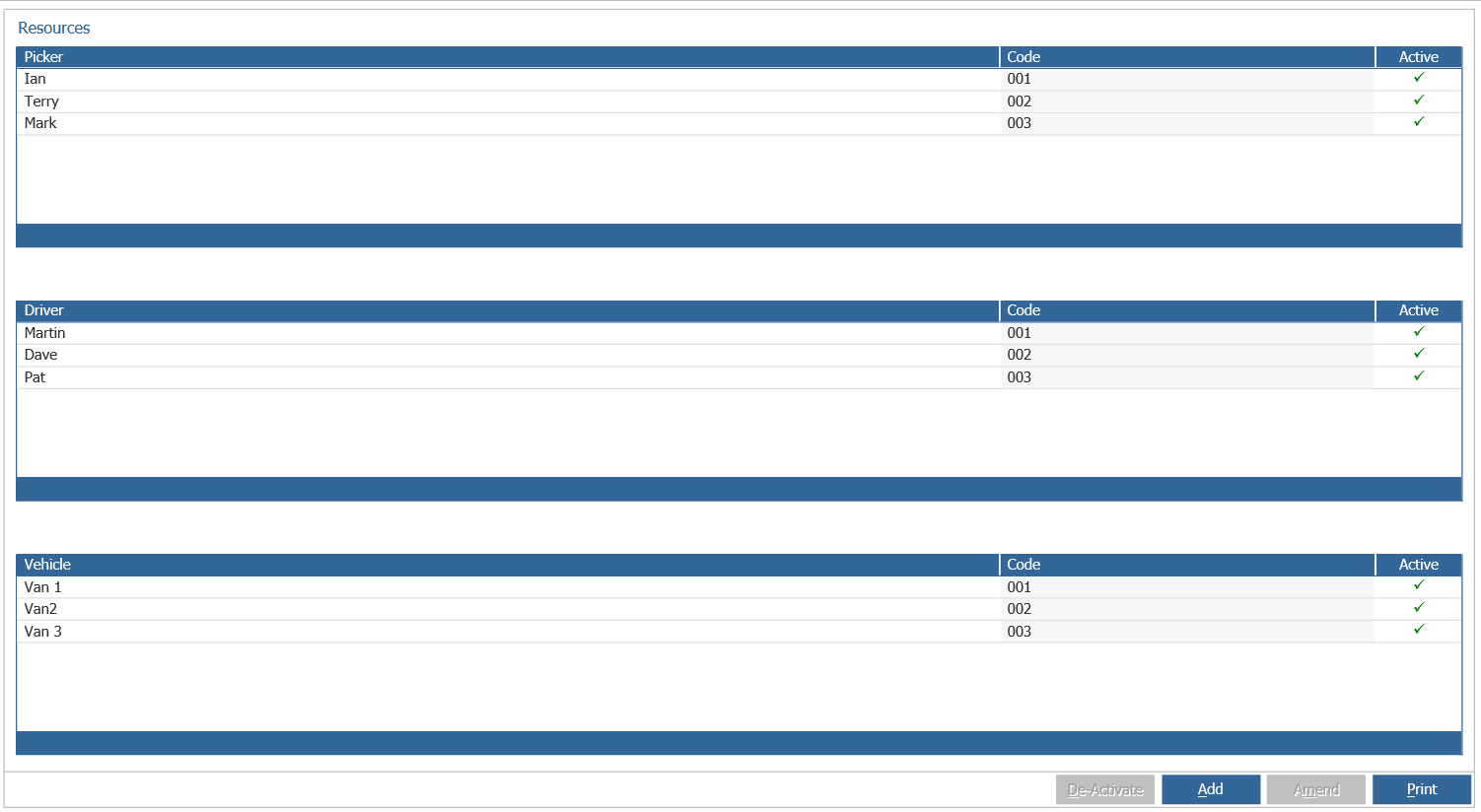
The Distribution module requires specific resources to be created, i.e. Pickers, Drivers and Vans.
These resources do not need to be set up as users.
To add a resource, click on the ‘Add’ button at the bottom of the screen.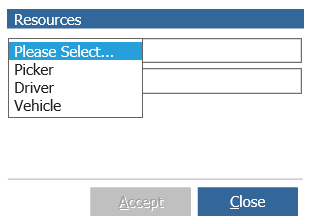
Select the required resource from the drop down menu, enter a name and a code for the resource and then click ‘Accept’.
You can also single click a resource and select the De-Activate button to de-activate a Picker/Driver/Vehicle from the lists;
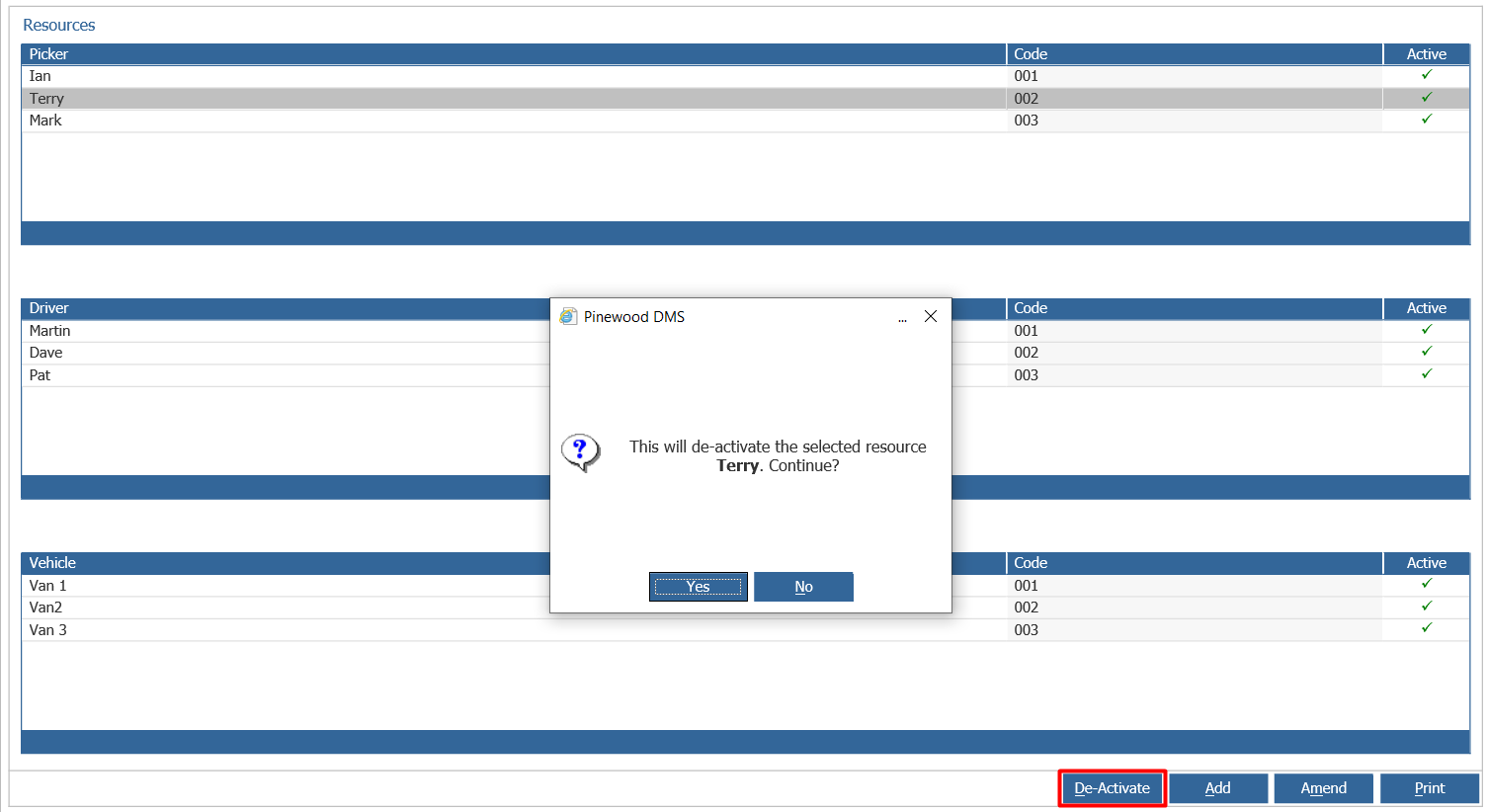
This will then show in Active column with a  symbol.