
The Display Part Number Parameter gives the ability to hold an additional part number against a part record, that will appear on any printed documentation that is provided to a customer.
This is a parameter driven feature and will need to be set up through the parts module. If you go
via;
Parts > Parameters > Display Part Number

This parameter will allow you to enable or disable this feature for the site. If you
then click onto the ‘Account Exclusions’ tab, this will allow you to enter any account where you
still want the original part number to be displayed, for example on internal jobs. These
exceptions can be set at a department or a divisional level when added.
Once this is enabled, you can then also set an access level for who is able to go in and amend a
part record to add this feature.
This can be done via;
Parts > Parameters > Department Details > Parts Maintenance
Here there will be an option to set an access level to amend the part record. This will originally
be set at ‘0’ upon release but can be raised to anything the site deems suitable.
Once this setup has been enabled a new field will appear on the part card.
Parts > Maintenance > Create/Amend:
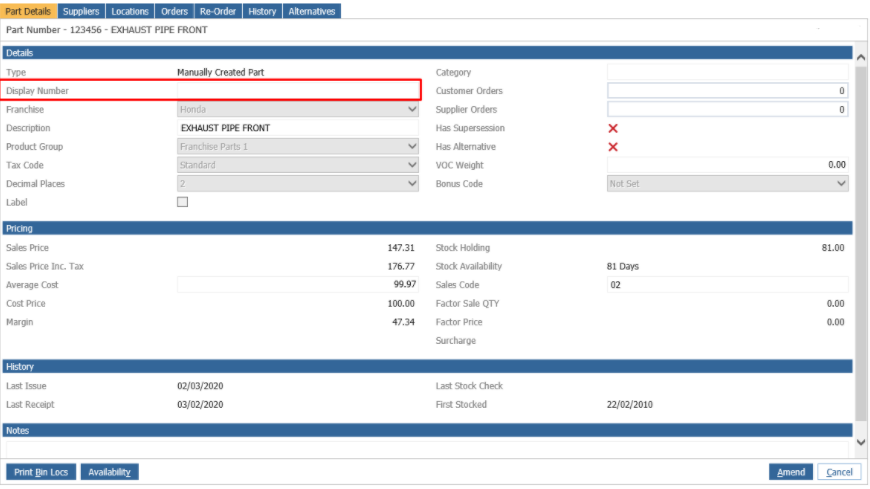
The ‘Display Part Number’ will be what is seen by a customer on any printed documentation that
this part record is attached to.
If this field on the part card is left blank, the printed documentation will simply show the original
part number.