
Question
What is the purpose of a CRM Team? How is this created?
Answer
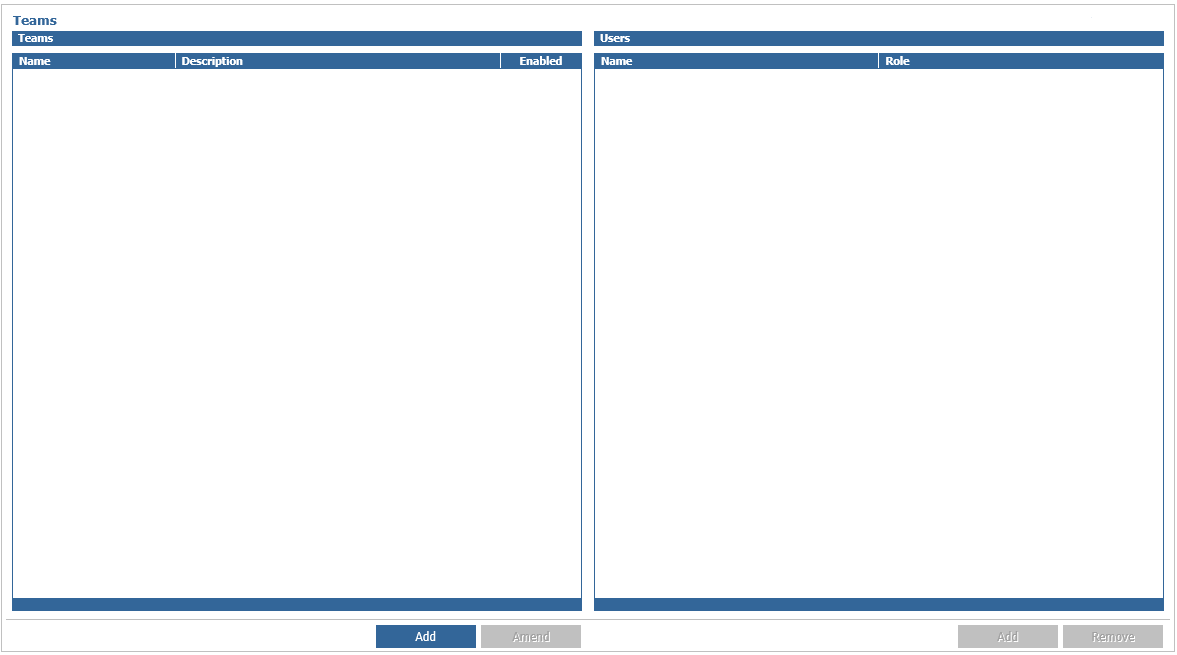
In CRM > Parameters > Teams you are able to create CRM Teams. These allow multiple sales executives to belong to a team. The diary will show all contacts within the team, allowing call centre, or team specialists to see all diary appointments for the team.
The contact report will continue to show individual diaries and will not be affected by teams, unlike the appointments tile in showroom or contact diary from the CRM side menu.
Teams are set up at an Enterprise level, however the diary is only combined in the location the user accesses the diary (i.e. the diary is will not be combined across multiple divisions) Each user will be able to view all the diary events within that team. A user can belong to one or more teams and will see all events for the users in the combined teams.
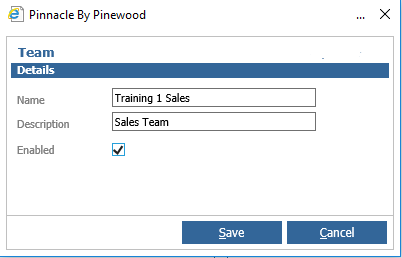
You can select Add to create a team, adding a new Name and Description and Enable the team.
After creating a team you can add Salespeople on the right hand side by clicking 'Add' and searching for relevant users.
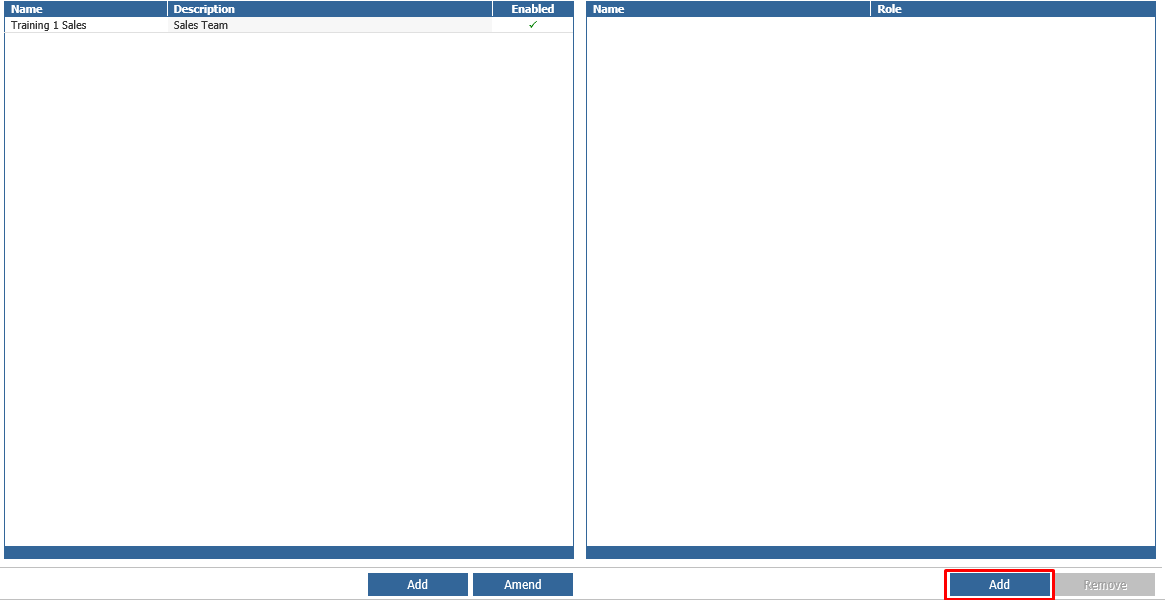

You can also amend the Team if necessary by selecting the team and unchecking the Enabled check box to deactivate this team if required. A user can be removed from a team by selecting the user and using the remove button.
Within the Showroom module, within the Appointments Tile, this will update with the team contacts for the users associated. This is the same within the CRM – Contact Diary, you will see across the month the teams contacts. The process for processing contacts has not changed.