Question
How do I create a Selection Report for all Customer Records?
Answer
If you need to do a search for all customer records held in CRM you can do this by creating a selection in CRM > Selections
From the selections screen you click into the ‘Choose fields to search box’, select the fields ‘Customer Information’ and double click 'Customer Created Date', this will pull that field across to the right hand side, from here you can specify the criteria to search for, in the top drop down select ‘Greater Than’ and in the second box type ‘01/01/1900’, then click accept.
In the bottom company structure box, you can select at what level you want to run this selection for the purpose of pulling all customer records in the data base it is best to use the enterprise level.
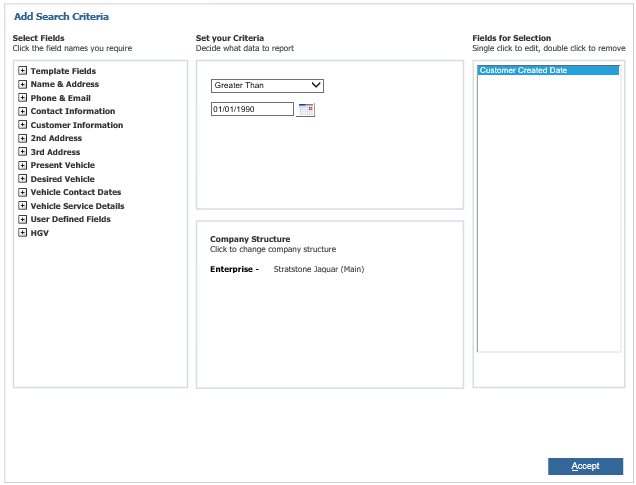
Then click ‘Accept’
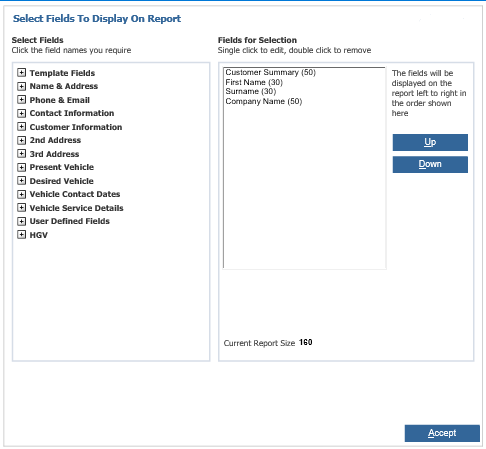
In the bottom left hand box you can select the field you want to displayed when the selection is ran, this can be whatever the user needs to see about the customers in the database, to select a field to display click in the box and a window will open, find the fields the user wants to see using the expanding list and double click the field to add it to the selection.
Once you are happy with the fields to display click accept
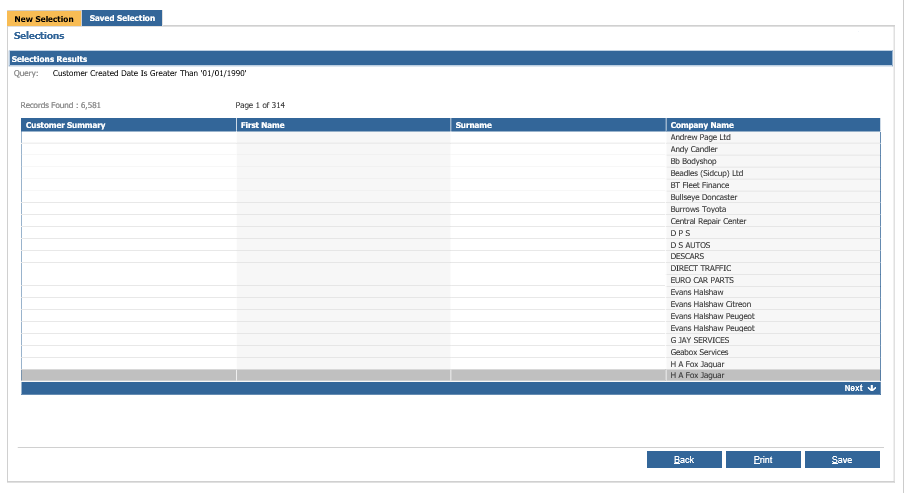
Once you have filled in these fields you can click search to run the selection and display the results, from this screen the selection can be saved for later use or to be downloaded or can be printed.