Question
Why am I unable to select a decline reason in the Aftersales Diary?
Answer
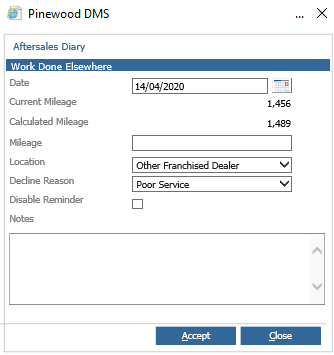
When processing events for a customer in the Aftersales Diary you are able to select Work Carried Out Elsewhere, when this has been selected a Decline Reason will need to be chosen.
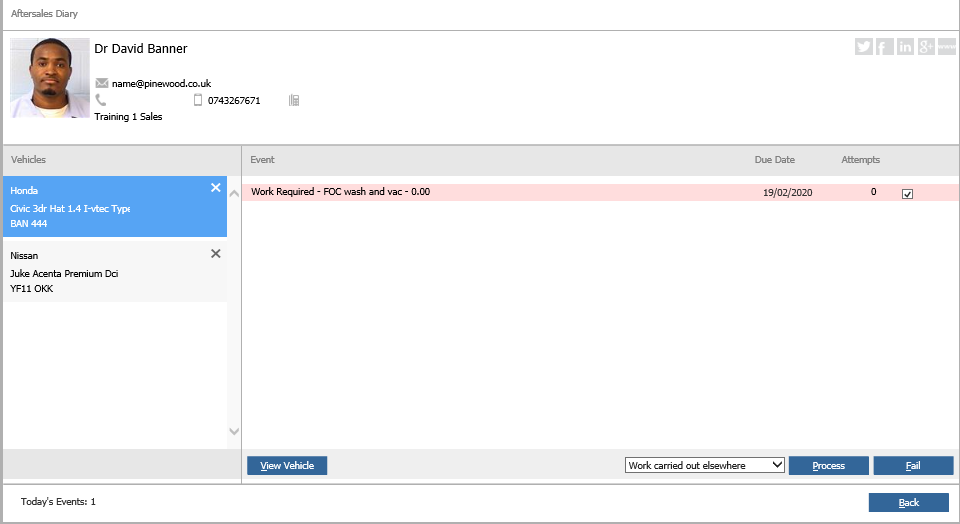
When clicking process the below will appear;
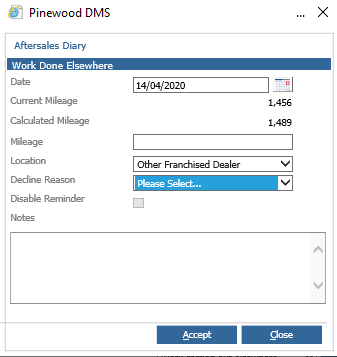
Currently there are no Decline Reasons to choose. However, you cannot process this screen without a decline reason selected. If there are no reasons to choose from this will be due to the set up of Decline Reasons in the Workshop module.
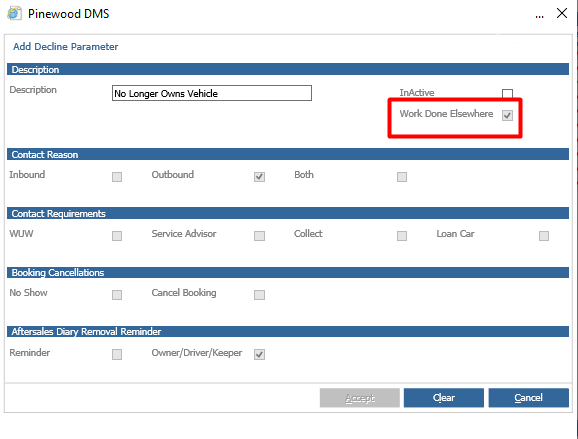
Within Workshop > Parameters > Customer Declines > Decline Parameters, there is a column for WDE – Work Done Elsewhere. If none of the reasons are ticked for WDE this will mean there will be no decline reasons will be available in the Aftersales Diary.
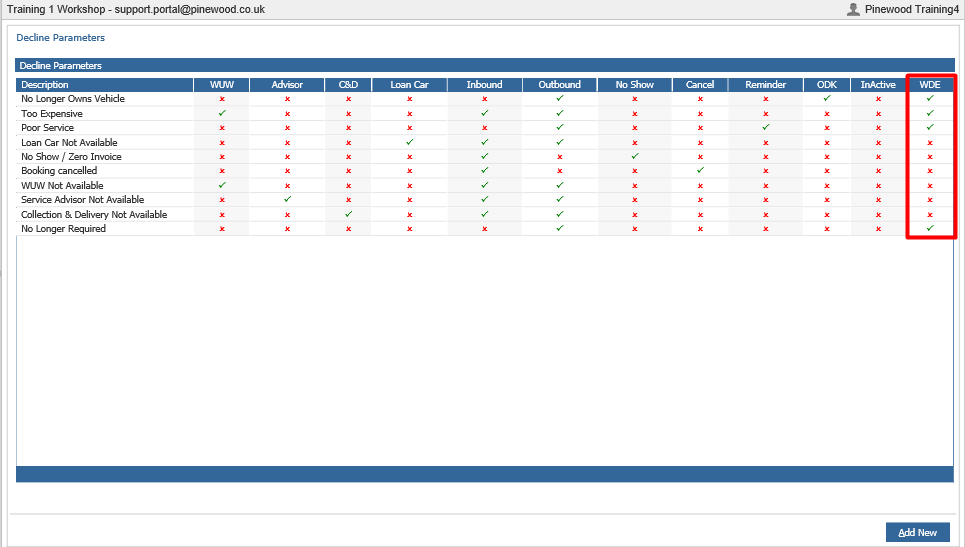
To amend the reason so it does show in the Aftersales Diary, double click the reason. Then click Clear, which will clear anything already ticked on the reason, then tick Work Done Elsewhere and the other boxes that were ticked previously.
Click Accept. This will then show as a Decline Reason in the Aftersales Diary: