
Question
How can I amend a company name in CRM that has outstanding deposits?
Answer
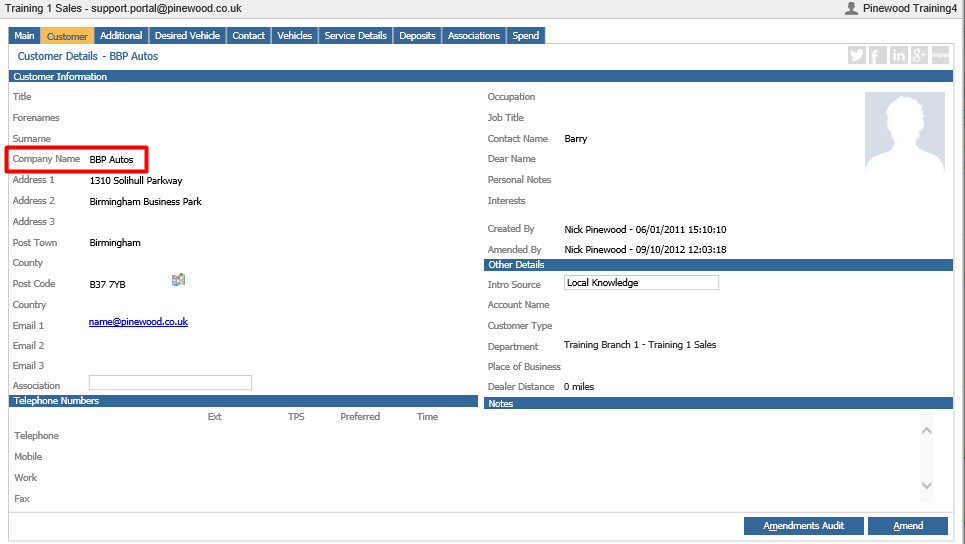
If a customer’s first line of address is populated in the ‘Company Name’ field, as shown below, click the ‘Amend’ button in the bottom right of your screen to move it into the ‘Address’ field:
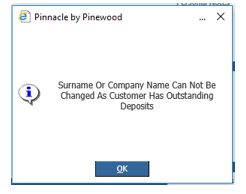
If once you’ve made the amendments and clicked ‘Save’ you get the following message:
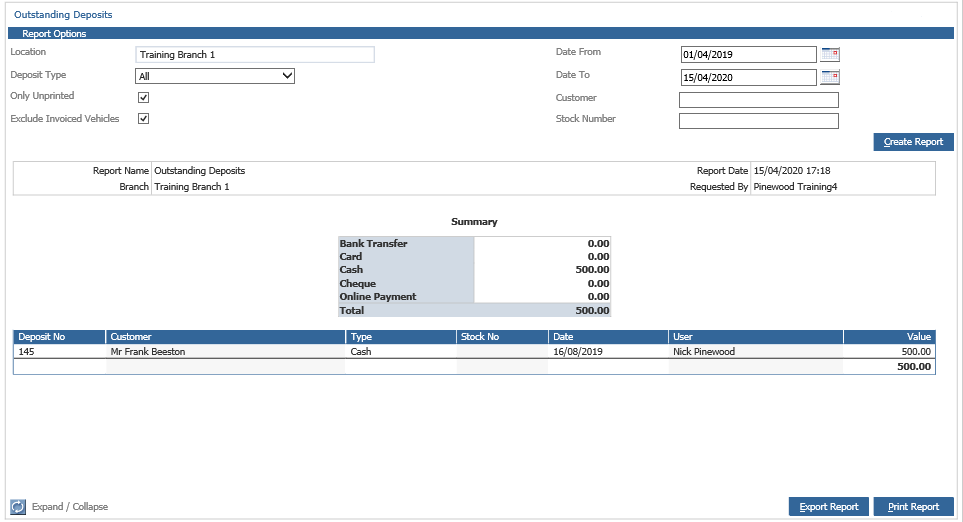
You will need to transfer this deposit to another record. To do this go to Vehicles > Reporting > Accounts > Deposits. You will see the following screen, which you can filter to find the relevant deposit to transfer:
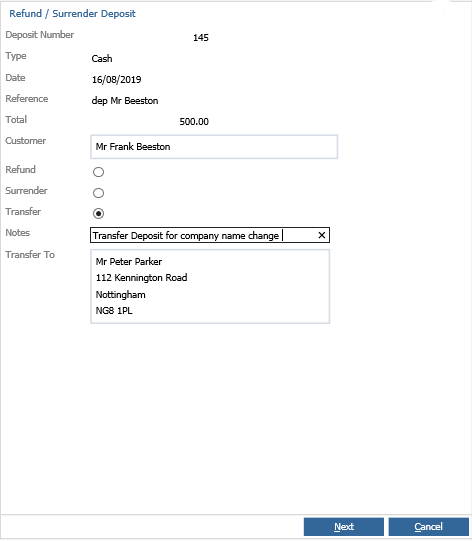
Double click into the deposit and select ‘Transfer’ and enter in a customer in the bottom field as shown below:
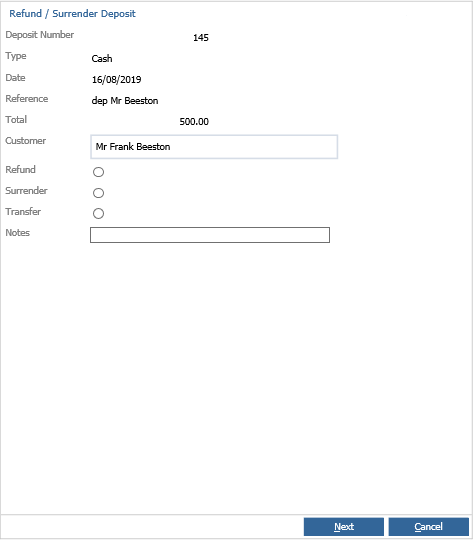
Once you have transferred the deposit, go back into the CRM record (CRM > Enquiry) and amend the company name. Now that this has been amended, go back to Vehicles > Reporting > Accounts > Deposits and transfer the deposit back to the original customer, as shown in the steps above.