
The notes section on a part card is a free type field that can be used to give users information about specific parts that may inform a parts sale.
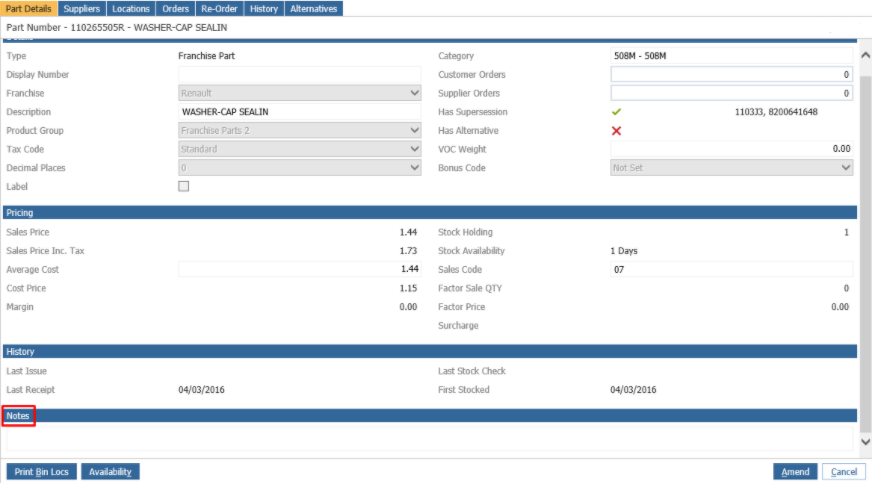
To add notes to a part go to Parts > Maintenance > Create/Amend. Select the part and amend the part card.
There is a ‘Notes’ section at the bottom of the part card where you are able to add information that can assist with sales:
Hit save to keep the changes.
When you then go to Parts > Sales > Invoice and search for this part the notes will appear under the quantity as below:
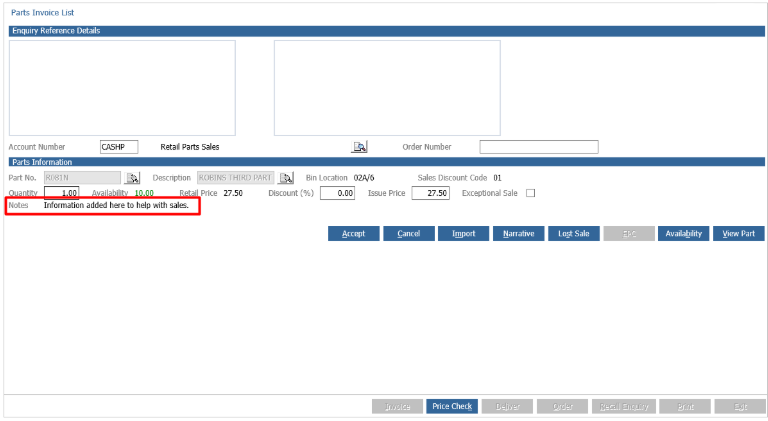
This will then serve to inform the user of anything important at the point of sale.