Question
Booking confirmations, VHC emails and invoicing emails are not going through using the HTML templates that I have set up. What could be causing this?
Answer
This would be due to them not having being mapped to a department.
You will need to go to CRM > Parameters > Communications > Workshop
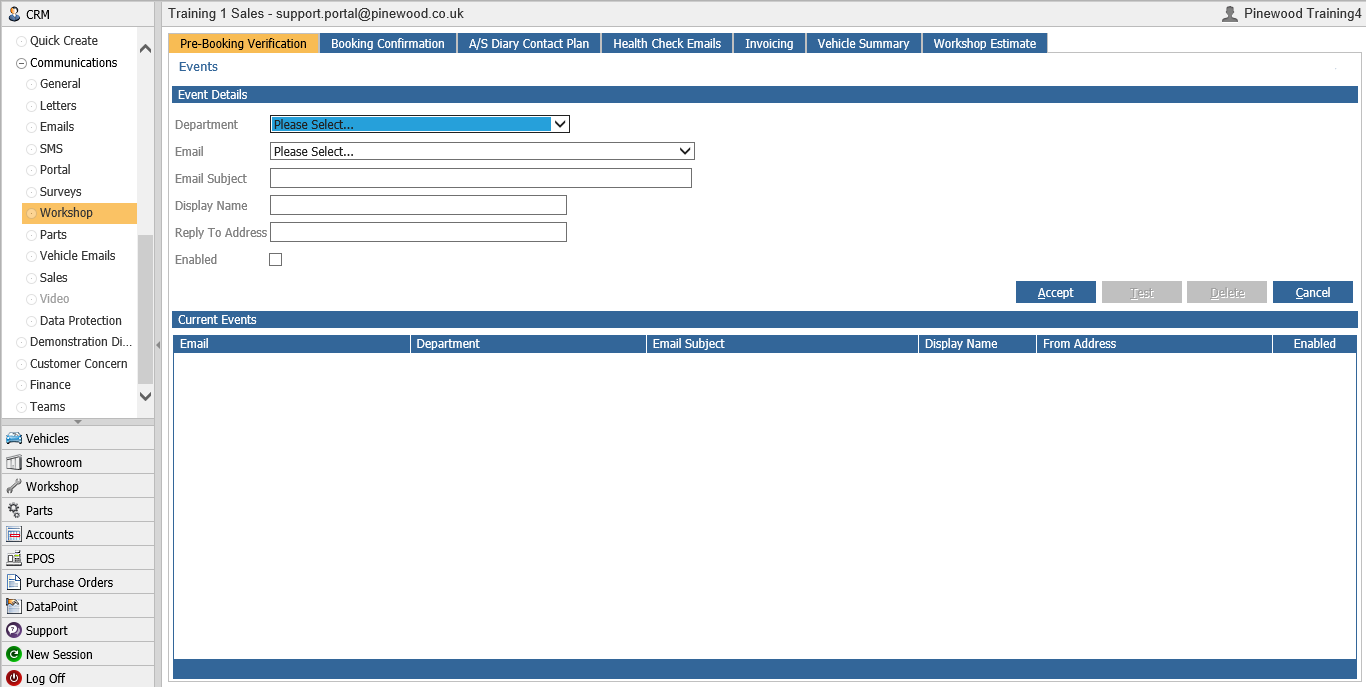
Here you will need to select the department that this email will be coming from
The email template that you want to use that has been setup within CRM > Parameters > Communications > Emails.
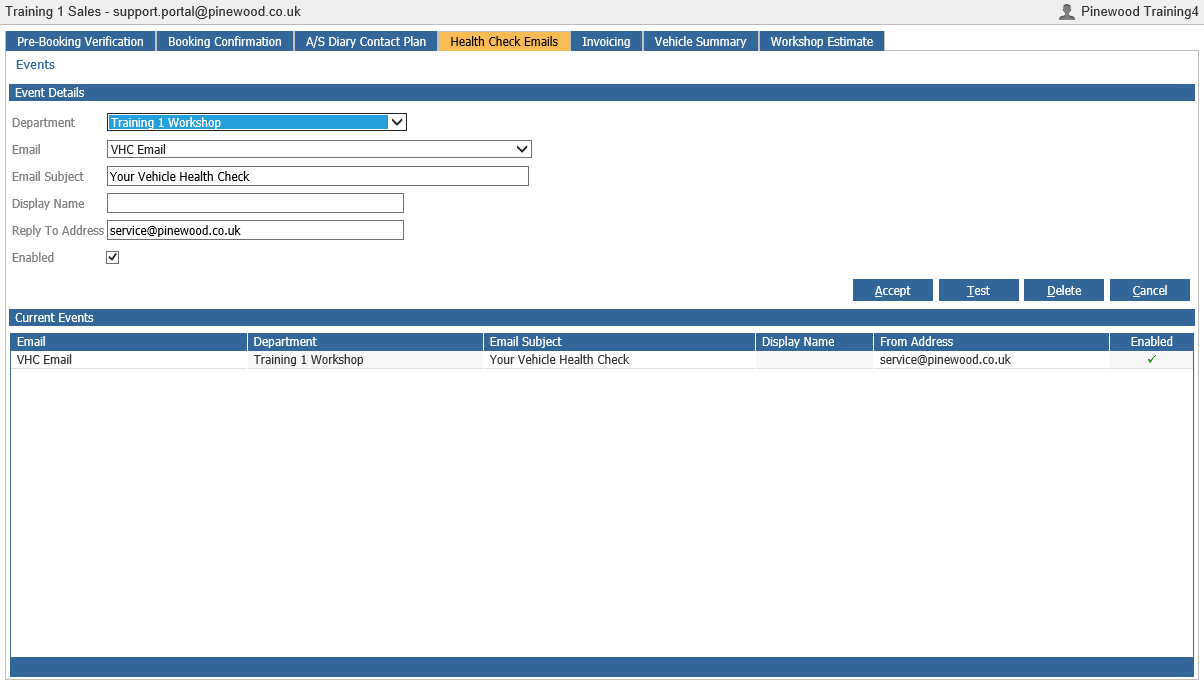
You will then need to select a subject that the customer will see in their inbox when they receive this email. In the below example we show how to map a Vehicle Health Check email.
You will also have to enter an email address that the customer can reply to if they need to.
You will then need to click enabled.
Then click accept.
You will see that all of the details that you have just added will move into the list below with a tick in the enable column. This is how you know that you have successfully mapped the template to a department and the email that are sent from now on for this template will be sent to the customer.