
Account parameters allow access to the sales ledger account parameters screen from within the parts module.
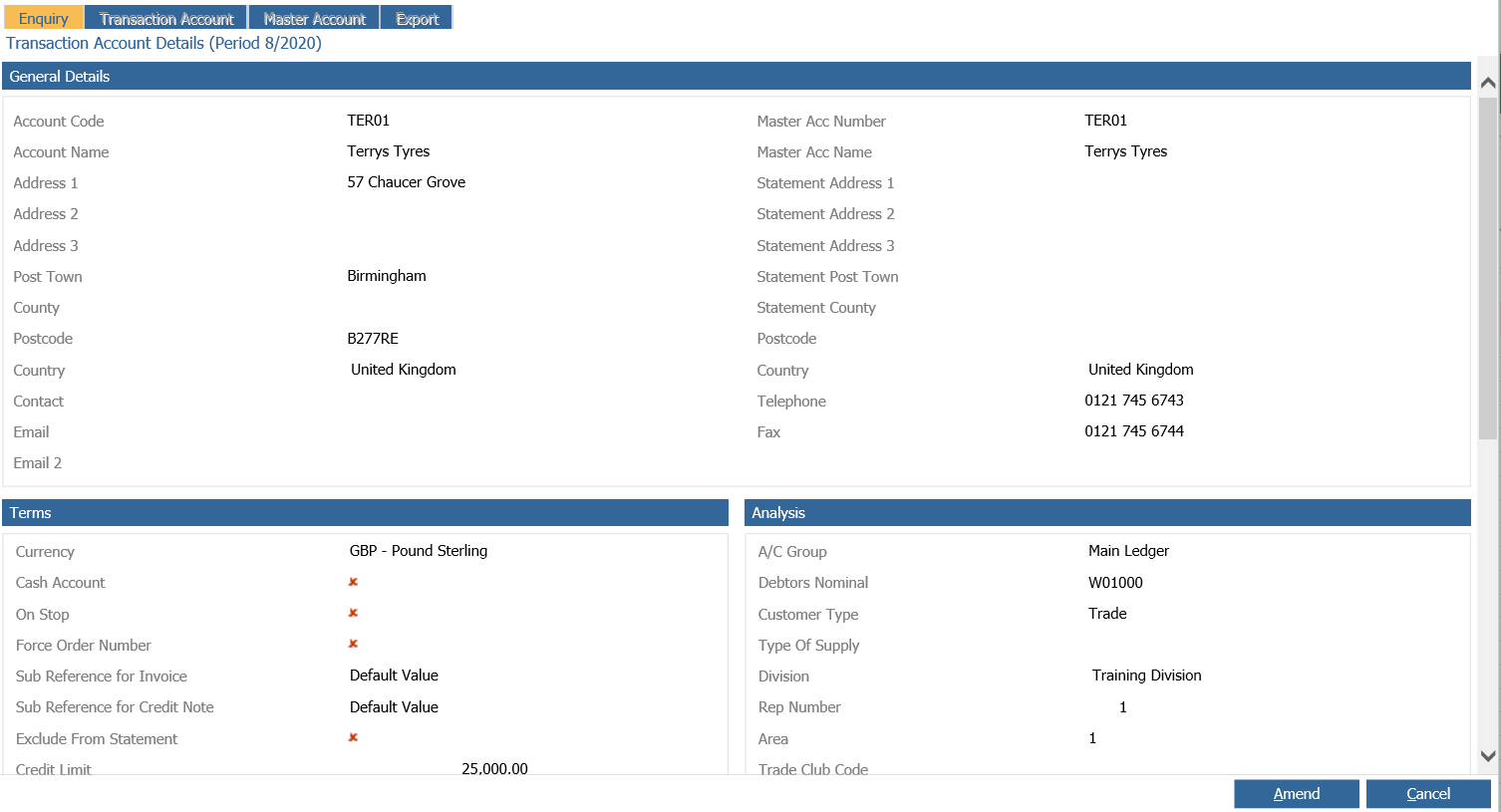
When you first access the account parameters from Parts > Parameters > Account Parameters you will be presented with the account enquiry screen:

Having search for the account required you will be able to view and amend all the details related to that account:
The only two fields available to the parts team are the Parts Price and Invoice Discount, highlighted in red:
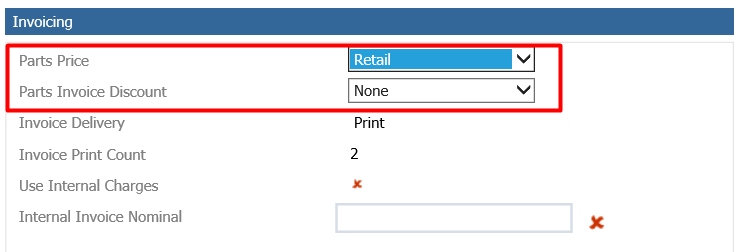
Selecting 'Amend' will allow the two fields to be changed.
Parts Price: This field dictates the price to be used from the part record at the point of sale. When the account is created, this field will default to retail.
- When set to Retail, parts will be issued using the retail price.
- When set to Trade, parts will be issued using the trade price.
- When set to Cost, the part will be issued at the cost price.
Parts Invoice Discount: This dictates how discount will be shown on the invoice. When the account is created, this field will default to none.
- When set to None, the discount column on the invoice will be blank.
- When set to Percentage, any discount will be displayed as a percentage on the invoice.
- When set to Value, any discount will be displayed as a value on the invoice.