
Question
What does the ‘Display Allowable Contact Methods’ do?
Answer
The ‘Display Allowable Contact Methods’ parameter gives the customer themselves the choice to amend the ‘Allowable Contact Methods’ on the page that can be emailed or sent via SMS to them.
For this parameter to work you will need to have the Data Protection questions set up on the system – for further details of this please see the GDPR Set Up Guide.
By default, this parameter will be on, meaning customers will be able to manage their ‘Allowable Contact Methods’ themselves.
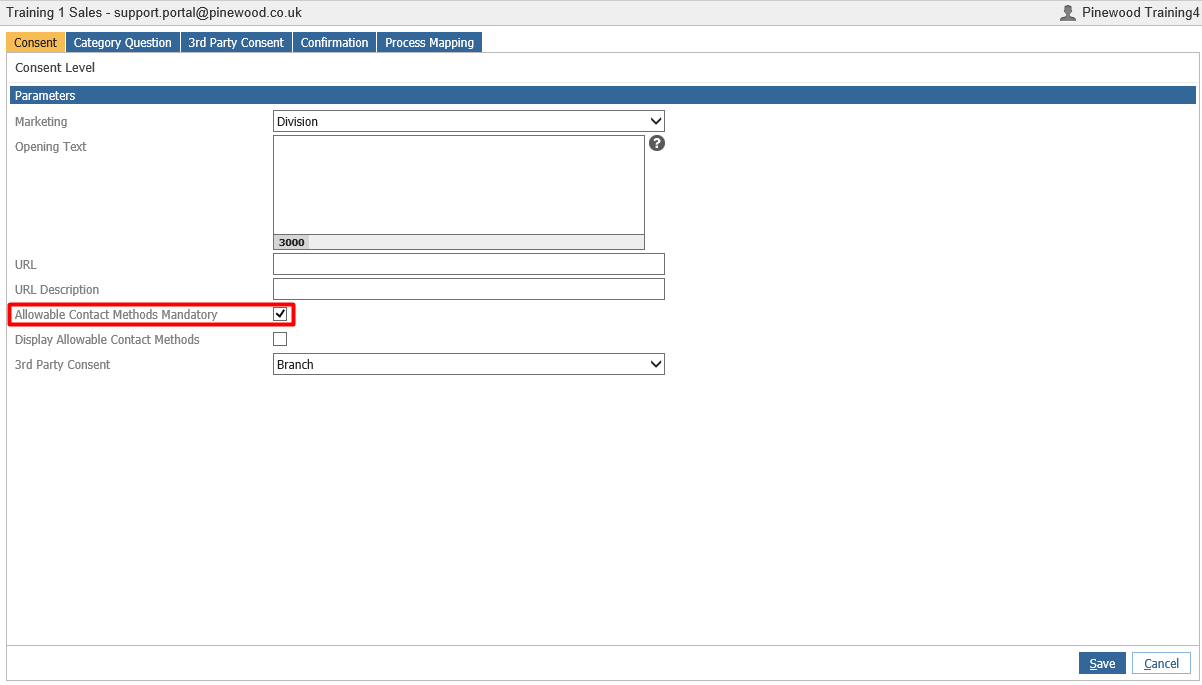
The Display Allowable Contact Methods parameter is found within CRM > Parameters > Communications > Data Protection – and on the consent tab:
With this parameter turned on the contact preference update screen emailed/SMS to the customer will look as below:
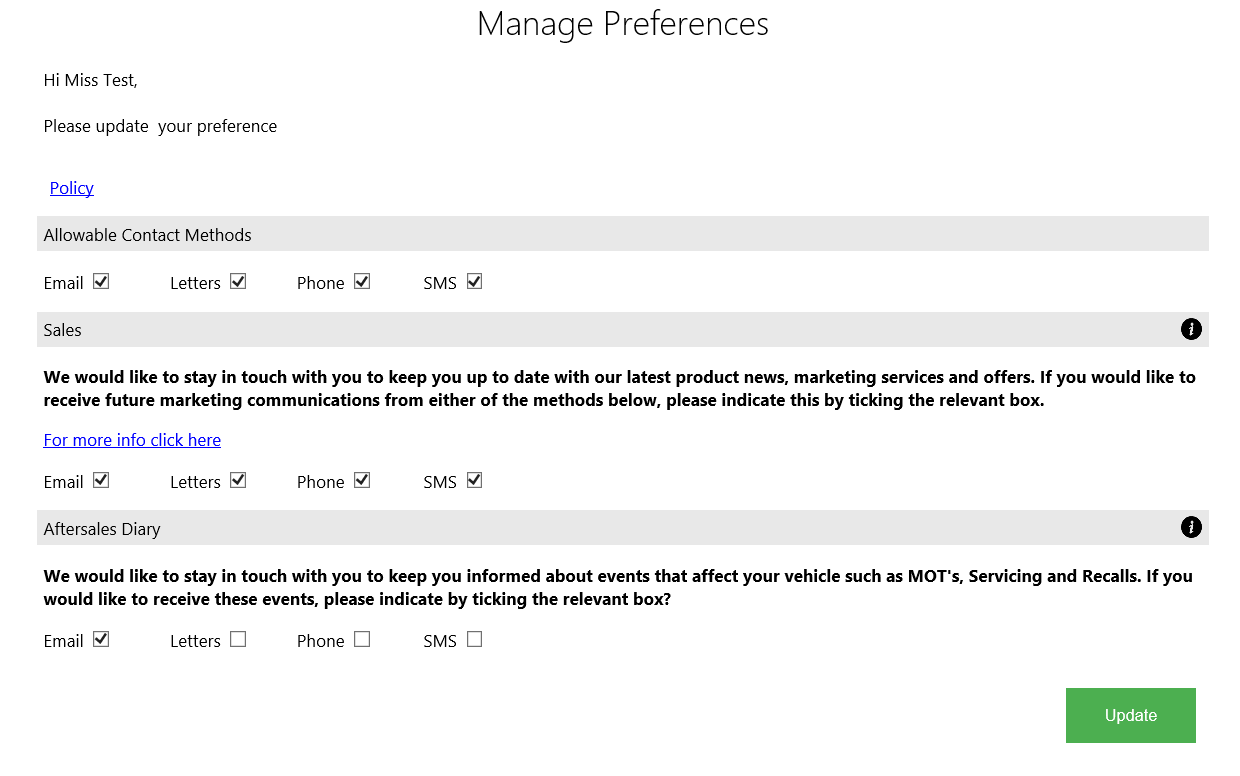
The customer can then choose to turn off all ‘Allowable Contact Methods’ if the ‘Allowable Contact Methods Mandatory’ parameter is turned off, or if this is on then at least one ‘Allowable Contact Method’ will need to be chosen before the customer can proceed.
With the ‘Display Allowable Contact Methods’ parameter turned off the contact preference update screen emailed/SMS to the customer will look as below:
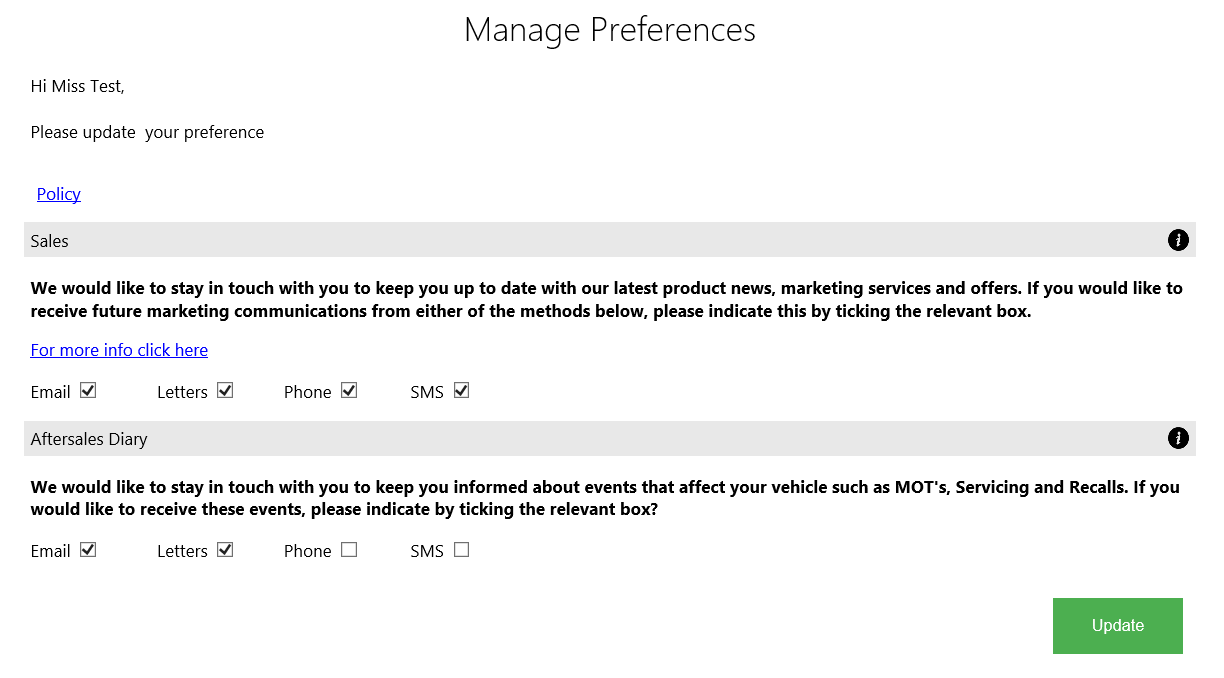
The customer will not have the option to turn off the Allowable Contact Methods unless they have this updated by a user in the dealership itself.