Pinewood Technologies PLC Help Centre home page
Sign in
  1. Pinewood Technologies PLC
  2. Product Information
  3. Parts

Search

📝 Parts Parameters End of Day

Jake
Jake
  • Updated 06 August 2024 10:39

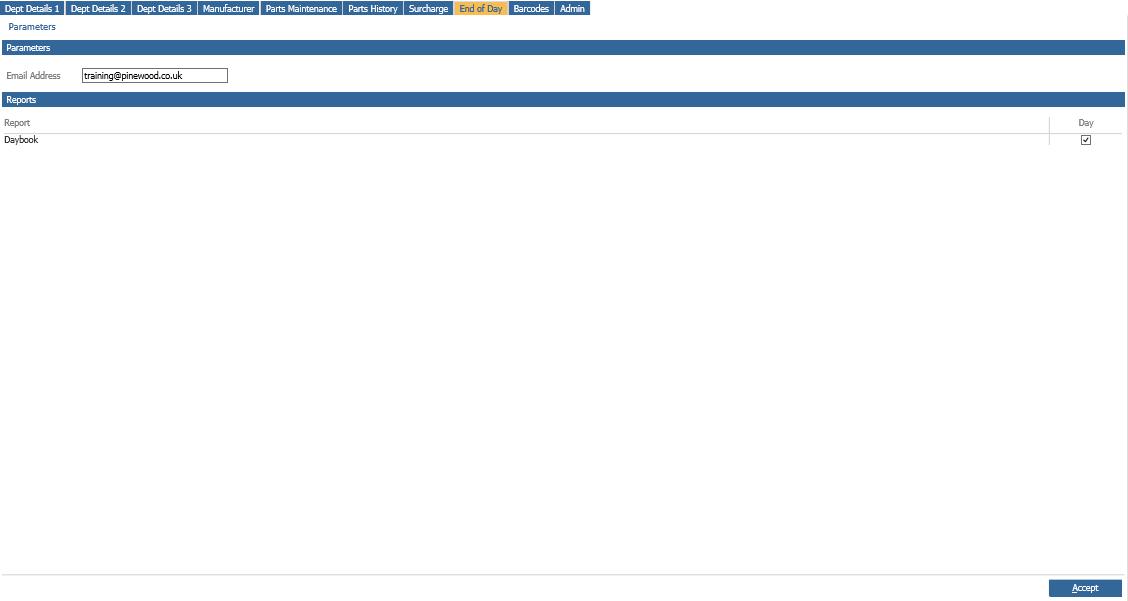
The parts end of day routine can be set to send a PDF copy of the daybook to single or
multiple email addresses.
mceclip0.png

If multiple email addresses are needed, these must be separated by a semi colon (;).

Select ‘Accept’ to save any changes.

When the End of Day has been completed, a PDF copy of the Daybook will be emailed to the
addresses within this screen.

Related articles

  • 📝 Can I re-print my Workshop End Of Day?
  • 📝 How Do I Manually Change the Parts Price?
  • 📝 Workshop End of Day Daybook – Cash Breakdown Reporting Amendments
  • 📝 Locked Till for EPOS
  • 📝 How do I Print a Parts Pro Forma?

Articles in this section

  • 📝 Parts Customer Order With Deposit Invoice
  • 📝 Disable GRNI for Surcharge Parts
  • 📝 Export Part Details
  • 📝 Parts Retail Price Amendment during Receipting
  • 📝 Parts Selections - Saved Selections will only be stored for 90 Days
  • 📝 Reconciling Parts Valuation To The Stock Nominal
  • 📝 Locked Till for EPOS
  • 📝 Why is the Delivery Button not Appearing?
  • 📝 Creating A Parts Selection For Sales History
  • 📝 Creating A Parts Selection For Stock Holding

See all 106 articles

© 2025 All rights reserved. by Pinewood Technologies PLC