
Parts > Distribution > Order Exceptions > Supplier Orders
The Supplier Order Exception window can be filtered by Account, Enquiry or Part Number.

At this point, the decision needs to be made as to what to do with the exception, either to
order the part from another supplier or to clear it.
To order the part from a different supplier, select a Supply Type of Internal (for internal
suppliers) or Supplier (external suppliers) from the drop down menu.
When a supply type has been selected, the Select a part supplier window is displayed.
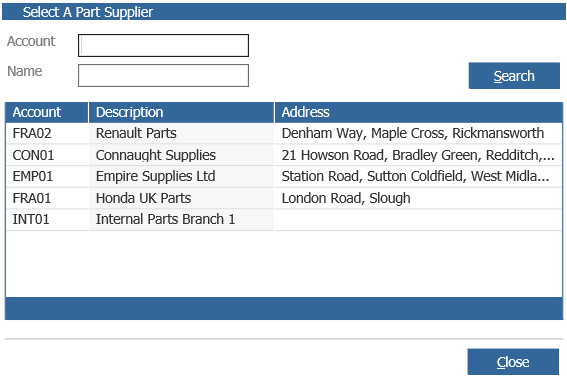
If the internal option is selected the internal supplier list is displayed and if the supplier option is selected the external suppliers will be displayed.
Once suppliers have been selected against the parts to be re-ordered, select ‘Accept’.
A supplier order will be created and can be completed within Purchase, Supplier Orders.
Internal orders are sent automatically.
To clear the exception, place a tick next to the parts to be cleared.
Once parts to be cleared have been selected, pressing ‘Accept’ will remove the exception.