
Parts > Purchase > Receipts > Internal
After an internal supplier has been selected, the processed orders are displayed.
Select an order by double clicking the relevant order in the top right of the screen.
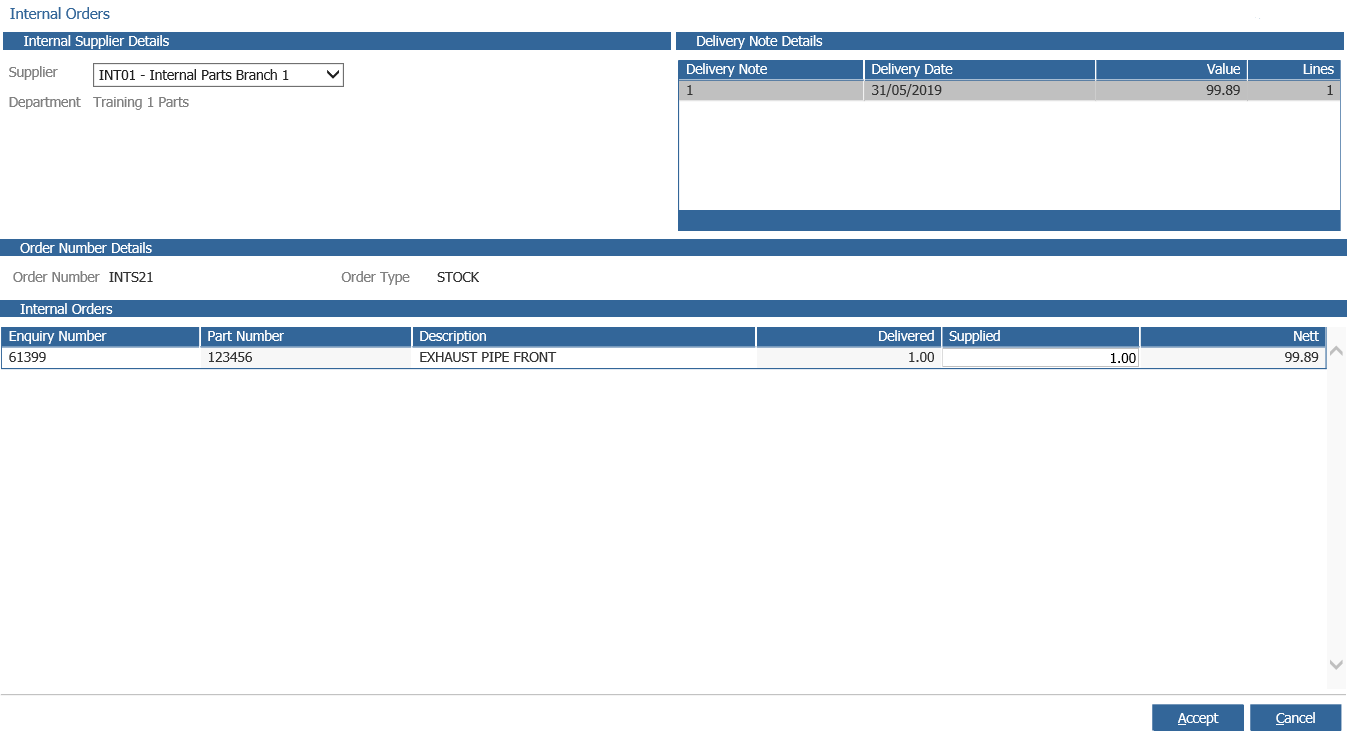
Check the quantities supplied are correct and select ‘Accept’. This will update the parts stock
holding and average cost price, also all parts that were on a customer order will have had
their status updated and if applicable, pick notes automatically generated. (Please refer to
Pick Control)
The supplied quantity can be amended. This can only be decreased. If this quantity is
changed, a Receipt Exception is created. Please refer to Order Exceptions for further details.
After orders have been receipted, a print of the received items is available.
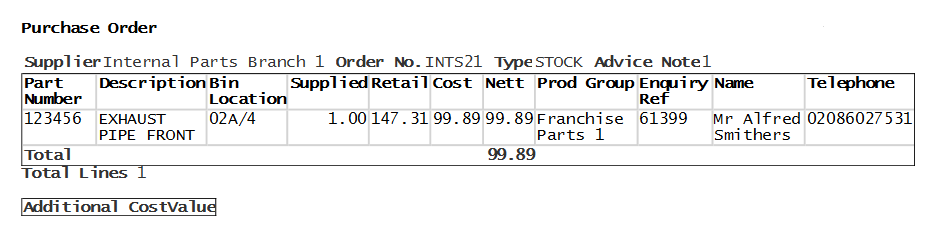
When parts received are linked to a customer order, the enquiry number, name and
telephone number information is printed. Please refer to Outstanding Orders.