
Question
How do I send multiple SMS messages? i.e. for a marketing campaign
Answer
Firstly, you will need to build a list of customers to send the multiple messages to, to do this you will need to create a selection.
Once you have a selection created with the list of customers you would like to send a SMS to, go to CRM > Processing > Letters and select the Mailshots tab:
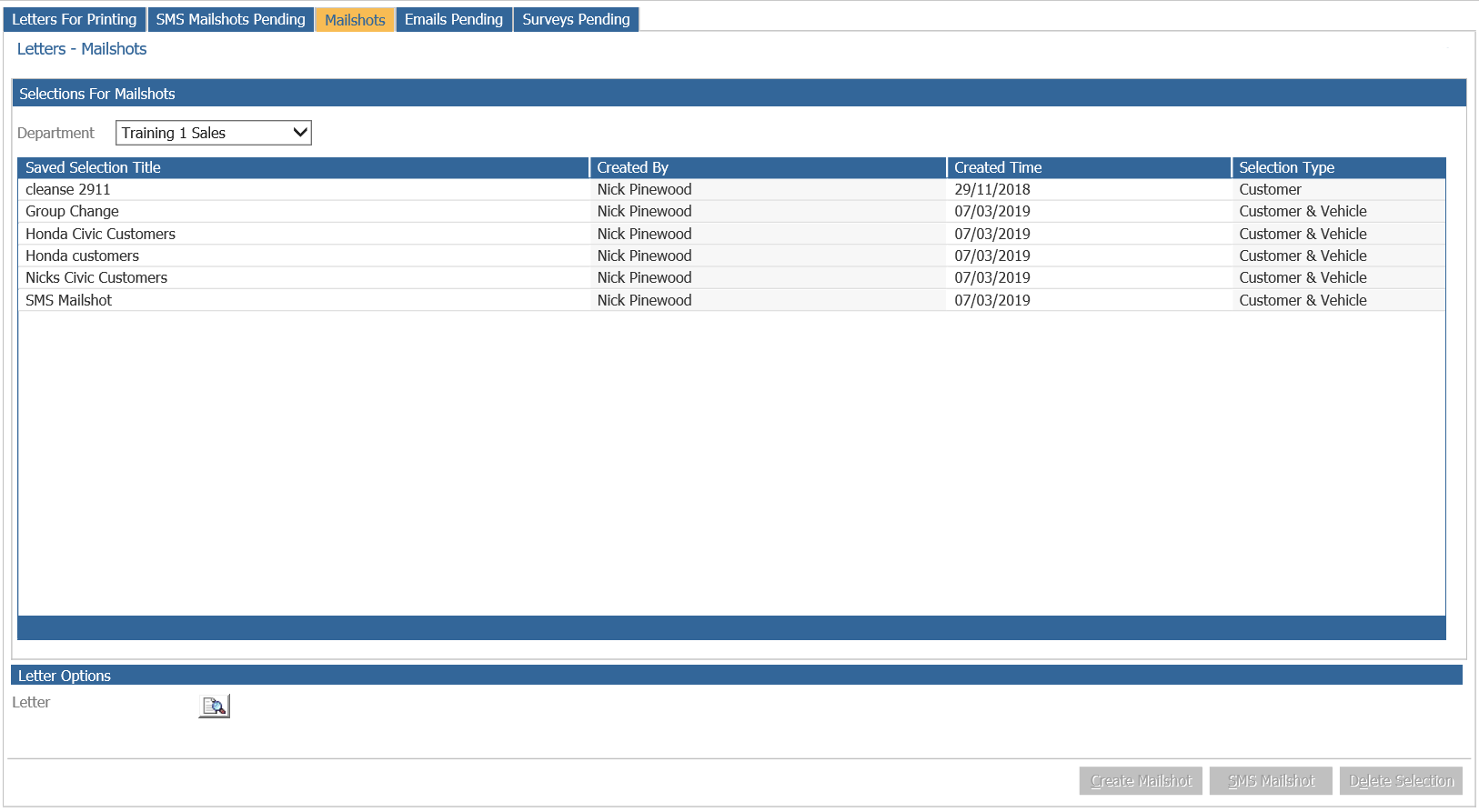
Single click the selection you have saved and then click the SMS mailshot button:
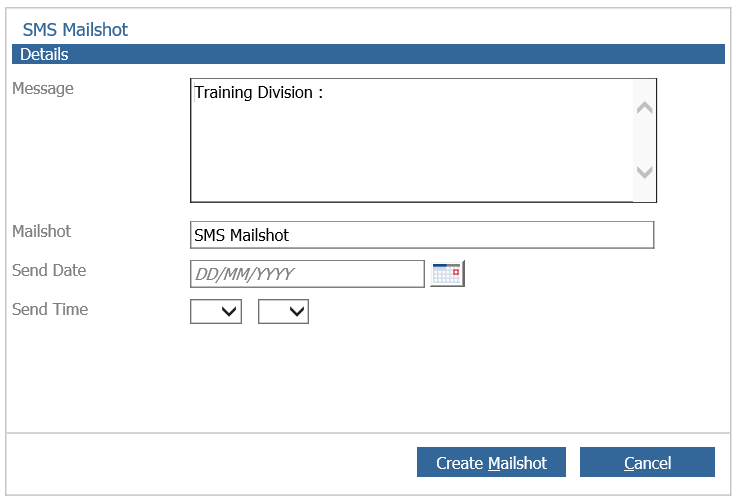
Enter in the Message you would like the SMS to include, a send date and send time for the SMS and then click Create Mailshot.
Once done the pending SMS messages can be viewed by clicking the SMS Mailshots Pending tab:
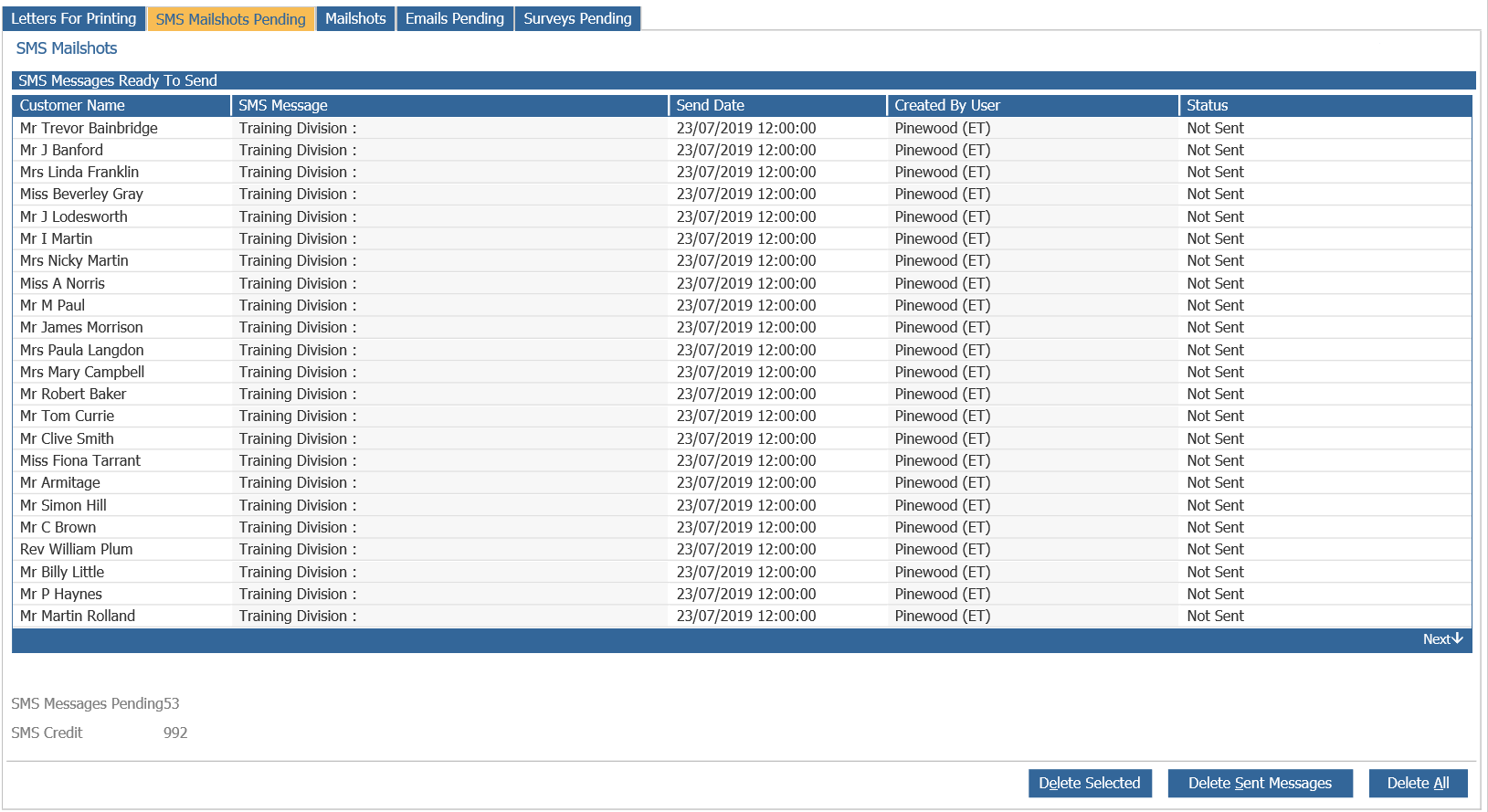
If the SMS mailshot is incorrect, Delete All can be selected to prevent these from sending at the scheduled time and date. If one of the messages needs to be deleted, single click one of the customers and select Delete Selected. Once the messages have been sent they can be deleted from this list by clicking Delete Sent Messages.