
Question
How do I set-up a Customer Number UDF?
Answer
The purpose of this parameter is to allow dealerships to add and categorise any extra information regarding the customer(s) instead of having to combine everything into the notes section.
If Customer User Definable headings have been created and one of those headings has been selected in Marketing Parameters, the Customer Number UDF validation parameter can be set to recommended or mandatory.
Customer UDF will not automatically populate and requires to be manually added into the customer record under the 'Additional' tab but you can choose whether to make this field mandatory or not
To set up a Customer UDF Number, a Customer UDF Heading must first be set up by going to:
CRM > Parameters > Dealer Parameters – Enterprise tab
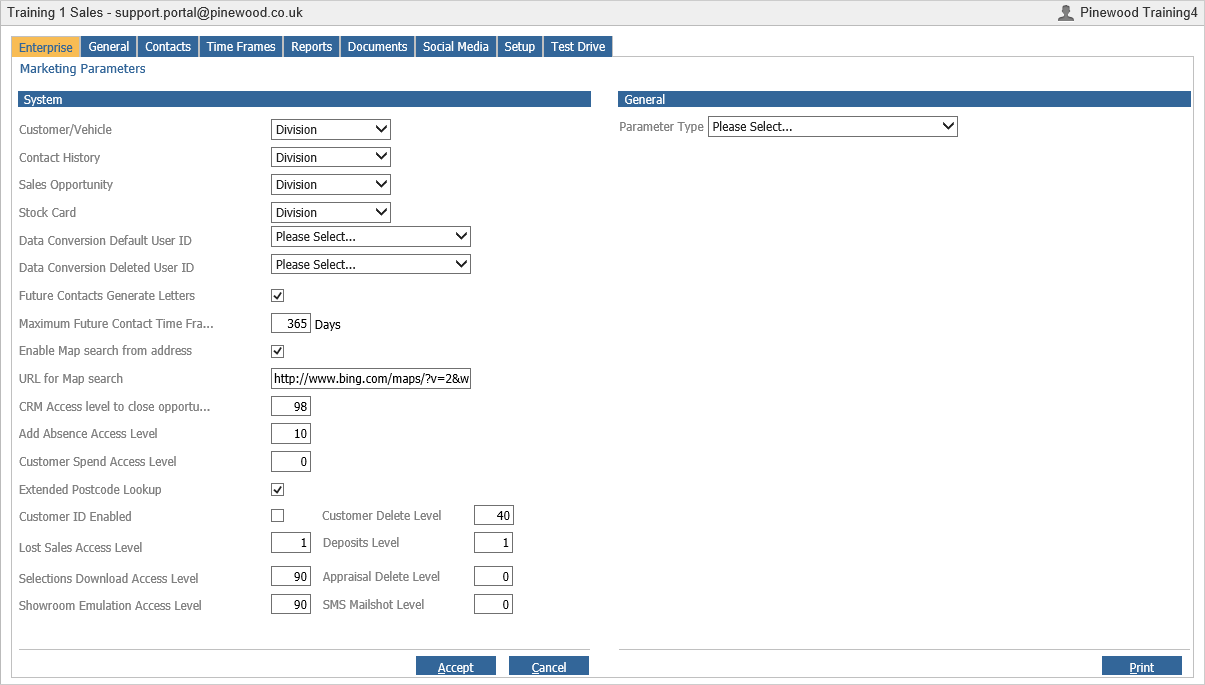
Select ‘Customer User Definable Headings’ from the General Drop Down
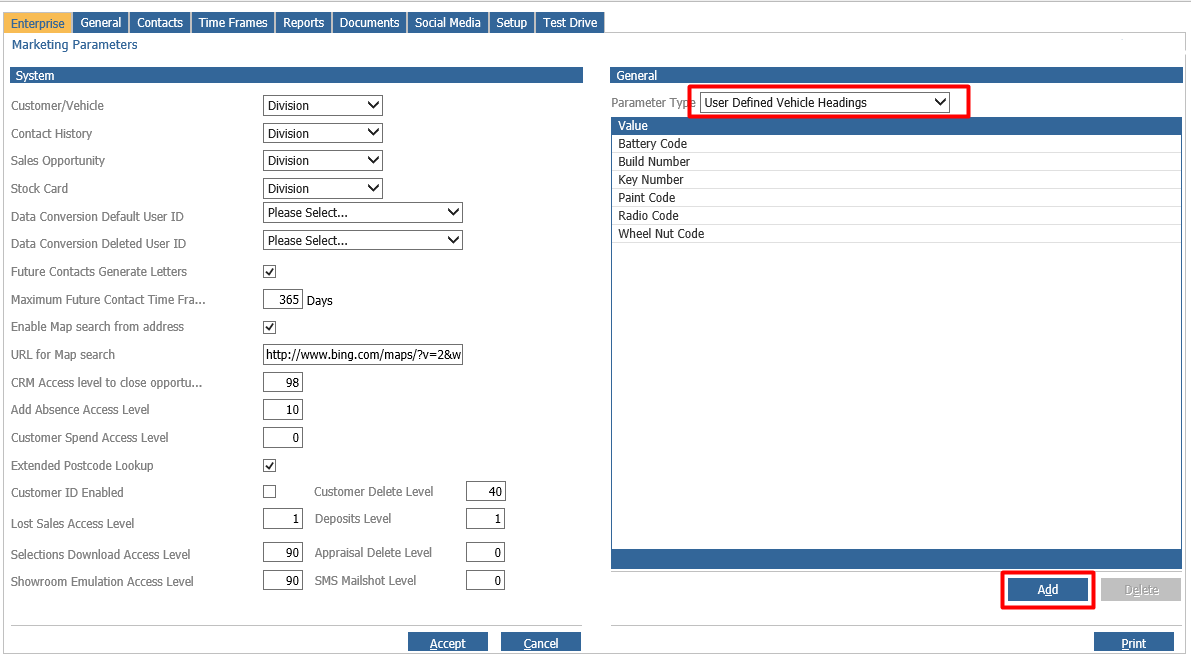
By clicking 'Add', new headings can be created
A pop-up will appear
Enter a heading description and click whether you want this heading to become available in CRM enquiry
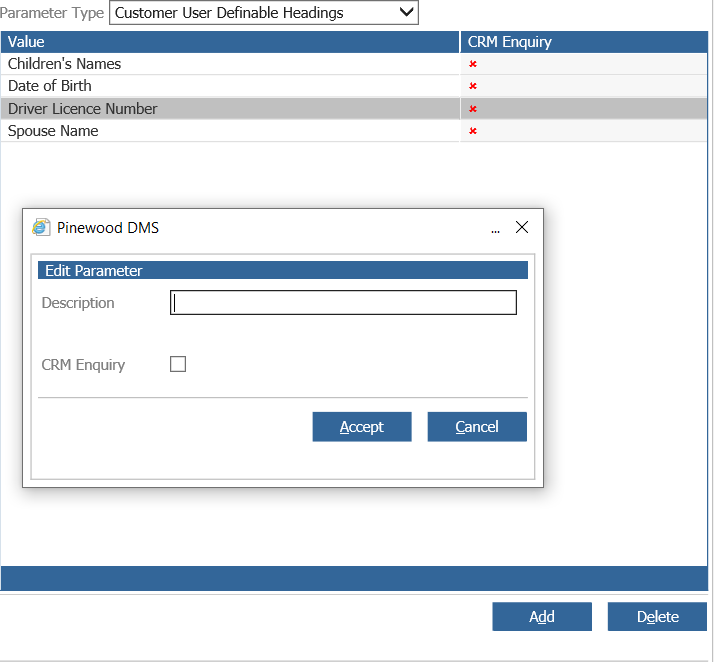
Click Accept
To delete an existing heading, single click on the heading and select delete
A pop-up will appear to confirm deletion as seen below
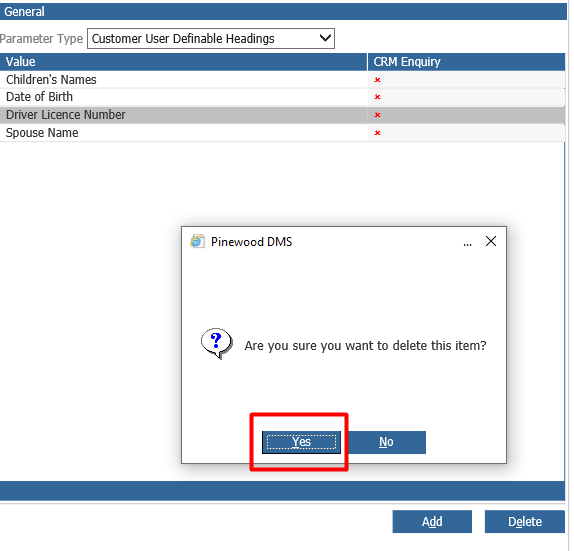
Click Yes
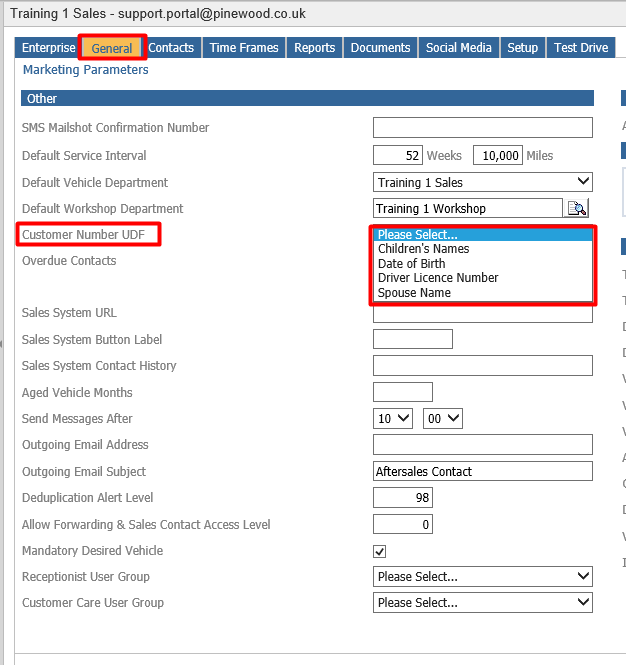
Once the heading has been created - go to the General tab in CRM > Parameters > Dealer Parameters
Using the drop-down options, select the details you want to establish as your customer number UDF as seen below
Go to CRM > Parameters > Customer Validation
Within the Customer Validation parameters click ‘Amend’ to set this to Recommended or Mandatory
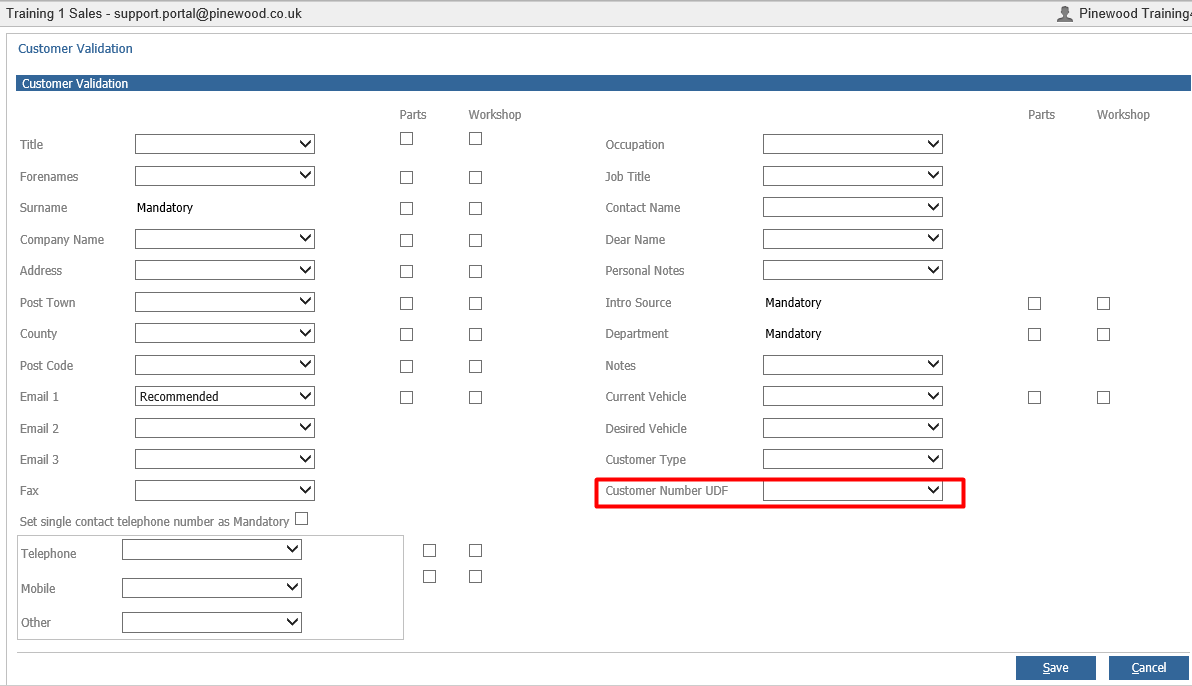
Then once set, dependant on what is set here this will use the Customer Validation functionality on this field on the customer record.
Please Note: this field will only show in the Validation parameters if a Customer Number UDF is set in the General tab of Dealer Parameters.