
Question
Why is the VHC sending to the customer in the wrong colour?
Answer
When vehicle health checks are being completed the customer is also sent a copy via email.
In some cases when sent to the customer it may come through in the incorrect colour/font which means the customer is unable to see the outcome or the work that is required for the vehicle. This could include the header, the content, sub-headings, buttons or footers.
To change this or to check the parameter settings you will need to go into CRM > Parameters > Communications > Portal. Within this screen, you can see the parameters which adjust the colour settings in the VHC emails sent to the customer.
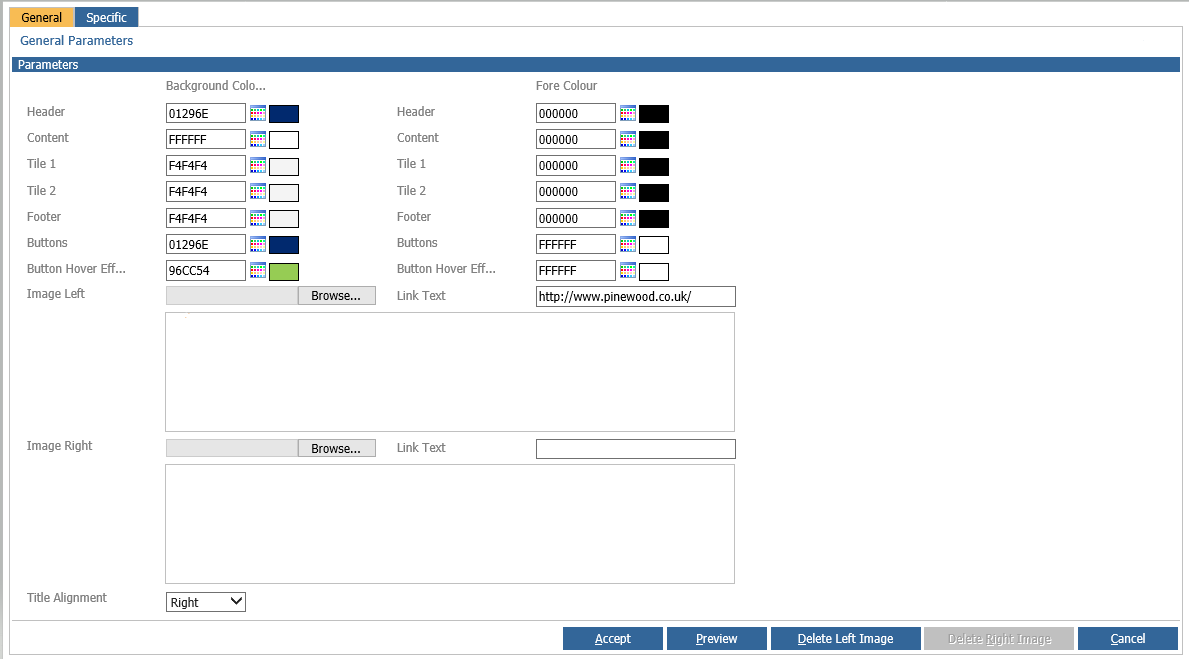
As you can see here you can adjust the email parameters and make the necessary changes to make the colour settings correct. Once the correct colours are chosen, click Accept and the changes will take affect on the next VHCs sent out.