
The feature allows you to handle returned or reversed Direct Debit receipts more easily. There is the ability to select a paid or archived sales ledger invoice to Deallocate when creating a Cashbook payment to a sales ledger account.
For this function, there will be an access level for this. Within Accounts > Sales Ledger > Ledger Parameters > Transaction Parameters, within the Access Level section, there is an access level for ‘De-allocate Invoice’;
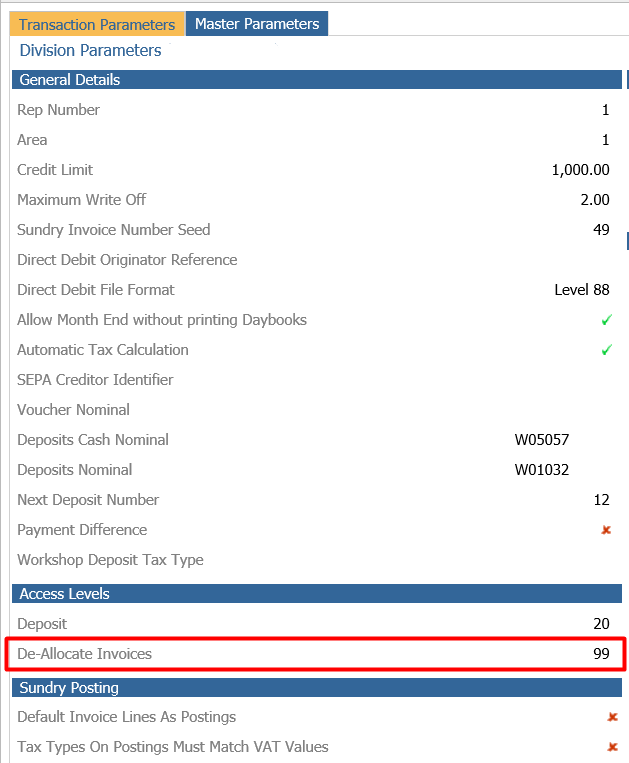
You are able to then dictate the restriction level on this.
Process
Within Accounts > Cash Book > Payments > Sales Ledger once the details have been added to the main screen;
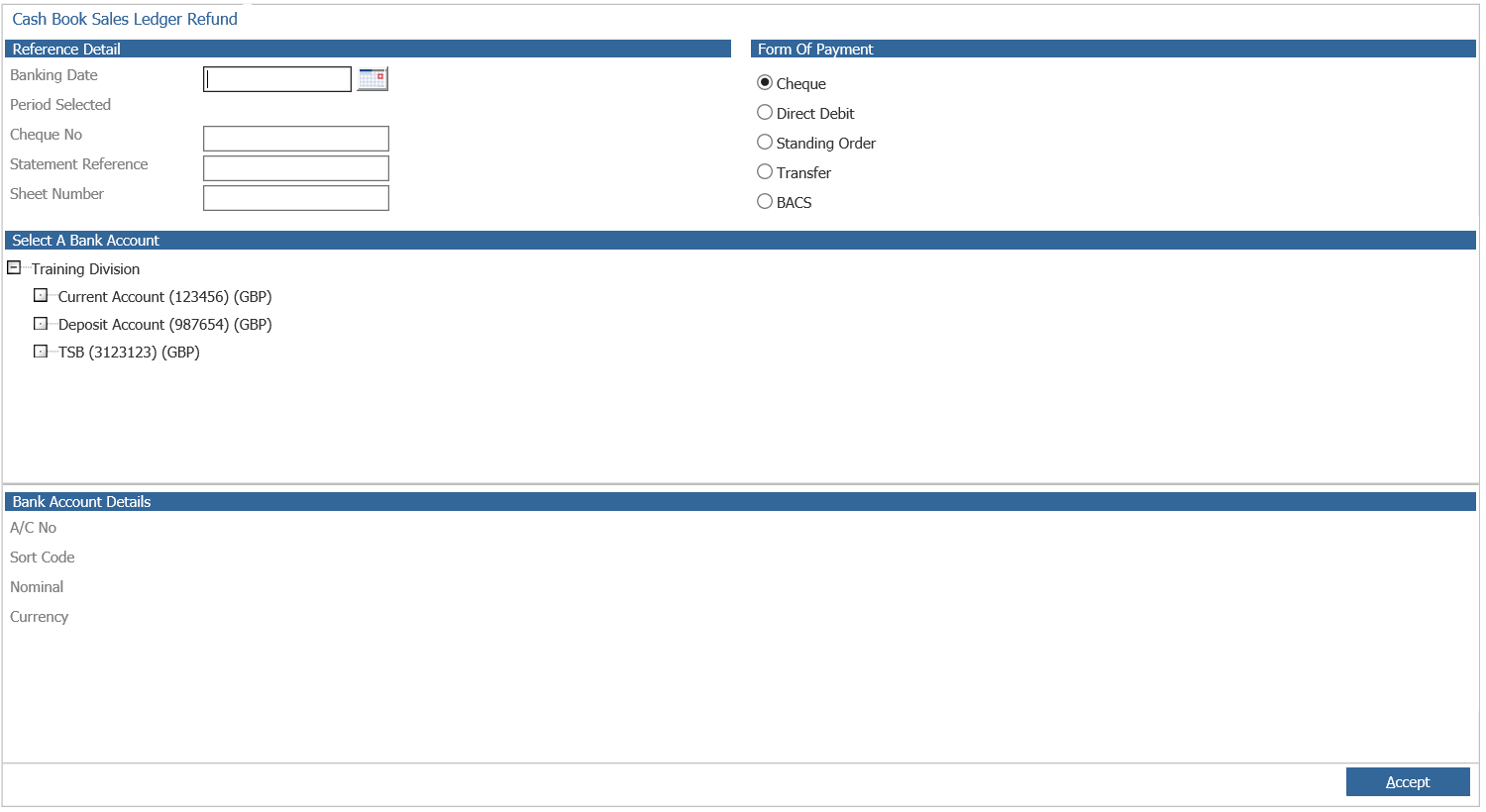
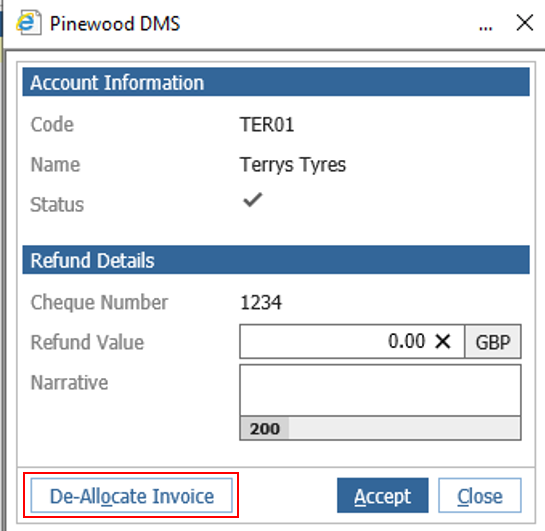
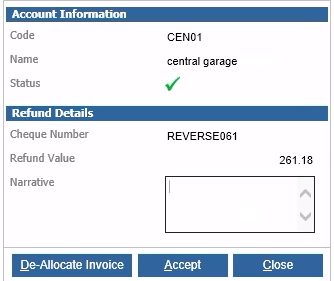
Select Accept and select the Sales Ledger Account code required, the pop up box is the same as previous with the option to refund a value and add a Narrative and select Accept to create a Reversal. If access is available there is now a De-allocate Invoice Button available to select.
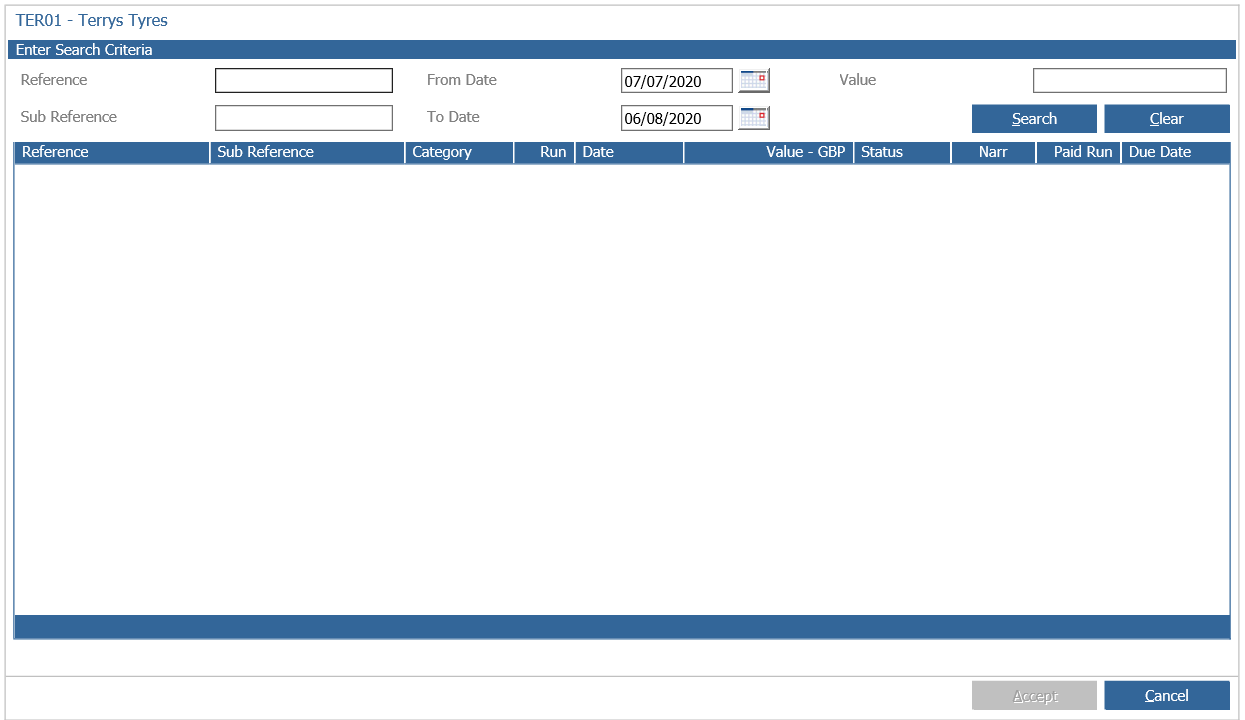
You will then be presented with another window where you are able to search for transactions on that account. This will then allow you to search for transactions that have previously been paid or archived.
The presented window will allow you to use the search fields for the relating transaction by using a reference, sub reference, the date From Date will default to the previous month and the To date to the today date. There is a maximum date range of 90 days to search due to the volume of transactions that would be retrieved. The dates can however be set to anything within 90 days of each other.
Once the desired transaction has been searched and selected, the previous pop up will display the value for this. You can add an applicable Narrative and select Accept, this will then generate a transaction on the account which will have inherited most of the details of the previous transaction.
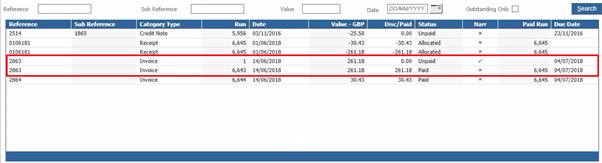
When viewing this within the Sales Ledger Enquiry screen, there will be two transactions with the same reference, they will also display with the same type of Invoice. This will display a new Run number, however it will inherit the previous transaction date and due date.
The status will now display as Unpaid, so once monies are received, this can once again be paid for.
When drilling into that transaction, the postings will display as a Credit to the bank account and the Debit will revert back to the Sales Ledger. The difference between this method is that the de-allocated invoice will inherit detail from the previous transaction which would not be the case if a reversal has been made.

Within the Narrative you can view that the date and time this was created;

The new transaction will also link back to the invoice generated from the previous transaction so if you were to double click the now unpaid transaction this will display the original invoice to view.
If you were to view this within the Cash Book Enquiry screen a row displays for the payment that has been made.
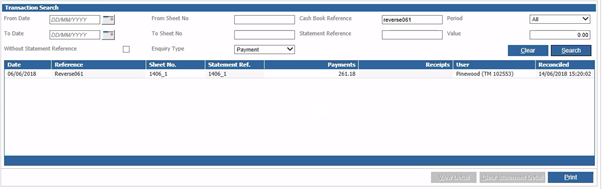
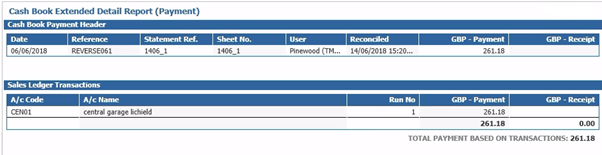
When selecting the View Detail button, you are able to view what value has been posted as a payment to that account.
Additional Notes
Discounted, Part-Paid and internally paid invoices are not available in this process. Credit Notes and transactions of any other type are also excluded.
The original invoice does stay as it is, when using de-allocate this creates a new transaction that inherits most of the detail from the original transaction.
The Invoice transaction, associated payment and Cash Book entry will be written to the period in which the payment is posted regardless of the transaction date of the invoice whose details are inherited. The Aged debt reporting works from the transaction date and not period therefore this will be unaffected.
The transaction source location is also inherited from the selected invoice transaction so the department filter in the Aged debt report can be used with these invoices.
The user on the new transaction will be written as the user who created the payment.
The source module for this transaction will be Cash Book.
The transaction timestamp will be the date time that the new transaction was created and won’t be inherited from the selected invoice transaction.
If you do not have access or choose not to select a paid invoice, then the process will work the same as previous.